
Question

Custom Interface Extension Table's connection to the Data Panel

  • April 28, 2026
  • 1 reply
  • 65 views

Forum|alt.badge.img+11

Hey all, 

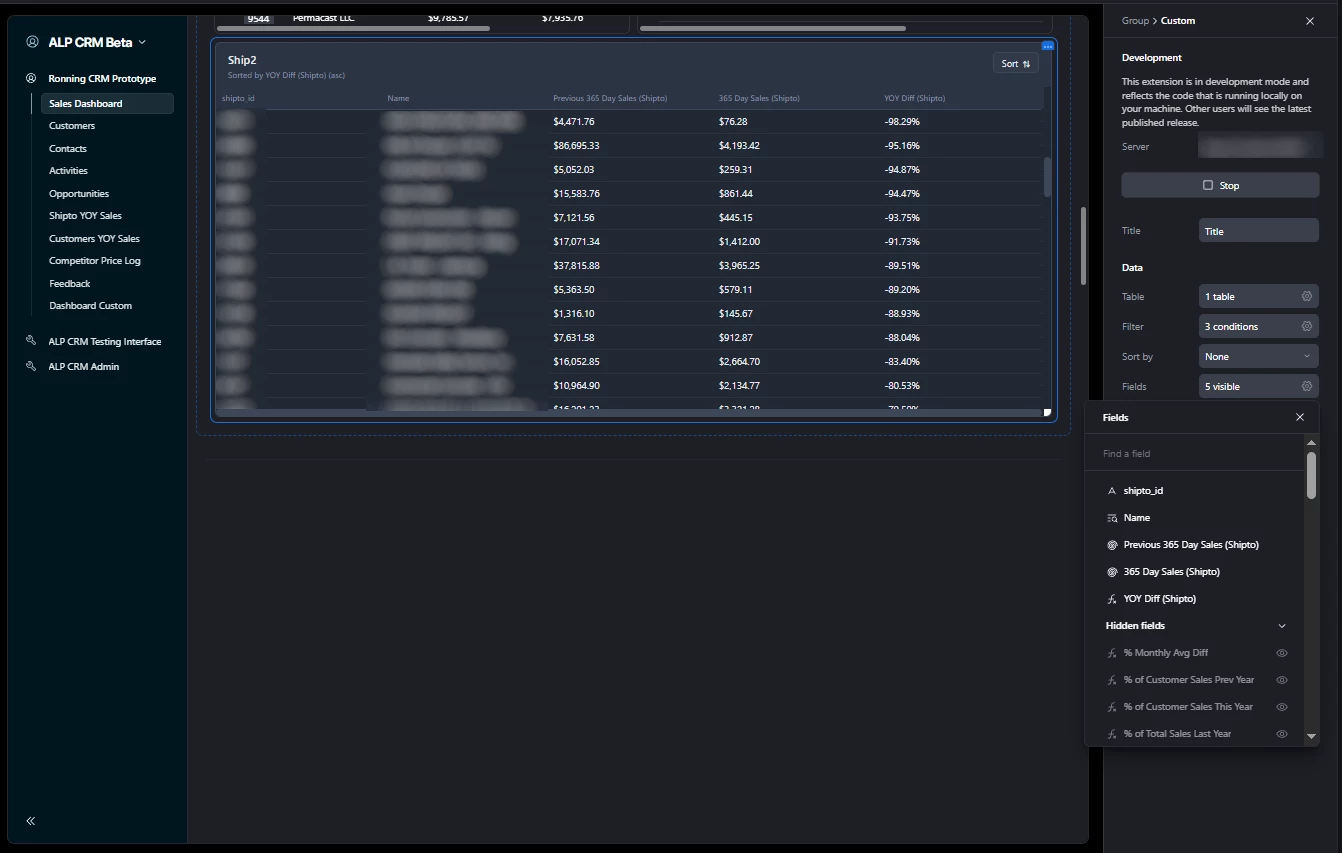
I’m making a Custom Interface Extension table module so I can have user facing sorting on the dashboard template. I’m trying to figure out how I can have the order of the columns tied to the order of the fields in the data panel the same way it works in the native AT tables. Anyone know? Thank you.
 

1 reply

Forum|alt.badge.img+5
  • Participating Frequently
  • May 4, 2026

It looks like the field order is accessible through the data panel in the SDK.  When you query your table the fields come back in the order configured in the extensions field settings.  It is important to build your column definitions  by mapping directly over the ordered fields array rather than manually defining columns.

Try something like: 

const fields = table.fields.filter(f=> !f.isHidden);

const columns = fields.map(f => ({ id: f.id, name: f.name}));


This ensures that the column order  in the rendered table always reflects the order that is set in the data panel.  Reordering the field will automatically update your table, just like in native Airtable.
