Question

Exporting Formatting / HTML Tags via API

  • August 3, 2026
  • 6 replies
  • 38 views

Forum|alt.badge.img+1

Hi,

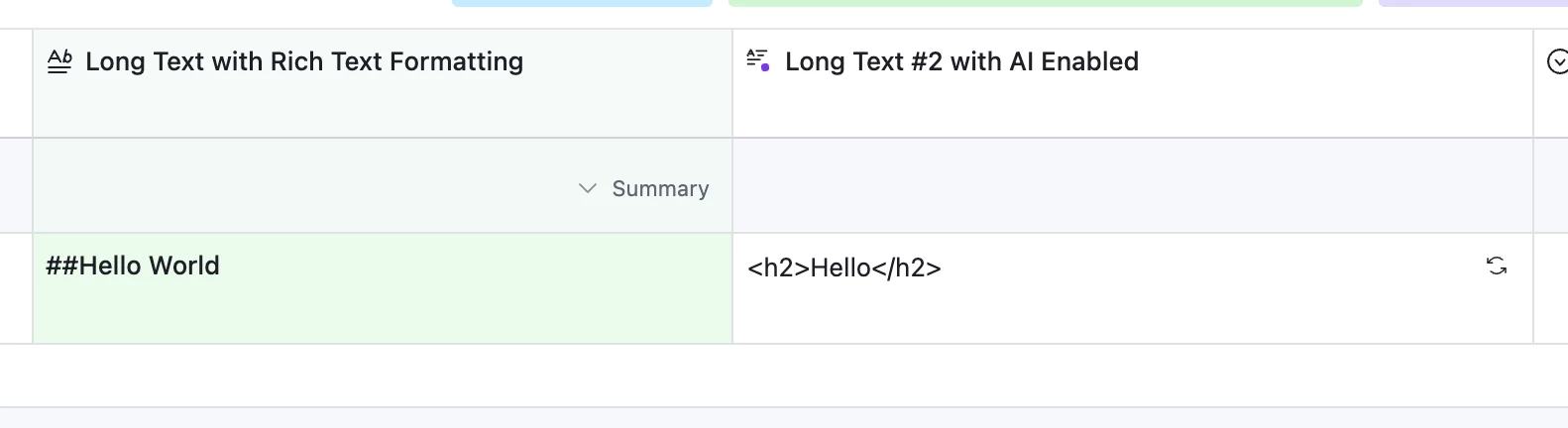
We have built an API that gets the data from AT and imports the data to WordPress using Custom Post Types that we built.  I have fields in AT that get formatting and when those fields are exported some of the HTML tag formatting is not totally retained.  I get bold text and paragraphs but for example not H2 tags.  The H2 tags gets replaced with ##.  Is there something I am not doing in AT or do I need to tweak something in my API or WordPress?

Thanks,
Stan

6 replies

ScottWorld
Forum|alt.badge.img+35
  • Genius
  • August 3, 2026

@matt6 

Airtable’s fields don’t support HTML tags.

Instead, Airtable’s fields support a small subset of markdown tags, which is why you’re getting ## for Heading level 2 tags.

So you would need to convert the markdown tags to HTML.

I don’t know JavaScript, but if you know JavaScript, you should be able to convert markdown to HTML by writing your own JavaScript code.

Otherwise, if you’re looking for a very easy, completely no-code way of converting markdown to HTML, you can always use Make’s markdown to HTML conversion tool in conjunction with Make’s Airtable integrations.

If you’ve never used Make before, I’ve assembled a bunch of Make training resources in this thread. For example, here is one of the many different ways that you can instantly trigger a Make automation from Airtable. You can even instantly trigger a Make automation by having an interface button or URL link trigger a custom webhook (with optional webhook response).

I give live demonstrations of how to use Make in many of my Airtable podcast appearances. For example, in this video, I show how to work with Airtable arrays in Make. And in this video, I show how to use custom webhooks.

Hope this helps!

If you’d like to hire the best Airtable consultant to help you with anything Airtable-related, please feel free to contact me through my website: Airtable consultant — ScottWorld


Forum|alt.badge.img+1
  • Author
  • New Participant
  • August 3, 2026

Hi,

Thanks so much for the response!

Javascript wouldn’t be an issue but where does it get placed?

I will look at the tutorials and see if MAKE is a better option.

Thanks again for the help!


ScottWorld
Forum|alt.badge.img+35
  • Genius
  • August 3, 2026

You’re welcome!

The only 2 places in Airtable that support JavaScript are Airtable’s automations and Airtable’s scripting extension.

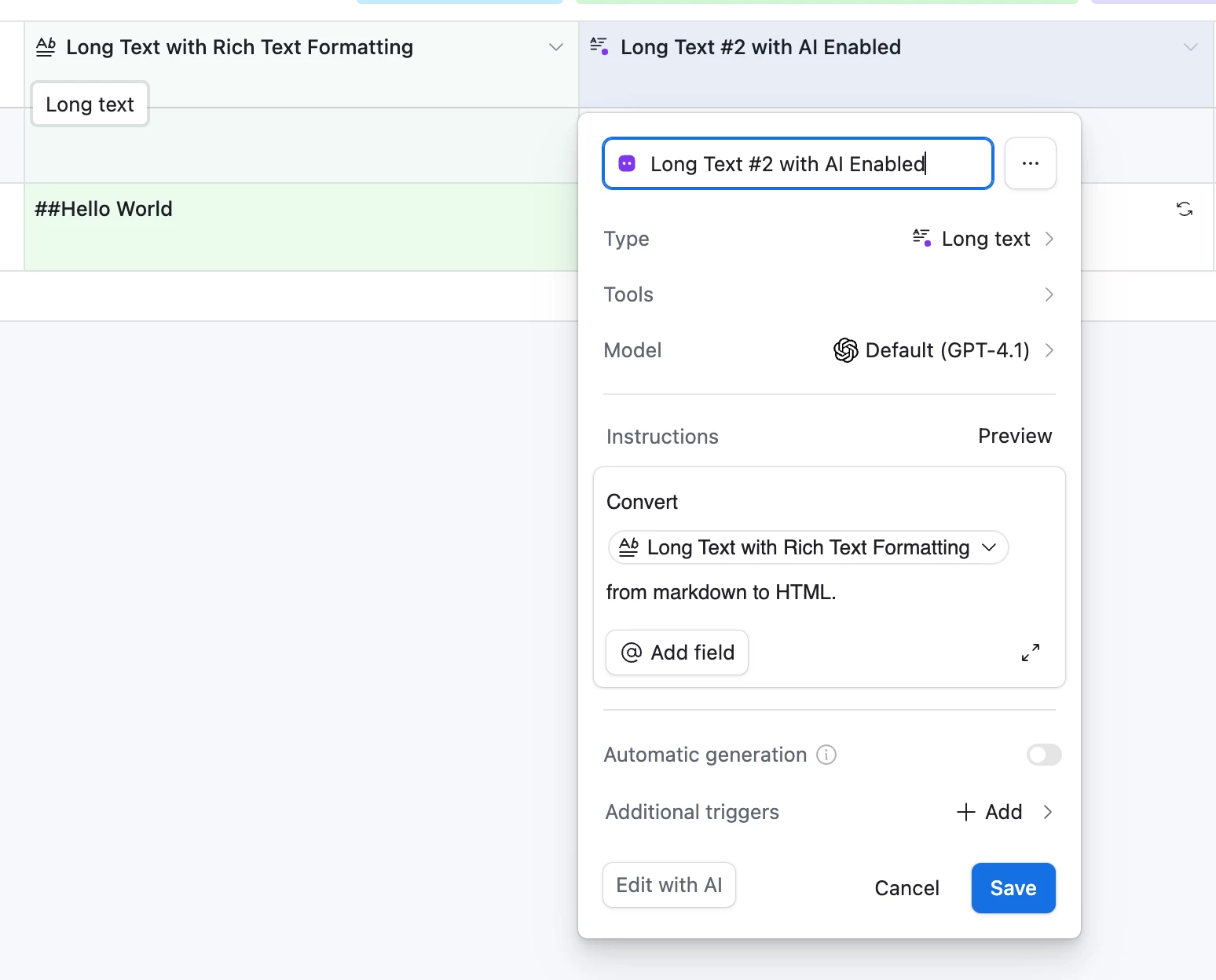
Also, I just realized that you might be able to use AI in Airtable’s fields or AI in Airtable’s automations to convert markdown to HTML.


Forum|alt.badge.img+1
  • Author
  • New Participant
  • August 3, 2026

Hi,

Can you explain a little more about the AI option?


Thanks,

Stan


ScottWorld
Forum|alt.badge.img+35
  • Genius
  • August 3, 2026

This is a little bit unintuitive to setup, but if you already have a rich text field (i.e. a long text field with rich text formatting enabled), then you can create ANOTHER long text field and convert it to an “AI” field, and tell the AI to convert the first rich text field from markdown to HTML.

Check out the 2 screenshots below.

You can also use AI in automations as well, but this is probably the more straightforward way.


nroshak
Forum|alt.badge.img+11
  • Inspiring
  • August 4, 2026

For the automation option, you could grab the script from here and put it into an Airtable automation:

https://codewolfy.com/build-your-own-markdown-to-html-converter-using-javascript/

steps:

  1. pull just the stuff between the <script> … </script> tags from the HTML example in the above page
  2. create an automation that runs whenever your rich text (Markdown) field is updated
  3. the automation uses the script from above, but for input use the Markdown field, and for output use a long text (not rich text) field where you want to store the HTML output

the only thing is, I’m not 100% sure the rich text will be passed as Markdown to your automation, but it’s worth a try!

-Natalka