Solved

Get current record from a script's button (data grid)

  • March 25, 2026
  • 2 replies
  • 24 views

aau
Forum|alt.badge.img
  • New Participant

Hi,

I’m new to airtable and I try to make a script triggered from a button field. I need to get the selected record linked to the button clicked but could not find how to achieve this.

I can’t believe there is no way to get the current record id from the script, what am I missing?

Thanks.

Best answer by TheTimeSavingCo

Not quite sure if I understand what you’re asking, so apologies if I’ve got it wrong!

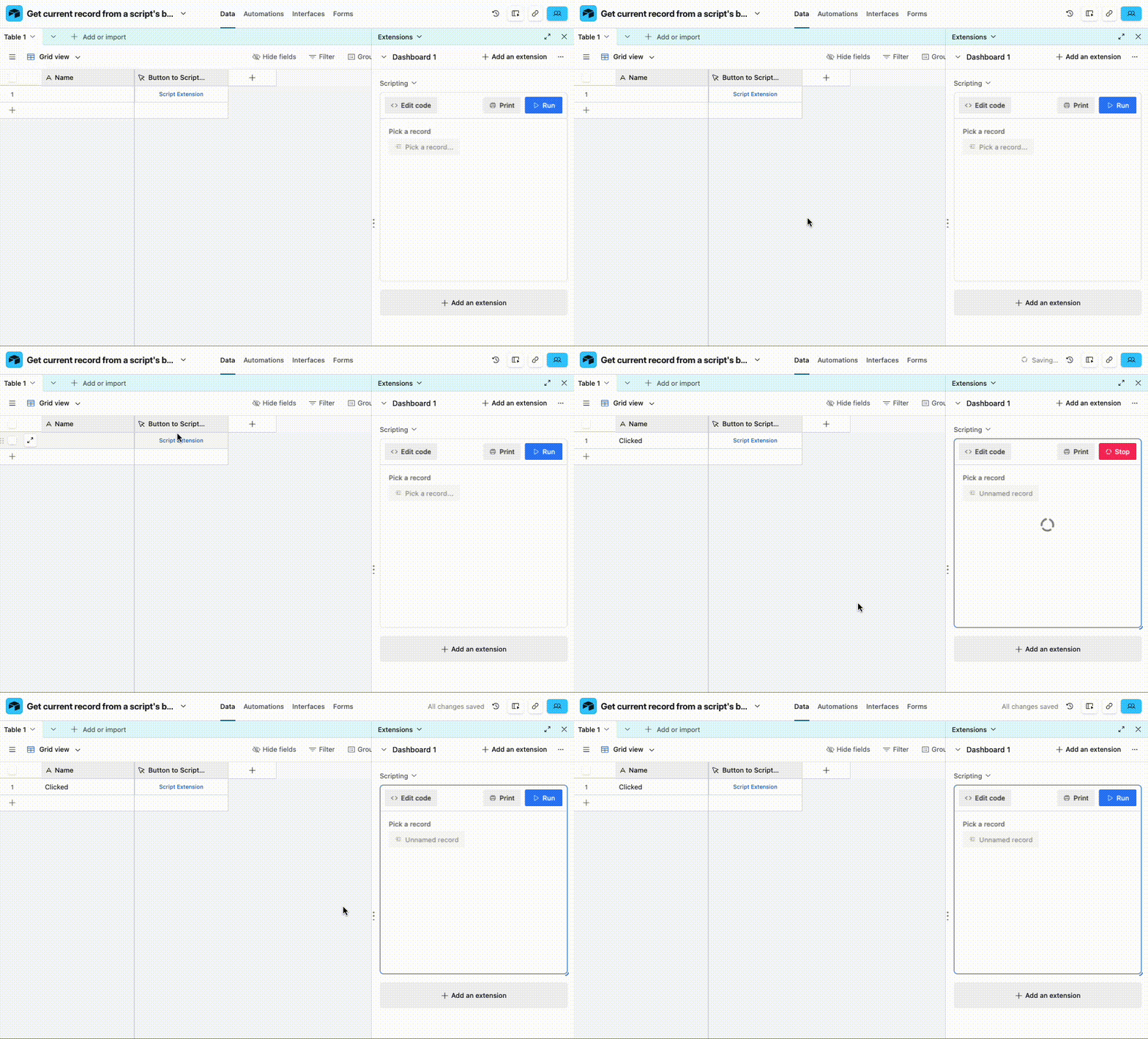
On the data layer, we’d point the button at a Script Extension, and here’s an example script to get you going:


https://airtable.com/developers/scripting/api/input#config

https://airtable.com/developers/scripting/api/input#record-async

let tableId = cursor.activeTableId
let table = base.getTable(tableId)
let record = await input.recordAsync("Pick a record", table)

await table.updateRecordAsync(
record.id,
{
"Name": 'Clicked'
}
)

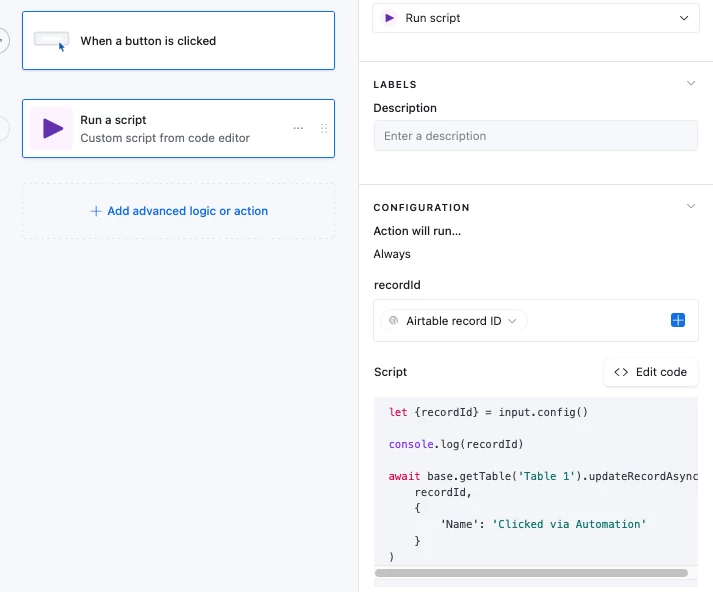
If we’re doing it via an automation via an Interface, then a button field wouldn’t be usable and we’d need to set the recordId as an input variable:

https://airtable.com/developers/scripting/api/input#config

let {recordId} = input.config()

console.log(recordId)

await base.getTable('Table 1').updateRecordAsync(
recordId,
{
'Name': 'Clicked via Automation'
}
)


2 replies

TheTimeSavingCo
Forum|alt.badge.img+31

Not quite sure if I understand what you’re asking, so apologies if I’ve got it wrong!

On the data layer, we’d point the button at a Script Extension, and here’s an example script to get you going:

https://airtable.com/developers/scripting/api/input#config

https://airtable.com/developers/scripting/api/input#record-async

let tableId = cursor.activeTableId
let table = base.getTable(tableId)
let record = await input.recordAsync("Pick a record", table)

await table.updateRecordAsync(
record.id,
{
"Name": 'Clicked'
}
)

If we’re doing it via an automation via an Interface, then a button field wouldn’t be usable and we’d need to set the recordId as an input variable:

https://airtable.com/developers/scripting/api/input#config

let {recordId} = input.config()

console.log(recordId)

await base.getTable('Table 1').updateRecordAsync(
recordId,
{
'Name': 'Clicked via Automation'
}
)


aau
Forum|alt.badge.img
  • Author
  • New Participant
  • March 25, 2026

Thanks ​@TheTimeSavingCo , that’s exactly what I was looking for!