Is there any option to integrate Adobe e-signature with Airtable?

  • January 9, 2023
  • 3 replies
  • 296 views

Forum|alt.badge.img+6

Is there any option to integrate Adobe e-signature with Airtable? If yes, can someone please guide me through it?

Based on the data entered in the Airtable, I want to create a PDF file which would be mailed to 4 different people to sign it. I also want to know that how can I create a PDF based on the data entered and automate to send it to all the people in the list and get it signed one by one with first in the list as first and so on. 

3 replies

Greg_F
Forum|alt.badge.img+18
  • Brainy
  • January 9, 2023

Hi @mshah72 !

I do not think it is possible out of the box, but certainly is possible.

Adobe Sign has an API so it 

https://secure.na1.adobesign.com/public/docs/restapi/v6

Which seems to be having option to upload a file and specify recipients:

https://secure.na1.adobesign.com/public/docs/restapi/v6#!/agreements/createAgreement

Meaning it could be created pushing data from Airtable via Automation to Adobe (* however I did not check authentication format.

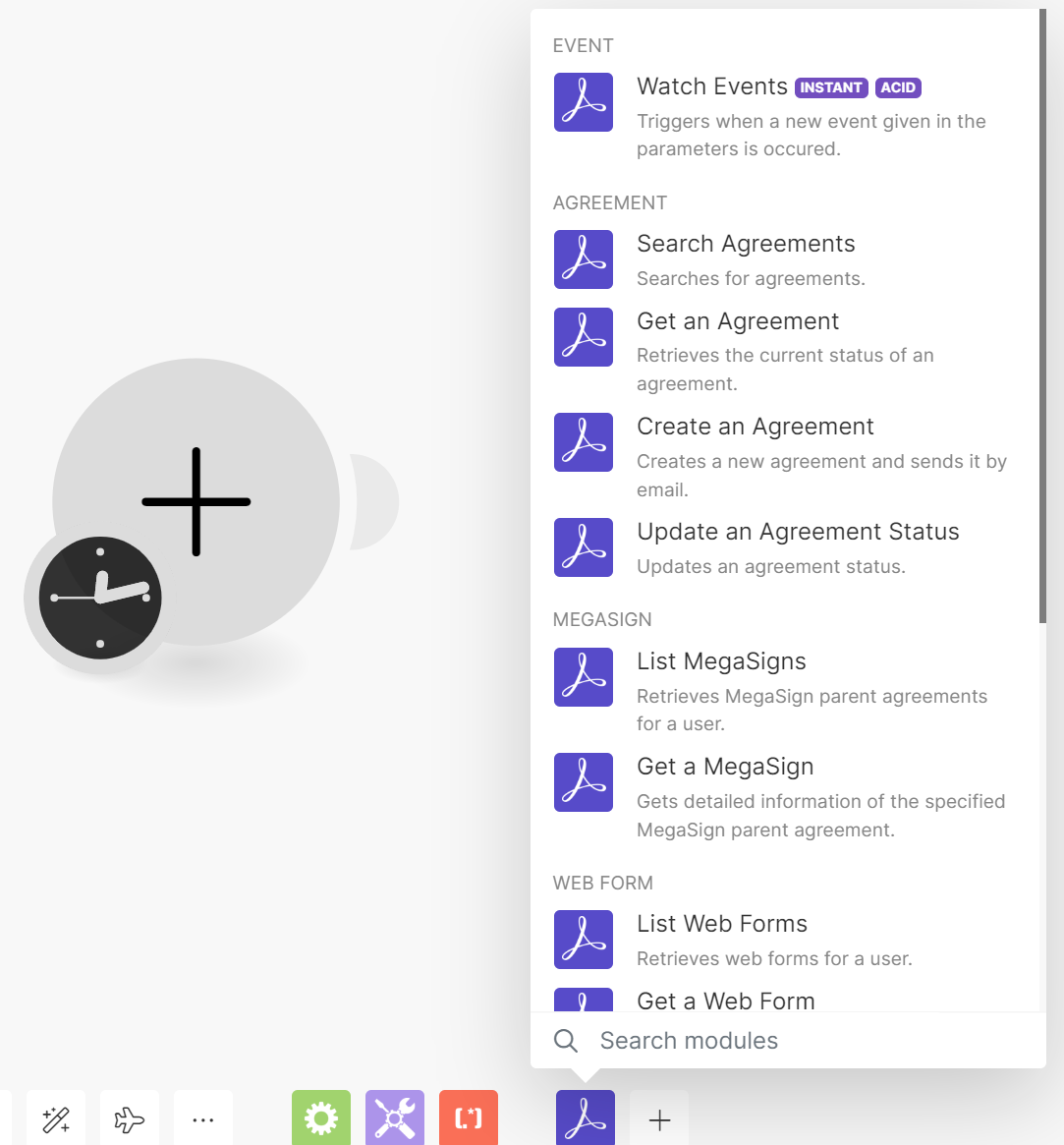
I see that you can also use Make.com and they have the "Create an Agreement" module:

I have not used the Adobe API, so it would require some time dig through docs and test, but you could try to see if it can work out yourself in Make. 

If you would be interested to use DocuSign - I have somewhere implementation instructions. Cannot tell though if Adobe or DocuSign would be better for your use case.  

I hope this helps!


ScottWorld
Forum|alt.badge.img+35
  • Genius
  • September 14, 2025

You can use any eSignature platform that you’d like, and automate it with Make’s advanced automations & integrations,

For example, you can automate the communication between eSignatures.com and Airtable by using Make’s eSignatures integrations along with Make’s Airtable integrations.

But you can choose from any eSignature platform that you would like, and automate it with Make.

If you’ve never used Make before, I’ve assembled a bunch of Make training resources in this thread. For example, here is one of the ways that you could instantly trigger a Make automation from Airtable.

Alternatively, one of the easiest (and cheapest) ways of doing this is to use Fillout’s advanced forms for Airtable.

I show how to do this step-by-step on this Airtable podcast episode:

Fillout also offers hundreds of features that Airtable’s native forms don’t offer, including the ability to update Airtable records using a formaccept payments on forms, display Airtable lookup fields on forms, create new linked records on a form, control access to a form via SSO or email domains or a list of email addresses stored in Airtable, perform math or other live calculations on your forms, collect signatures on a form, create multi-page forms with conditional paths, connect a single form to dozens of external apps simultaneously, add CAPTCHAs to your form, and much more.

Here’s another podcast episode where I show off a few more of the advanced features of Fillout:

Hope this helps!

If you have a budget and you’d like to hire the best Airtable consultant to help you with this or anything else that is Airtable-related, please feel free to contact me through my website: Airtable consultant — ScottWorld


Forum|alt.badge.img+10
  • Known Participant
  • March 11, 2026

Adobe Sign with Airtable is technically doable but there's no native integration - you'd need to use Make with Adobe's "Create Agreement" module, which requires some API setup. Workable but not trivial.

For what you described (Airtable data → PDF → 4 people signing sequentially), a few options:

Plumsail Documents + DocuSign + Make : the most documented path for this workflow. Plumsail generates the PDF from Airtable data, sends it to DocuSign for sequential signing, Make handles the return to Airtable. Solid but three moving parts + three subscriptions.

eSignatures.io + Make : cheaper alternative to DocuSign, supports sequential signing. Same architecture - still need Make to wire everything together.

TypeFlow : does the Airtable → PDF generation → sequential multi-signer → signed PDF back to Airtable without middleware. You set each signer's email to an Airtable field and choose sequential mode. Less setup overhead than the multi-tool approach. Only one subscription.

The main trade-off is usually: do you want recognized brand names (DocuSign) or simpler setup with fewer subscriptions? Both are legally valid under ESIGN/eIDAS.