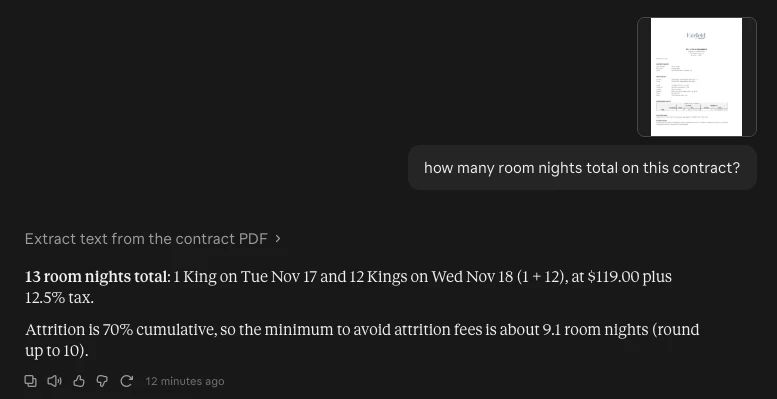


I’m using an AI field to review hotel group contracts (PDF attachments). It does a great job on the paragraph text, like cancellation terms, attrition and commission. But it consistently misreads the room block table, even a very simple one.
The example contract has a 2-night grid:
| Tue 11/17 | Wed 11/18 | |
|---|---|---|
| King | 1 room @ $119 | 12 rooms @ $119 |
The AI field drops the 1-room night every time, on both Sonnet 5.5 and Opus 5.5. It reports 12 room nights instead of 13. When I flagged the conflict in the prompt, it said the 11/17 cell was blank.
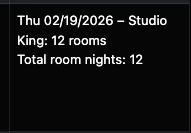
To rule out my long prompt, I made a test AI field with a one-line prompt asking only for the rooms per night by date. It returned “Thu 02/19/2026 – Studio King: 12 rooms”, and that date and room type don’t appear anywhere in the document.
Dropping the same PDF straight into Claude reads the table correctly right away. So it looks like the table structure (date headers, small cells) gets lost when Airtable converts the PDF for the model.
Questions:
- Has anyone else seen AI fields misread tables in PDF attachments?
- Any workarounds that worked for you? For example, converting the PDF to an image first, a different attachment format, or prompt tricks.
- Does anyone know if Airtable is aware of this or working on it?
Screenshots of the test field output and the correct reading are attached. Thanks!
Table as seen in PDF contract:

Field agent output:
Claude chat: