Question

calculate the number of checkboxes checked in a record

  • July 19, 2026
  • 4 replies
  • 41 views

Forum|alt.badge.img

my table contains several dozen fields that are checkboxes.  at the end of each record i want a formula that calculates the percentage of the checkboxes that are checked (true).  In excel i did it this way:  =COUNTIF(E2:DA2, TRUE) / COUNTA(E2:DA2).  

4 replies

Julien Ritzenthaler
Forum|alt.badge.img+1

Airtable doesn't have ranges like Excel, so there's no COUNTIF. But a checked box equals 1 and an unchecked one 0, so you just add them up like:

{Box 1} + {Box 2} + {Box 3} + ...

Then you can divide by your total number of boxes (fixed, say 40):

({Box 1} + {Box 2} + ... + {Box 40}) / 40

Set the field format to Percent and you're done.


Forum|alt.badge.img
  • Author
  • New Participant
  • July 20, 2026

OK.  That worked perfectly.   Thank you.   


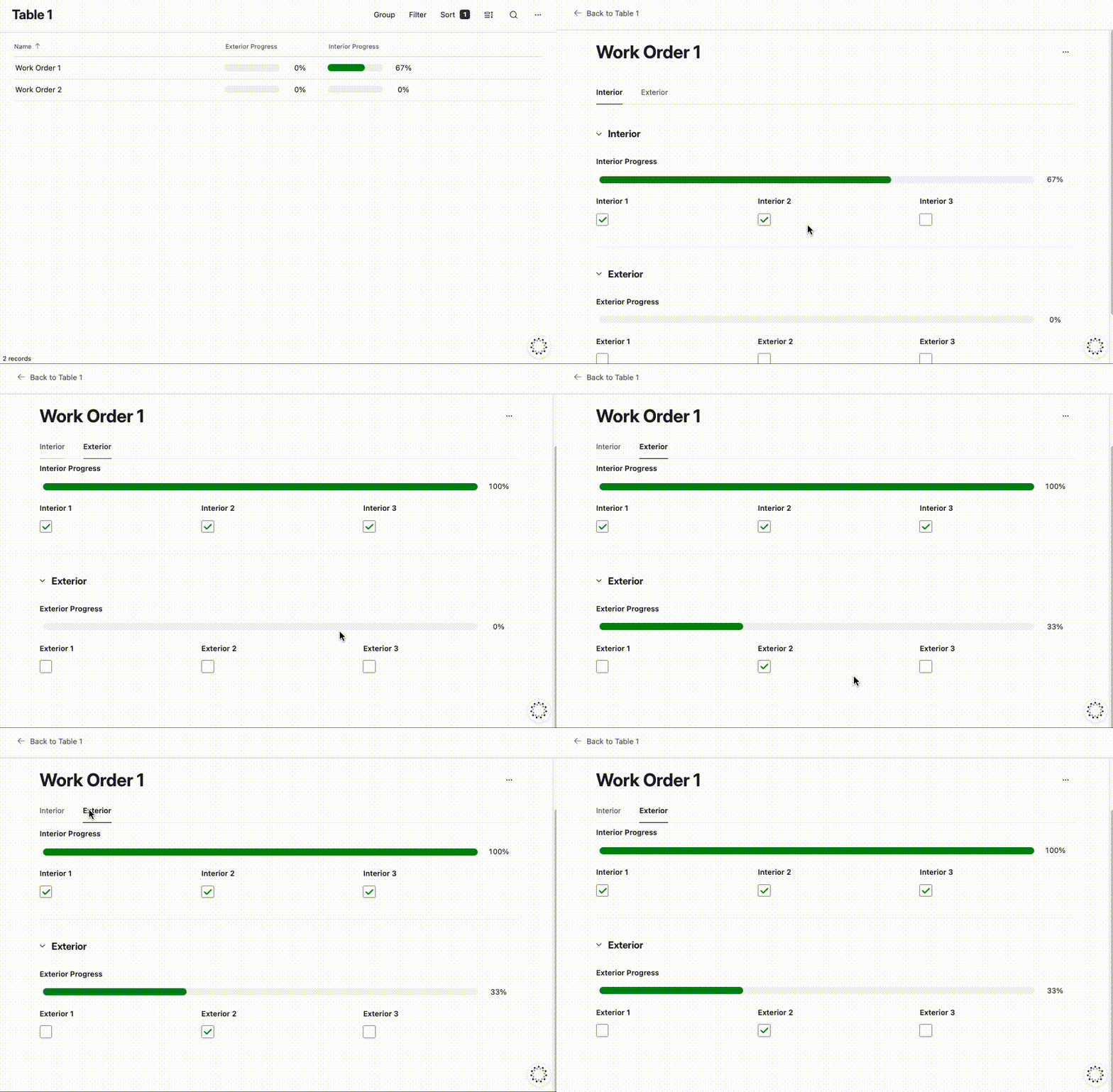
So I have another question.  My table has 92 fields that are checkboxes.  Each record is one work order and each checkbox field is a particular task to complete the order.  And i think I would like to group those tasks into categories, because some tasks are on the exterior walls of the product, some are inside the product, some are in the floor, etc.  The airtable tutorial videos i've watched talk about each interface consisting of different pages.  So perhaps I should make a page for each category of tasks?  What say you?


TheTimeSavingCo
Forum|alt.badge.img+32

Hm, a single record detail page with groups and tab navigation seems like it’d work, and I’ve set it up here for you to check out!


Mike_AutomaticN
Forum|alt.badge.img+29

Completely different matter, but you might be interested in re-structuring your schema. Where you have 2 different tables
Projects (for example), and
Tasks

For each project you’d get 92 task records linked to it, rather than 92 fields on the master table.
This makes for a more scalable system as if at any point in time you have more, or less, tasks for any given project you do not need to create new fields and change your formulas :D

Best,
Mike

Mike, Consultant @ Automatic Nation 
YouTube Channel