Concatenate fields unless no information then I want a blank cell

  • April 5, 2024
  • 5 replies
  • 43 views

Forum|alt.badge.img+3

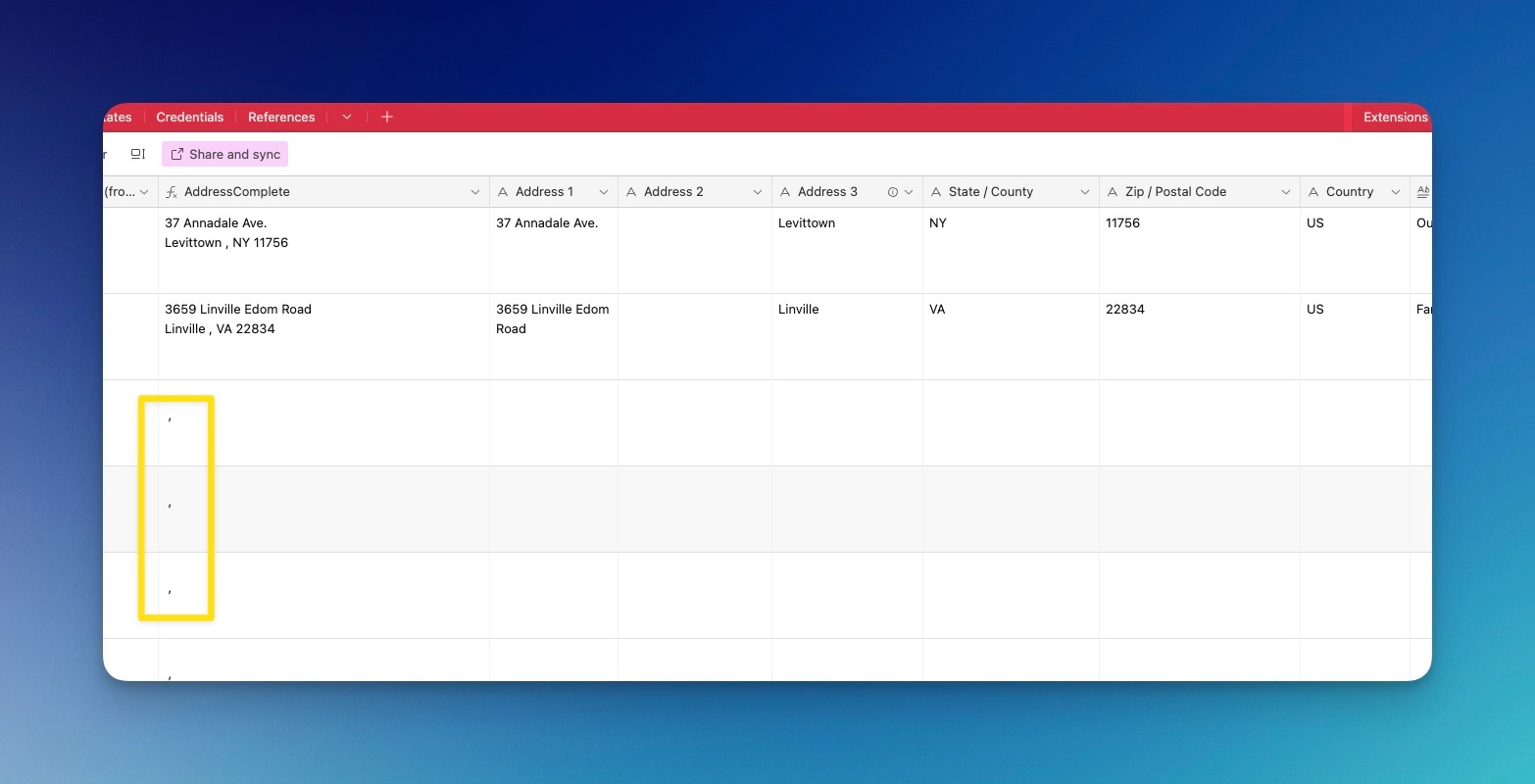
I want to combine cells into one address block, but if there are no addresses I want the cell to remain blank. I'm having trouble creating this. Right now I'm getting a random common in the box: 

This is the formula I'm using:


CONCATENATE({Address 1} & "\n" & IF({Address 2}, {Address 2} & "\n") & {Address 3},", ",{State / County}," ",{Zip / Postal Code})

5 replies

pressGO_design
Forum|alt.badge.img+21

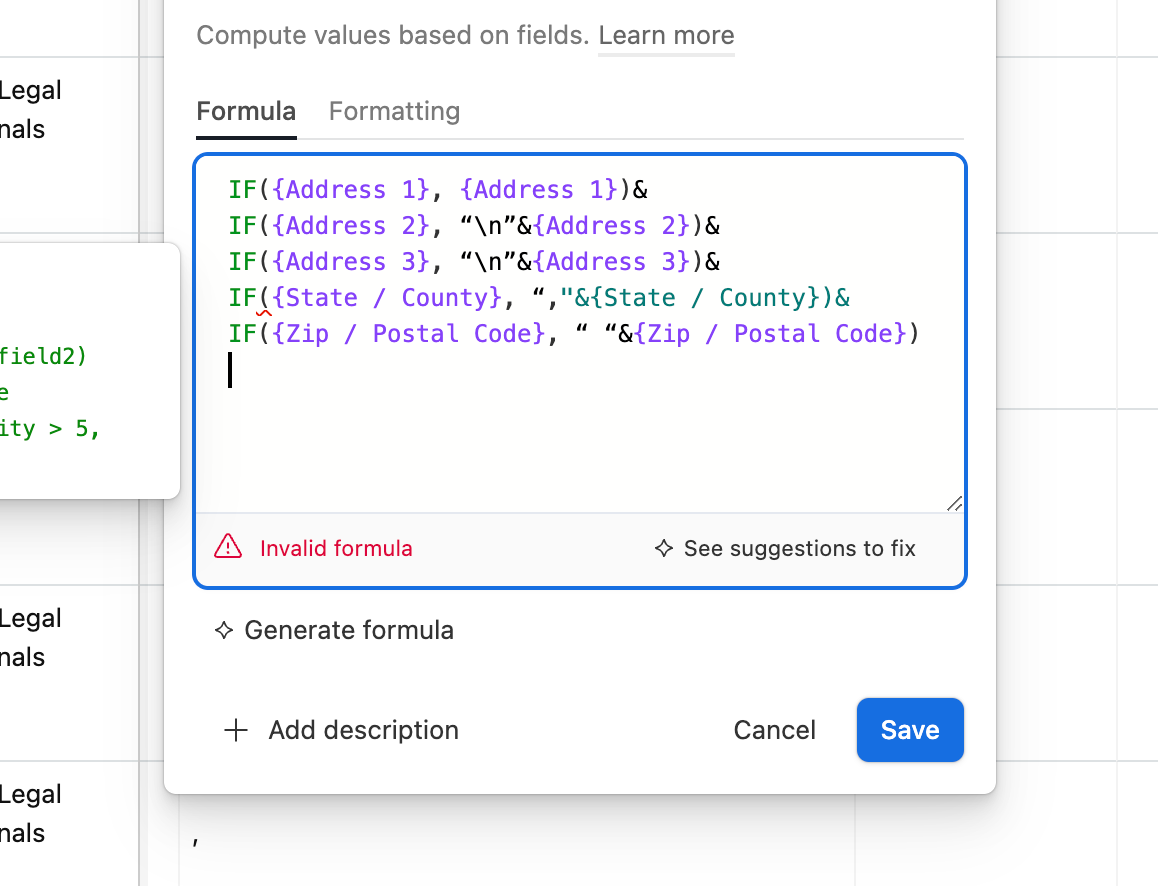
IF({Address 1}, {Address 1})&
IF({Address 2}, “\n”&{Address 2})&
IF({Address 3}, “\n”&{Address 3})&
IF({State / County}, “, "&{State / County})&
IF({Zip / Postal Code}, “ “&{Zip / Postal Code})


Forum|alt.badge.img+3
  • Author
  • New Participant
  • April 7, 2024

IF({Address 1}, {Address 1})&
IF({Address 2}, “\n”&{Address 2})&
IF({Address 3}, “\n”&{Address 3})&
IF({State / County}, “, "&{State / County})&
IF({Zip / Postal Code}, “ “&{Zip / Postal Code})


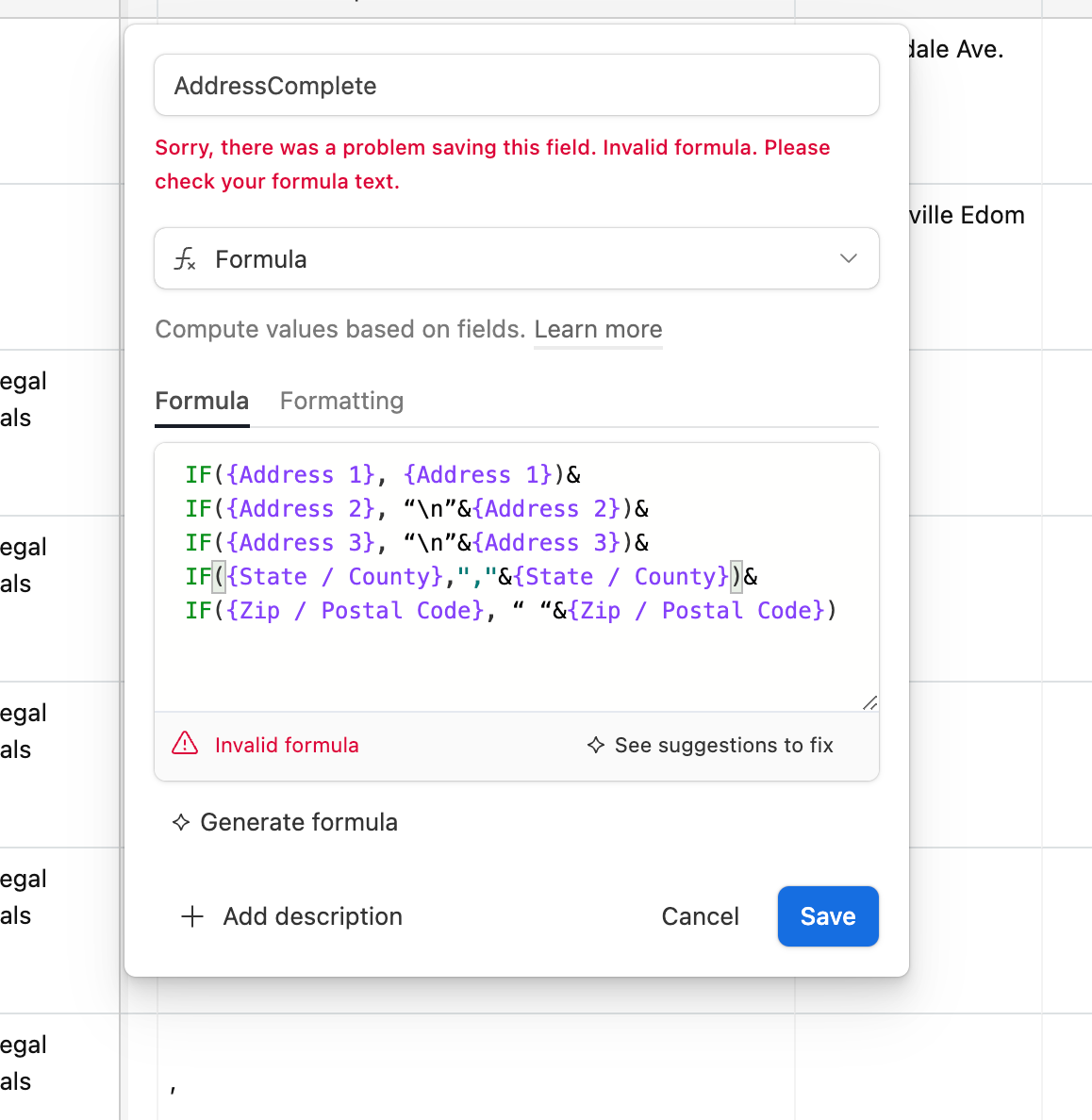
Thank you; however, it's still giving me an error:

I'm just trying to get rid of those pesky commas in the address complete box if those other boxes are empty.


pressGO_design
Forum|alt.badge.img+21

Place your cursor before the ampersand in front of State / County, delete the “, “ and retype them in. 


Forum|alt.badge.img+3
  • Author
  • New Participant
  • April 7, 2024

Place your cursor before the ampersand in front of State / County, delete the “, “ and retype them in. 


That worked for getting it to turn blue again, but still gave me an error. Thank you so much for being willing to help. I'm just awful at this. I still need the complete address to show up if there is an address entered. I just need the cell to be blank if there are no addresses's present. That specific cell is referenced in a mapping software that is integrated.


pressGO_design
Forum|alt.badge.img+21

You're not terrible at this - you’re learning.

Try finding the troublesome part of the formula by copying the whole thing and then pasting it in one IF at a time. First you paste in 

IF({Address 1}, {Address 1})

then, if that works, add the second one like this

IF({Address 1}, {Address 1})&
IF({Address 2}, “\n”&{Address 2})

and so on until you get the error message.