Convert single select field to datetime_parse field

  • September 18, 2020
  • 7 replies
  • 74 views

Forum|alt.badge.img+6

Hi everyone,

What is the simplest way to convert a single-select field, which is the full word month (i.e., “January”), to a usable date field that provides the current MM/YYYY (i.e., “01/2020”)?

I’m integrating to Airtable from JotForm, and the field in Airtable has to match the format of the JotForm field. So my JotForm field is formatted as Dropdown, and my Airtable field (Field 16) is formatted as Single select.

My Airtable integration works for the Field 16, but I need a formula for my Activity Month field to convert that to MM/YYYY.

Thanks so much for your help!
V

7 replies

Forum|alt.badge.img+20
  • Inspiring
  • September 18, 2020

Hi @Valida_Beckman,

You’ll need to use the DATETIME_PARSE formula to convert that to MM/YYYY. We walk through some examples in this support article: https://support.airtable.com/hc/en-us/articles/360053626934.

Let me know if that helps!


Forum|alt.badge.img+6
  • Author
  • Known Participant
  • September 18, 2020

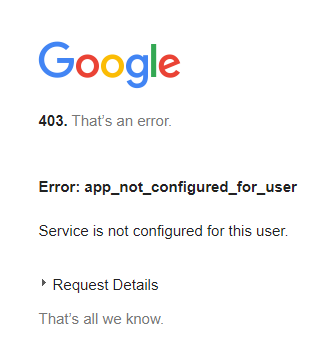
Sorry Jason, tried to access link but got a “403” - I’ve never logged into Zendesk before.
Any other way you can direct me to that support article?

Thanks!


Forum|alt.badge.img+6
  • Author
  • Known Participant
  • September 23, 2020

Sorry Jason, tried to access link but got a “403” - I’ve never logged into Zendesk before.
Any other way you can direct me to that support article?

Thanks!


May I please have some help with accessing this link?


It does not work for me.
Is there any other way you can direct me to that support article?
Thanks again!

Nathalie_Collin
Forum|alt.badge.img+18

Hi @Valida_Beckman,

You’ll need to use the DATETIME_PARSE formula to convert that to MM/YYYY. We walk through some examples in this support article: https://support.airtable.com/hc/en-us/articles/360053626934.

Let me know if that helps!


Hi @Jason, Seems like there’s an issue internally today. All support articles are pointing to https://airtable.okta.com/login/login.html asking for a ZenDesk login credential.

CORRECTION - Seems to be just this article.


Forum|alt.badge.img+6
  • Author
  • Known Participant
  • September 24, 2020

Hi @Jason, Seems like there’s an issue internally today. All support articles are pointing to https://airtable.okta.com/login/login.html asking for a ZenDesk login credential.

CORRECTION - Seems to be just this article.


Thanks Nathalie – actually this has been an issue for the past week, since Sep 18 I think


Forum|alt.badge.img+20
  • Inspiring
  • September 24, 2020

@Valida_Beckman So sorry for not responding again! The article should be accessible now.


Forum|alt.badge.img+6
  • Author
  • Known Participant
  • September 24, 2020

@Valida_Beckman So sorry for not responding again! The article should be accessible now.


No worries, I can access it now - will let you know if I have any more questions etc. Thanks!