Question

Encoded URL for Record Picker

  • January 20, 2026
  • 3 replies
  • 22 views

Forum|alt.badge.img+2

Have a form that a record picker is used to select a client and am trying to get a encoded URL into a button that can be selected from within an Interface page and have the client pre-selected.

Have made plenty of Forms pre-filled encoded URLs (Button linked to formula building the URL), but cannot get this one to work - only seems to be for the Record Picker element

Have other URLs for this exact form that work fine, eg:
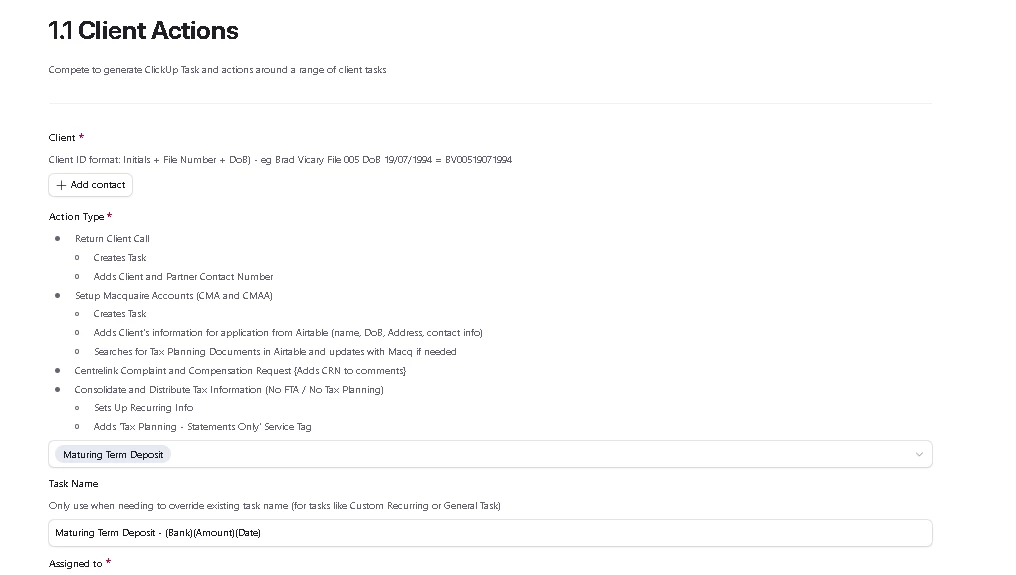
https://airtable.com/appgAgIX5zNGRiox4/pagqzLgwghd7xBloc/form?prefill_Action+Type=Maturing+Term+Deposit&prefill_Task+Name=Maturing+Term+Deposit+-+(Bank)(Amount)(Date)


But when I try to pre-populate the record picker under Client (which selects record from a linked table) it just doesnt fill it. I have tired manually creating:
https://airtable.com/appgAgIX5zNGRiox4/pagqzLgwghd7xBloc/form?prefill_Client=Shane+Harris

Have also tried using the Prefilled Forms extension using field names or field ID and get the same result


3 replies

Mike_AutomaticN
Forum|alt.badge.img+28

Hey ​@shane6836,

I did not play around with this yet (hope to get back to it later). However, first thing I see is that you are trying to pre populate Client (which is a linked record field) by including the NAME of the client on the url rather than the record id.

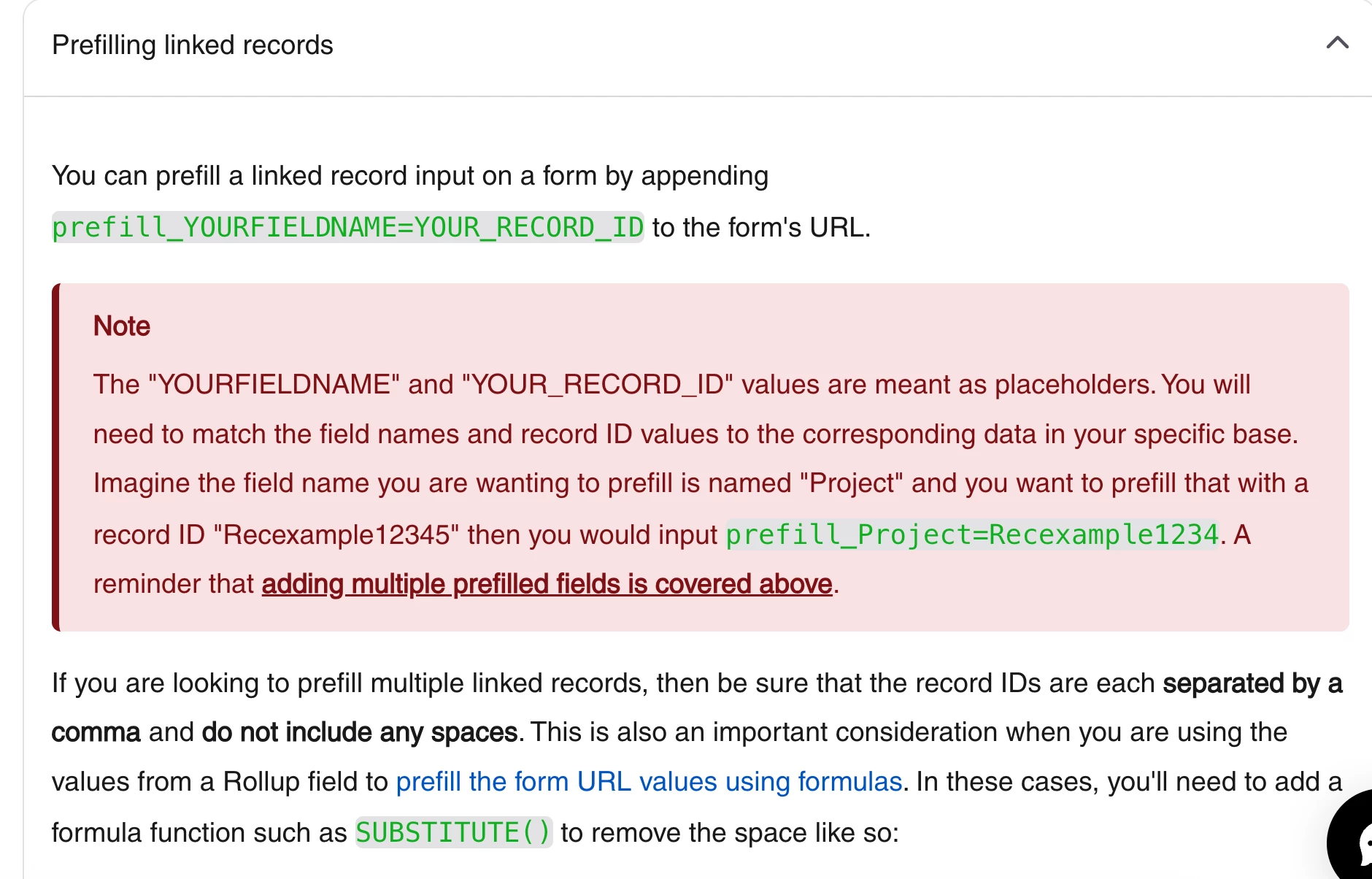
According to AT’s documentation on prefilling a form (you can check that out here) it seems that you should be passing the client’s record id. See screenshot below. Also, using field name rather than id seems the way to go.


For last, I’d really suggest looking into Fillout for more robust form solutions. They have a direct integration with Airtable, their free plan is probably all you’ll need, and you can pre fill, pre fetch, include text, divs and sections, and even create linked records on other tables (which airtable does not allow you to). Also, they have some additional features such as pdf generation from a form submission :D.

I’ll try to get back to this one. If you need any additional help, feel free to grab a slot using this link and I’d be happy to help.

Mike, Consultant @ Automatic Nation 
YouTube Channel 


ScottWorld
Forum|alt.badge.img+35
  • Genius
  • January 20, 2026

@shane6836 

As ​@Mike_AutomaticN mentioned above, it’s always best to use the Record ID instead of the primary field name itself.

This is considered best practice, and no URL Encoding is necessary,

However, if you do want to do URL encoding, remember that Airtable already has a URL encoding function built into its formula fields: ENCODE_URL_COMPONENT()

Also, ​@kuovonne created the Prefilled Forms extension for Airtable, which makes it very easy to create a prefill link in Airtable.

You can also learn more about prefilling a form in Airtable in this Airtable support article.

However, as Mike mentioned above, prefilled links are not typically the recommended way of prefilling forms anymore.

Typically, the recommended way of doing this is to use Fillout’s advanced forms for Airtable.

Fillout is 100% free and it gives you the built-in ability to (1) fill in default values for your form or (2) update an existing Airtable record with a form — with NO PREFILL LINKS REQUIRED.

More importantly, the reason you typically want to avoid using prefilled links with Airtable’s forms is because they come with some major downsides that you will want to be aware of:

  1. Critical problem: If you’re trying to update records from a form, you will always have to continually send out updated prefilled links to your users that always contain the newest data. If the user accidentally clicks on an outdated link, they will be taken to old data in the form. So they would never be able to re-use a link or bookmark a link as an “Update My Account Profile” link.
  2. Airtable does not allow prefilled fields to be LOCKED, meaning that a user can always override a prefilled field (even if it’s hidden). If you need a prefilled field to be locked & hidden, then Fillout lets you hide & lock defaults.
  3. Airtable’s prefilled links do not work with all field types… particularly attachment fields or lengthy long text fields that exceed URL limits.
  4. If you need the data to remain private or secure, Airtable’s prefilled links reveal all the data within the link. With Fillout’s links, you get one simple, non-changing link per user that doesn’t reveal any data, and you can even add multiple different layers of security to the form if necessary, including SSO login or email login.
  5. Airtable’s prefilled links still won’t update old records… they always create new records, and then you will need to write an automation that handles the overwriting of the old data.
  6. Airtable’s forms don’t let you create new linked records that don’t already exist in Airtable.
  7. You lose all the advanced features of Fillout’s forms.

Fillout lets you update an existing Airtable record using a form with no prefill links.

And in those circumstances when you’re NOT trying to update an existing Airtable record but you still need to prefill a form, Fillout gives you 4 other ways to prefill a form — for a grand total of 5 different ways to prefill a form. And best of all, no prefilled links are required for 4 of these 5 methods.

Fillout is 100% free, and it also offers hundreds of other advanced features that Airtable’s native forms don’t offer, including the ability to create custom PDF files from a form submissionaccept payments on formspre-fetch dynamic data from an Airtable recordcustomize the style and branding of your formcustomize a theme for your form, display Airtable lookup fields on forms, create new linked records on a formadd a login page to your form, perform math or other live calculations on your forms, collect signatures on a form, create multi-page forms with conditional paths, connect a single form to dozens of external apps simultaneously, add CAPTCHAs to your form, and much more.

I show how to use a few of the advanced features of Fillout on these 2 Airtable podcast episodes:

Hope this helps!

If you’d like to hire the best Airtable consultant to help you with anything Airtable-related, please feel free to contact me through my website: Airtable consultant — ScottWorld


TheTimeSavingCo
Forum|alt.badge.img+31

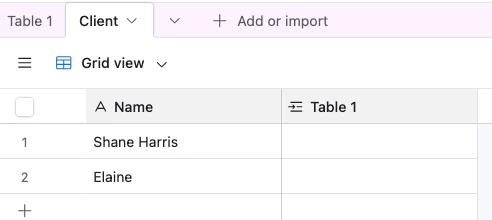
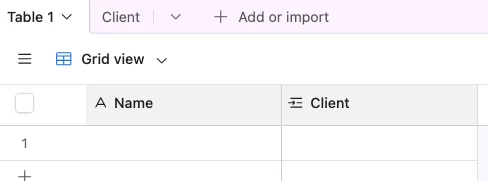
Hm, your link looks fine actually.  I recreated your setup here and the prefill works

https://airtable.com/apphafi4t1ql1wcya/pagPgTAZwOfhDs8HD/form?prefill_Client=Shane+Harris

Long shots, but could you try:

  1. Checking if there’s a trailing space in name?  i.e. In your base it’s ‘Shane Harris ‘ instead of ‘Shane Harris’?  
    1.  

  2. Try doing a ‘Clear form’ or opening the link in an incognito tab?


If you could invite me to a duplicated copy of your base I can poke at it too if the above doesn’t help!