I have created a base for my companies therapists. I want our front desk to be able to filter the data to match clients up with therapists. I’m stumped on how to add the age ranges, as they vary greatly. Some therapists see ages 3-10, others 18+, or 25-40, etc.
What I’m wanting is to be able to enter the clients age, 32 for example, and be able to filter out therapists that don’t work with that age.
plz help

Solved
Filtering records by age
Best answer by ScottWorld
It doesn’t need to be anywhere near that complicated. There are several ways of doing this that are super easy & simple.
-
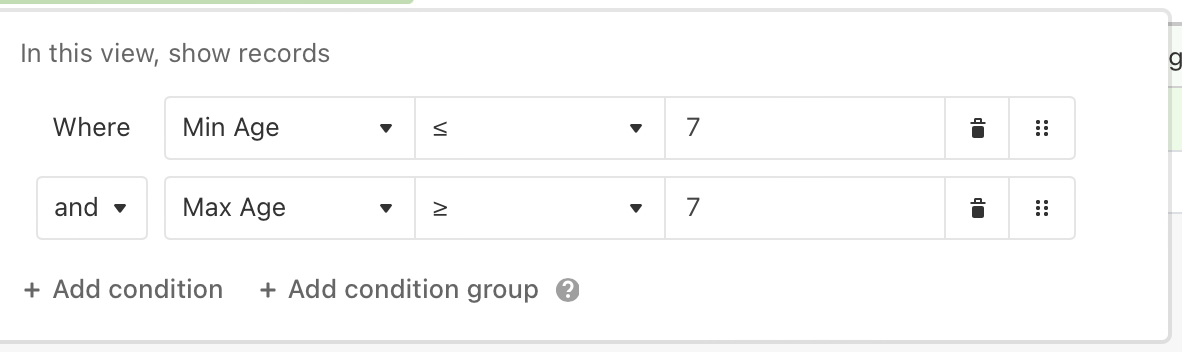
One easy solution is to just create 2 fields for each therapist: Min Age and Max Age. Then filter the view based on the age that you’re looking for. For example, if you’re looking for age 7, this is what the filter would look like:
-
Another easy solution is to just create a multiple select field with the different age ranges that therapists might see. Then, once again, use filters to just show the age ranges that match.
-
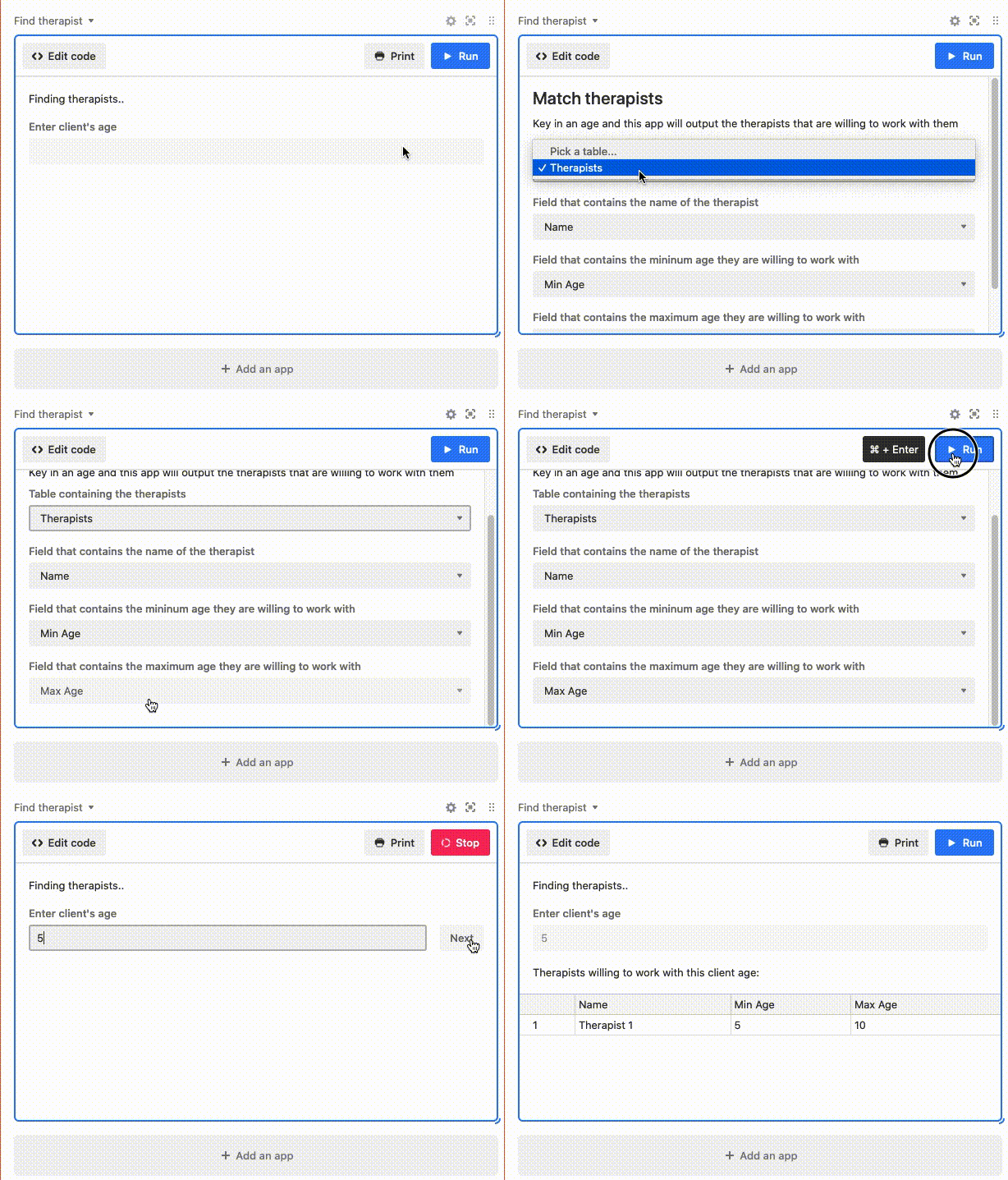
If you really need a user to type an age into a table, then just use automations to always link all new therapist records to a single age record in another table where you type the age once (not pasting multiple times into the therapist table). Then, use a lookup field in the therapists table to bring in the age, and use a formula similar to the formula that Adam wrote above, and then filter on that formula. This could be combined with an interface in Airtable to make this a really slick UI.
There are probably many other easy & simple ways of doing this too, that I’m not currently thinking of.
This topic has been closed for replies.





Enter your E-mail address. We'll send you an e-mail with instructions to reset your password.