Hi! I’m using airtable to track my daughter’s food, medication etc. as part of her complex healthcare needs. The table’s primary field is datetime for each unique record, and I have created a formula to calculate only the date to allow me to group by day and analyze a day’s activity.
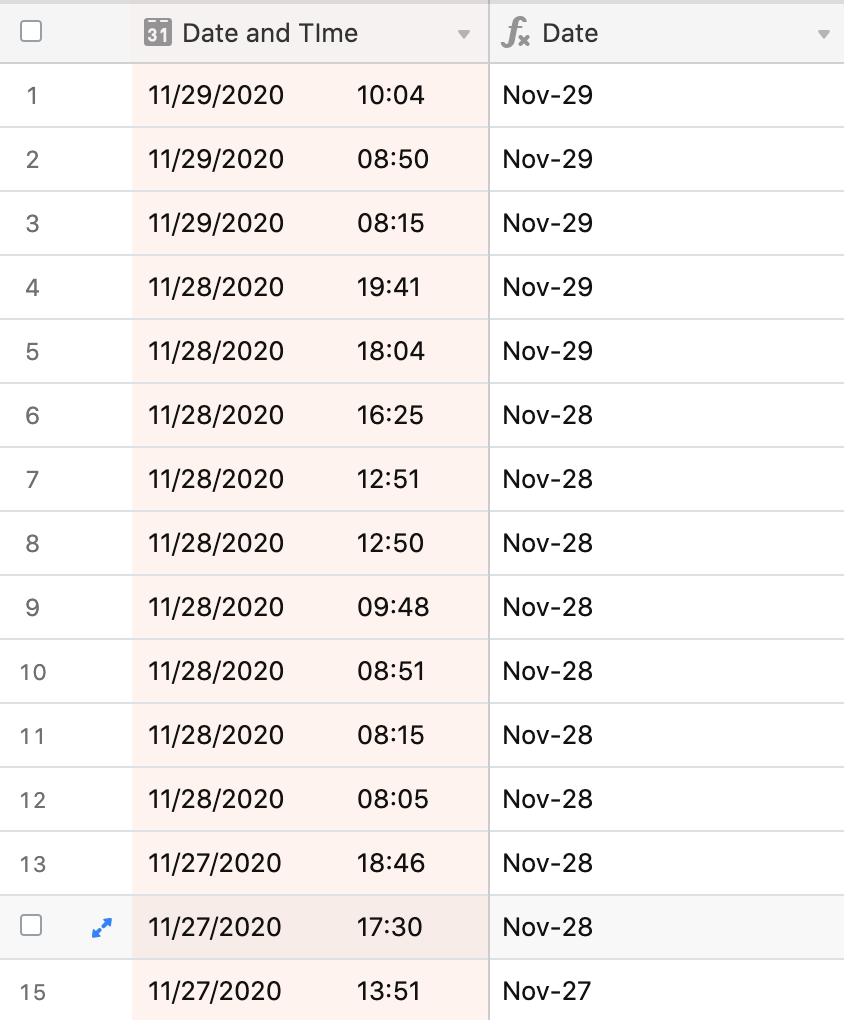
The formula works for some but not all records. For some records, the date calculated is a day later than it should be. I’m thinking there is a timezone discrepancy (as the incorrect dates are later in the day and I am in GMT -0700) but I’m not sure how to address this with formulas.
Current formula I’m using to pull only the date out of datetime: DATETIME_FORMAT({Date and Time},‘MMM-DD’)
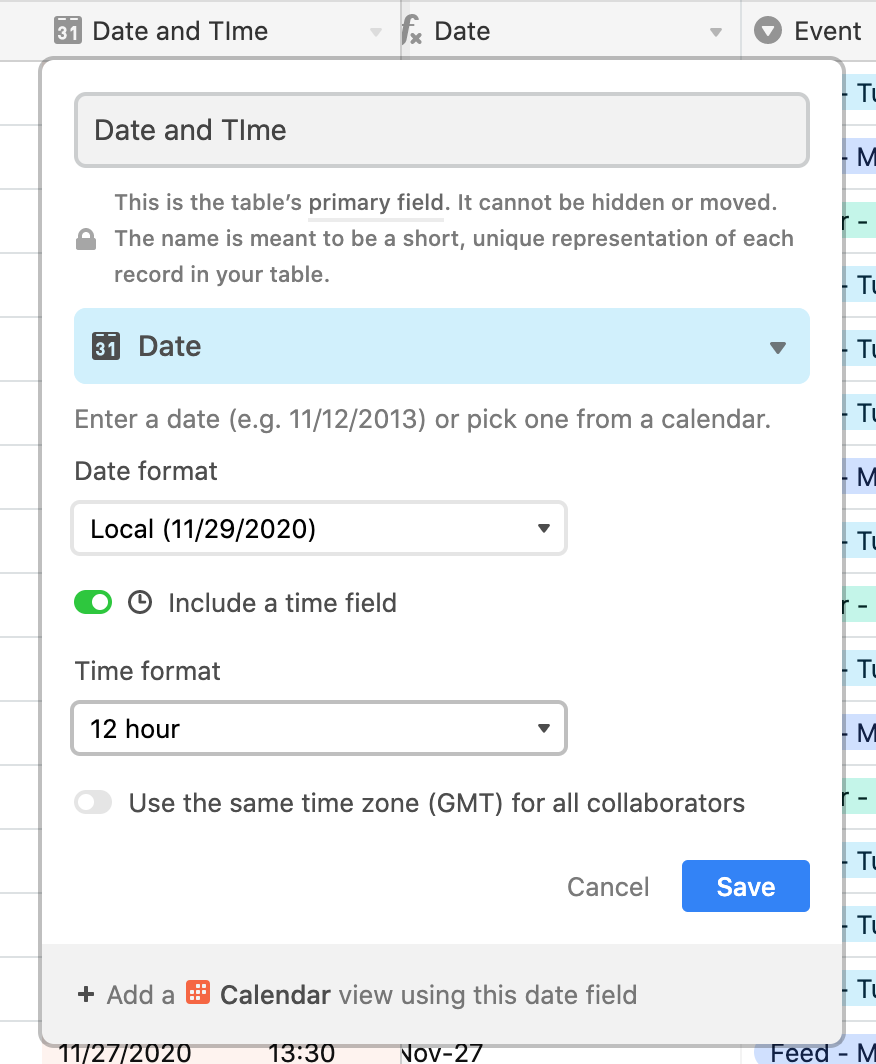
Screenshots of the mismatched records, and field customizations for the two fields I’m working with are below.
Thanks community for any assistance you can provide!