Hi everyone, I hope you can help.
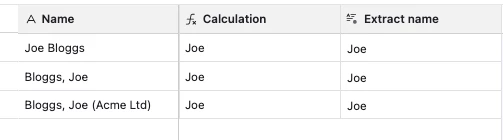
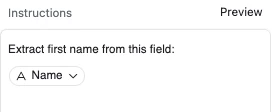
I have an create record automation that enters the full name from the ‘sender’ field in email headers. I then have a formula field to display their firstname only. The formula looks like this:
LEFT(TRIM({FullName}), FIND(" ", TRIM({FullName})) - 1)
This is great when the ‘sender’ name field has the format:
“Joe Bloggs” (Firstname[space]Lastname).
However, some emails have the ‘sender’ name as “Bloggs, Joe”
(Surname[comma][space]Lastname)
or ...
“Bloggs, Joe (Acme Ltd)”
Surname[comma][space]Lastname[space][open-bracket)Company[closed-bracket]”
I’m wondering if there is an IF formula (or similar) that would be able to deal with these specific differences, allowing me to extract only the first name?
Very many thanks in advance. 🙏🏼