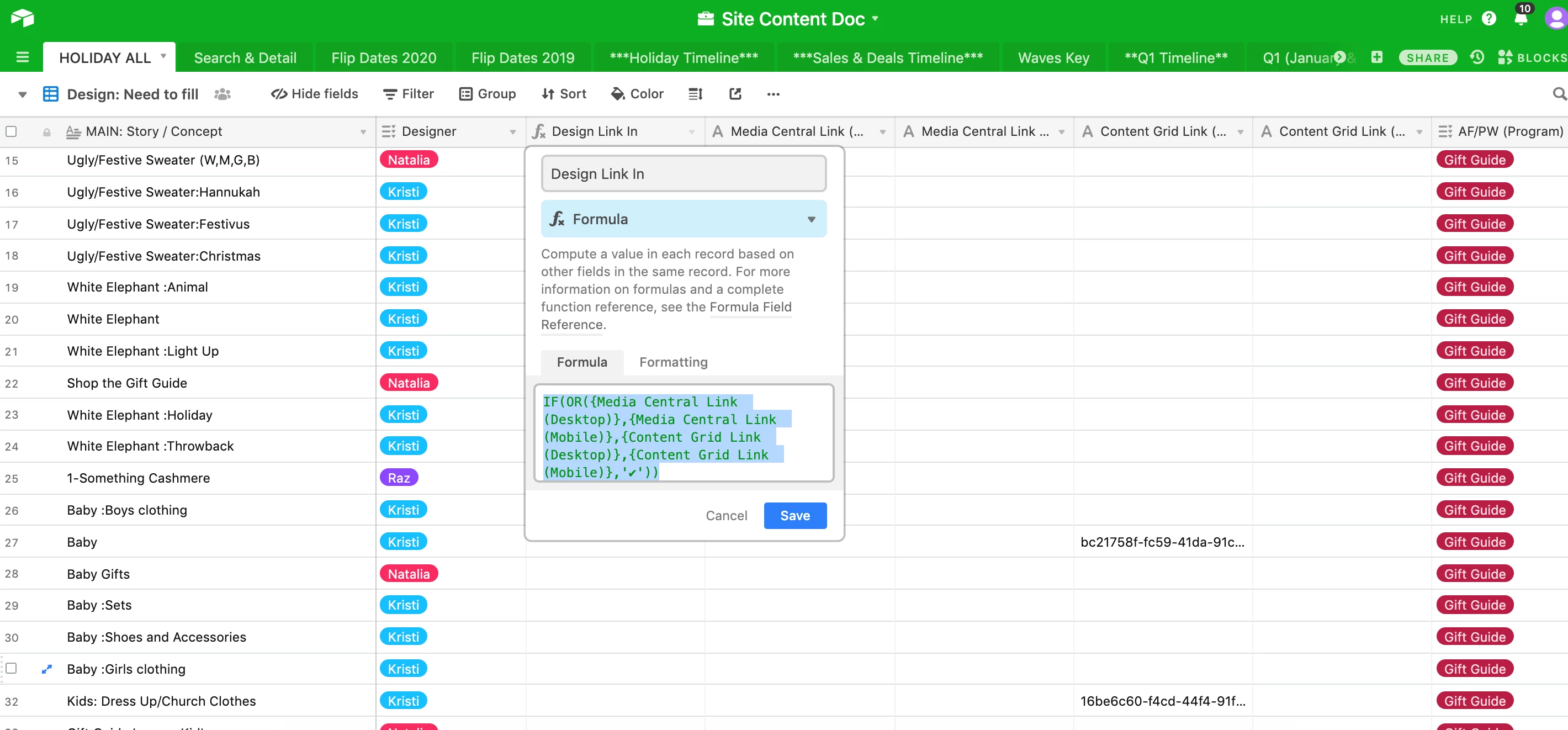
IF this than formula for multiple cells

  • October 25, 2019
  • 8 replies
  • 57 views

Hello!

Trying to create a formula to notate when 1 of 4 columns has text in it. For a project to be “complete” there needs to be date in either column A, B, C or D. I would love a column that would give me a check mark for it.

Thanks,
Eileen

8 replies

Kamille_Parks11
Forum|alt.badge.img+27

Try this formula:
IF(OR({Date Field A}, {Date Field B}, {Date Field C}, {Date Field D}),'✔')


  • Author
  • Participating Frequently
  • October 25, 2019

Hummmm, still not working…
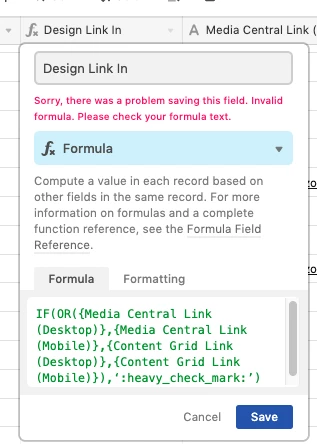
IF(OR({Media Central Link (Desktop)},{Media Central Link (Mobile)},{Content Grid Link (Desktop)},{Content Grid Link (Mobile)},‘ :heavy_check_mark: ’))


  • Inspiring
  • October 25, 2019

Hummmm, still not working…
IF(OR({Media Central Link (Desktop)},{Media Central Link (Mobile)},{Content Grid Link (Desktop)},{Content Grid Link (Mobile)},‘ :heavy_check_mark: ’))


Next-to-last parenthesis in wrong spot. You want to close out your “OR” before moving on in IF statement

IF(OR({Media Central Link (Desktop)},{Media Central Link (Mobile)},{Content Grid Link (Desktop)},{Content Grid Link (Mobile)}),‘ :heavy_check_mark: ’)


  • Author
  • Participating Frequently
  • October 28, 2019

Sill no luck!


  • Inspiring
  • October 28, 2019

Sill no luck!


Sorry, didn’t look through the whole thing and just saw the bracket issue. The other problem is the single quotes around your check mark. if you swap those for double quotes it should work. I tested in a dummy base and it looks good.

IF(OR({Media Central Link (Desktop)},{Media Central Link (Mobile)},{Content Grid Link (Desktop)},{Content Grid Link (Mobile)}),“ :heavy_check_mark: ︎”)


Kamille_Parks11
Forum|alt.badge.img+27

Sorry, didn’t look through the whole thing and just saw the bracket issue. The other problem is the single quotes around your check mark. if you swap those for double quotes it should work. I tested in a dummy base and it looks good.

IF(OR({Media Central Link (Desktop)},{Media Central Link (Mobile)},{Content Grid Link (Desktop)},{Content Grid Link (Mobile)}),“ :heavy_check_mark: ︎”)


@Eileen_Ann_Cain & @Btbml

In Airtable, it doesn’t matter if you’re using single quotes or double quotes, the problem is straight quote (' or ") versus curly (‘or ”). You have to uses straight quotes in Airtable formulas or they won’t work. Notice how my original formula suggestion uses straight quotes, but all subsequent formulas in the thread use curly.

Your formula would be:

IF(OR({Media Central Link (Desktop)},{Media Central Link (Mobile)},{Content Grid Link (Desktop)},{Content Grid Link (Mobile)}),'✔')


  • Inspiring
  • October 28, 2019

@Eileen_Ann_Cain & @Btbml

In Airtable, it doesn’t matter if you’re using single quotes or double quotes, the problem is straight quote (' or ") versus curly (‘or ”). You have to uses straight quotes in Airtable formulas or they won’t work. Notice how my original formula suggestion uses straight quotes, but all subsequent formulas in the thread use curly.

Your formula would be:

IF(OR({Media Central Link (Desktop)},{Media Central Link (Mobile)},{Content Grid Link (Desktop)},{Content Grid Link (Mobile)}),'✔')


Thanks @Kamille_Parks, I was wondering about this because I was positive I had used single quotes before. The issue was the formatting on this forum and copy/pasting that.


  • Author
  • Participating Frequently
  • October 28, 2019

Amazing! That you both so much!