Question

Make.com Airtable 'search records' module: Is there a way to create a list of values in an entire column to reduce the number of make.com credits used?

  • July 17, 2026
  • 5 replies
  • 95 views

Forum|alt.badge.img+10

Hi. I think there must be a simple solution to this, but I can’t quite get my head around it!

I have a make scenario that looks like this. The formula inside the Airtable ‘search records’ module is:

IF(OR({AssessorEmail} = '{{6.sender.emailAddress.address}}', {AssessorEmail} = '{{6.from.emailAddress.address}}'), 1, 0)

But every ‘search records’ run uses loads of credits (one for each record, - and I have over 300, as things stand).

I THINK I need to create a single text field somewhere, that lists all the email addresses in the email column so that I can search the text in that field for a match, using only one credit.

 

Is there a recommended or elegant way to do this, please? 😊

5 replies

TheTimeSavingCo
Forum|alt.badge.img+32

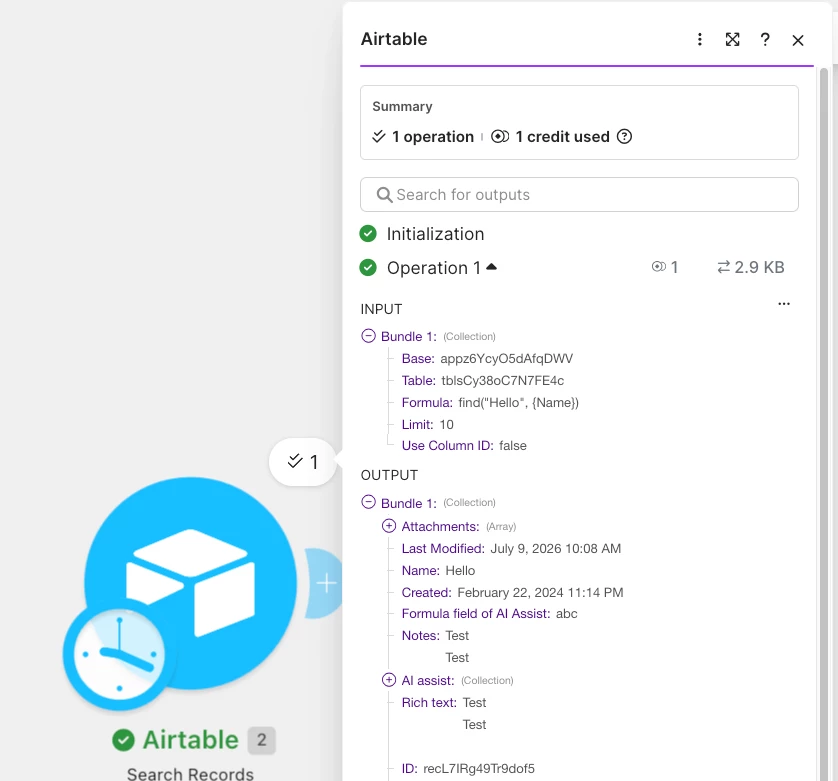
Hm, as a data point, I just tried running a ‘Search Records’ module on a table with >100 records, and it used one credit:


Could you provide a screenshot of the run where the ‘Search Records’ module ran multiple times when the ‘Watch Emails’ module triggered once please?


Forum|alt.badge.img+10
  • Author
  • Inspiring
  • July 18, 2026

Hm, as a data point, I just tried running a ‘Search Records’ module on a table with >100 records, and it used one credit:


Could you provide a screenshot of the run where the ‘Search Records’ module ran multiple times when the ‘Watch Emails’ module triggered once please?

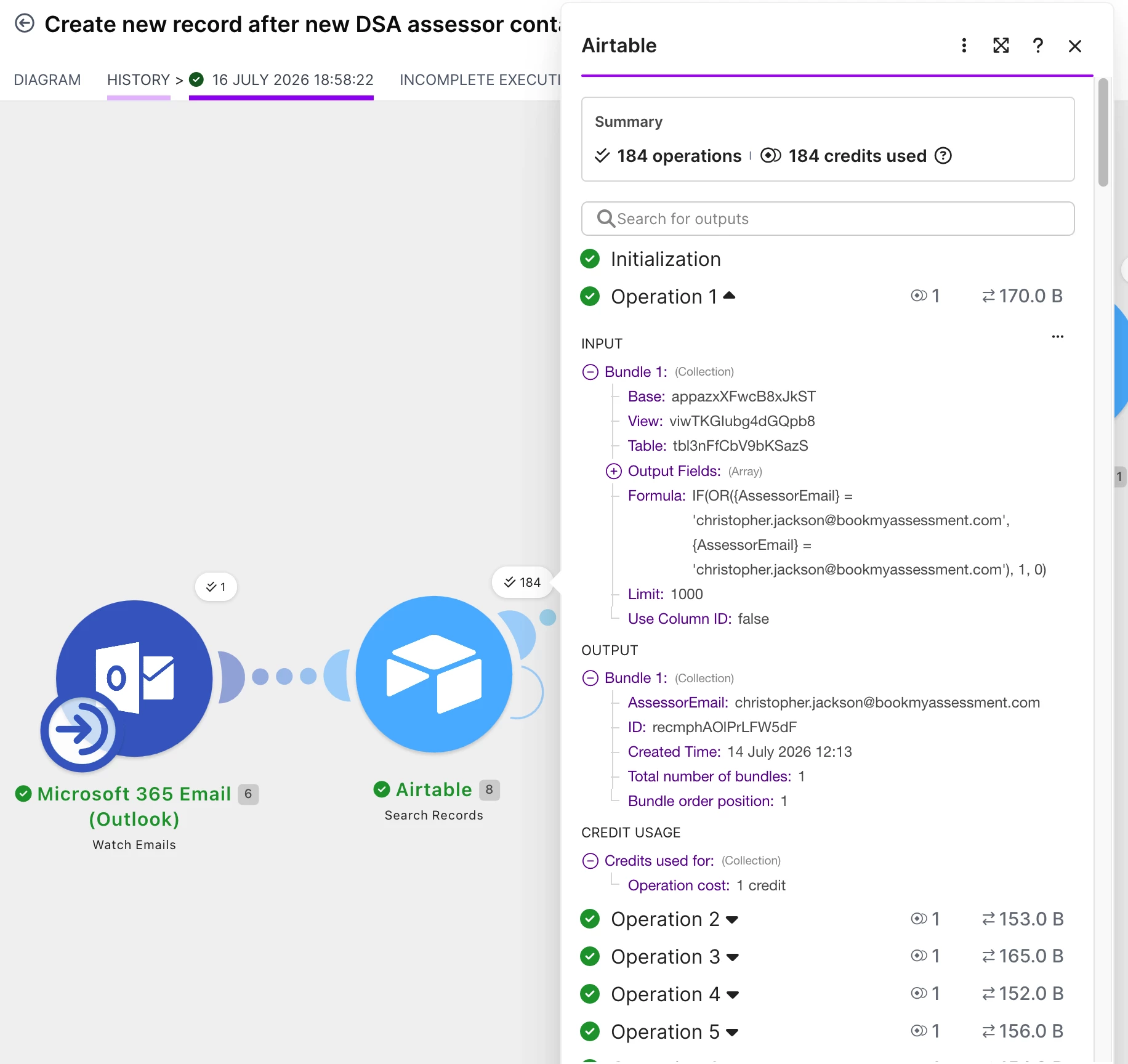
Certainly, thanks for your reply. This is what I’m seeing:


TheTimeSavingCo
Forum|alt.badge.img+32

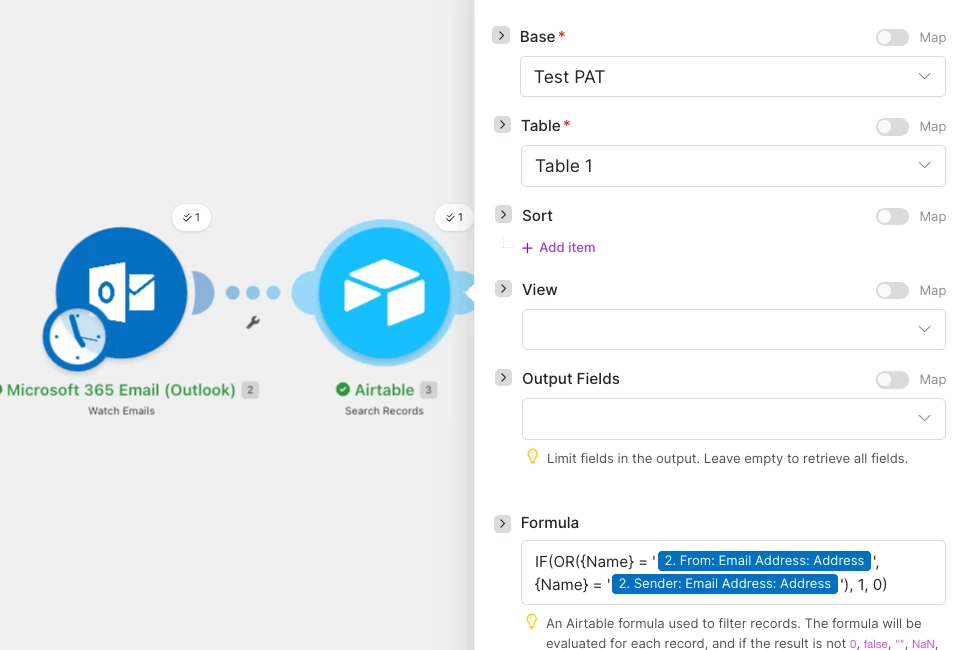
That’s so interesting!  Could you provide a screenshot of the module set up please?  I tried replicating it with Outlook on the same table with >100 records to test if there was some weird interaction there but only got 1 again


Forum|alt.badge.img+1

Your second screenshot shows the cause: the 184 are input bundles, not 184 Airtable rows. Watch Emails used one trigger operation but returned 184 emails; Search Records then ran once per email, so it used 184 operations/credits. Your Airtable formula is already filtering the records server-side, so a concatenated email field would not solve this.

I’d fix it upstream:

1. If you do not need the historic backlog, right-click Watch Emails → Choose where to start → Current moment (or choose an exact recent date). Be careful not to skip old messages that still need processing.
2. In Watch Emails, narrow the folder/criteria/sender/subject and reduce its Limit.
3. Put a filter on the connection before Search Records for whatever identifies a DSA assessor email. Then only matching email bundles reach Airtable.
4. If you only need to know whether an assessor exists, set Search Records’ Limit to 1.

Make’s operation model is: when a trigger returns multiple bundles, each downstream module runs once for each bundle. After the initial catch-up, the watch trigger should normally retrieve only new email since the previous run.

Small cleanup: OR(...) is enough here; the outer IF(..., 1, 0) is not necessary, although removing it will not change credit usage.


Forum|alt.badge.img+10
  • Author
  • Inspiring
  • July 27, 2026

Small cleanup: OR(...) is enough here; the outer IF(..., 1, 0) is not necessary, although removing it will not change credit usage.

Thanks for the advice here. It took my brain a little while, but I managed to look at the suggestions, which helped me work out the problem:

In fact, because the ‘search records’ module was using IF to tag each record with a one or zero, it was using up a credit for each record in the table. Once I removed the IF statement and it only returned unmatched records, I was able to use filters after the router to send those results along the appropriate path.

It’s working perfectly now. Thanks again! :)