Solved

Math calculation is not accurate with single select field

  • April 17, 2026
  • 8 replies
  • 22 views

Forum|alt.badge.img+4

Scenario


Field | Type | Value

-------------------------------

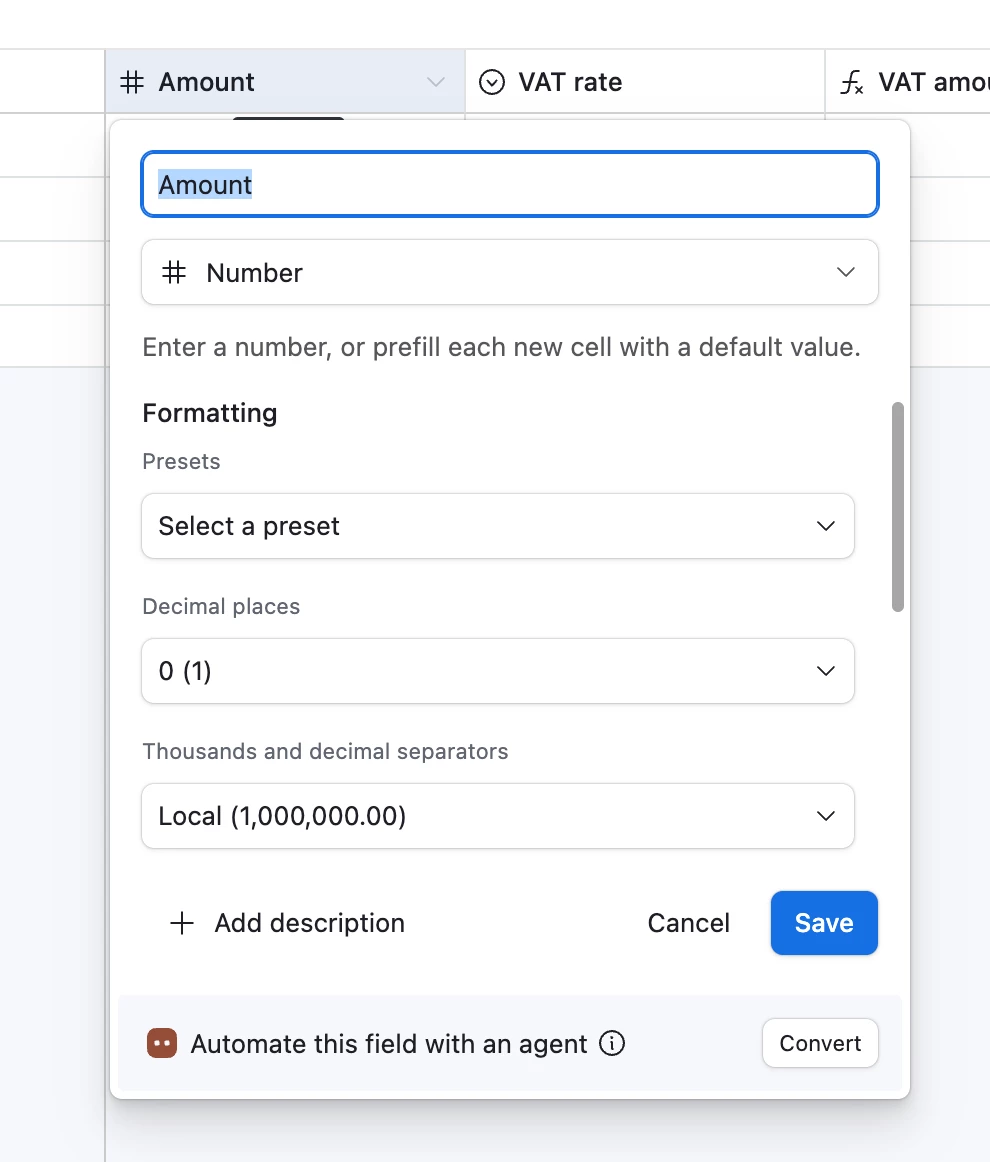
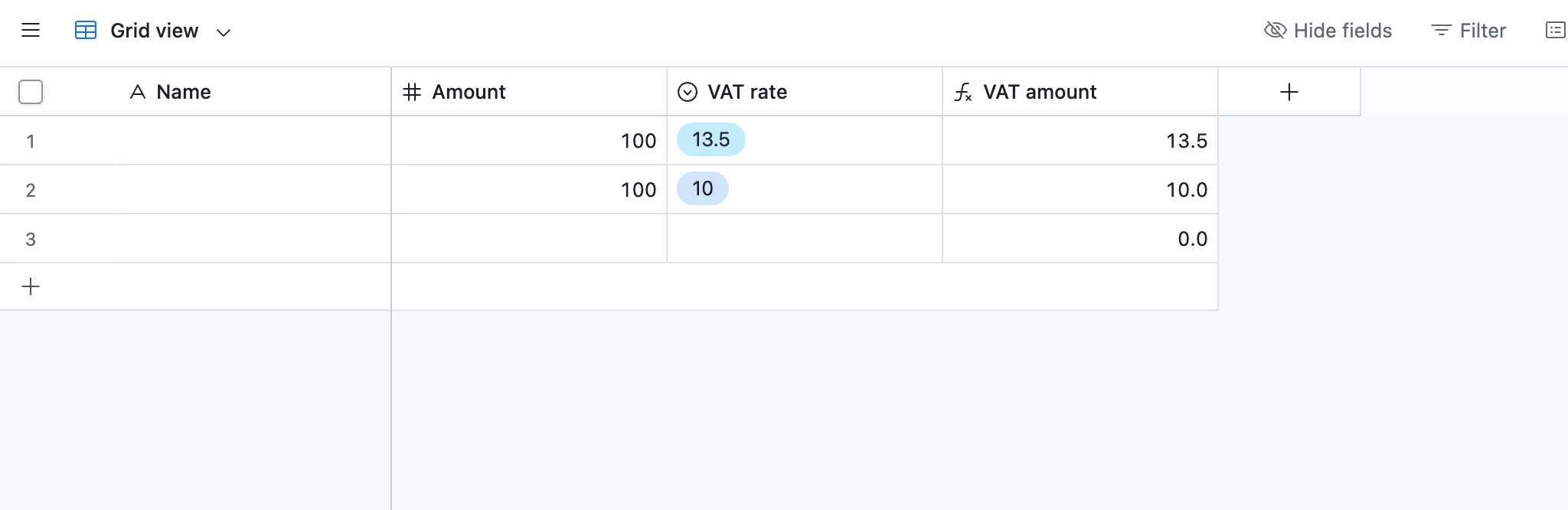
Amount | number | 100

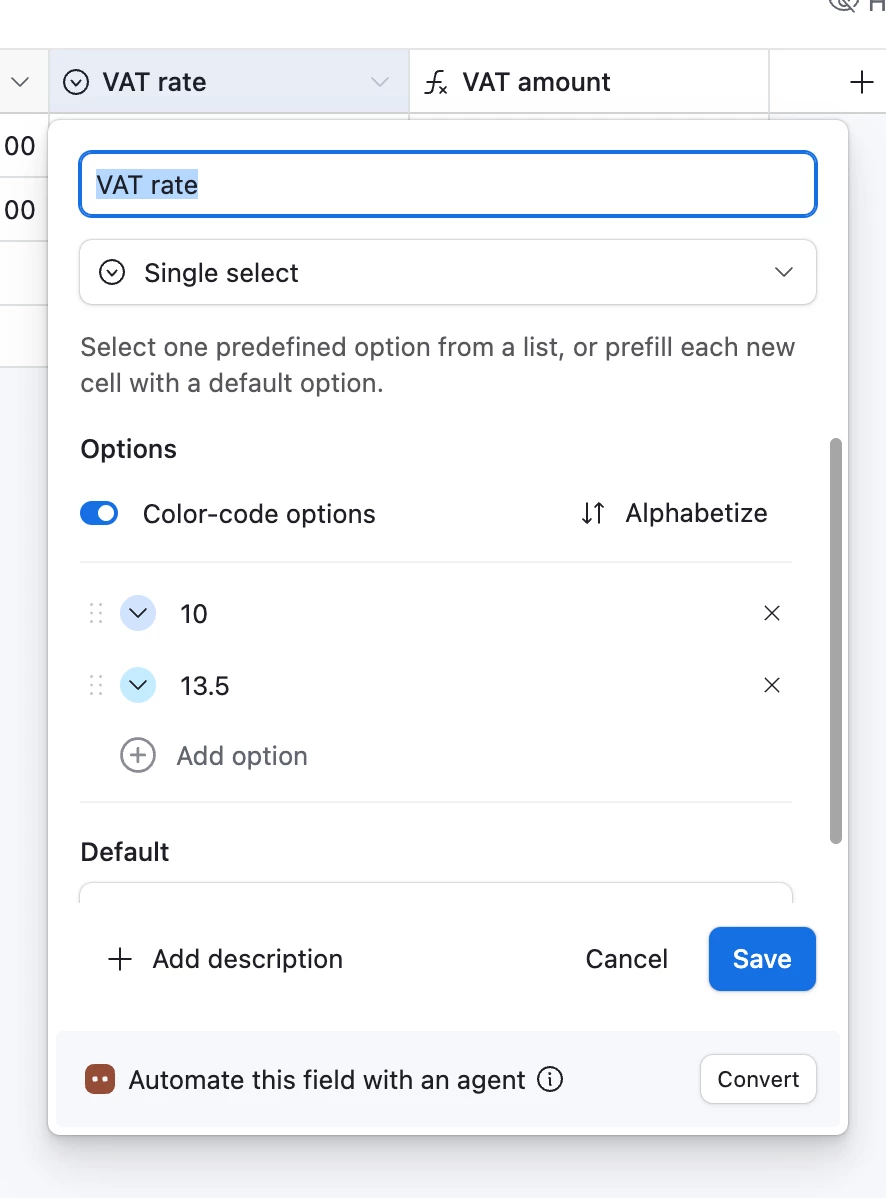
VAT rate | Single select | 13.5

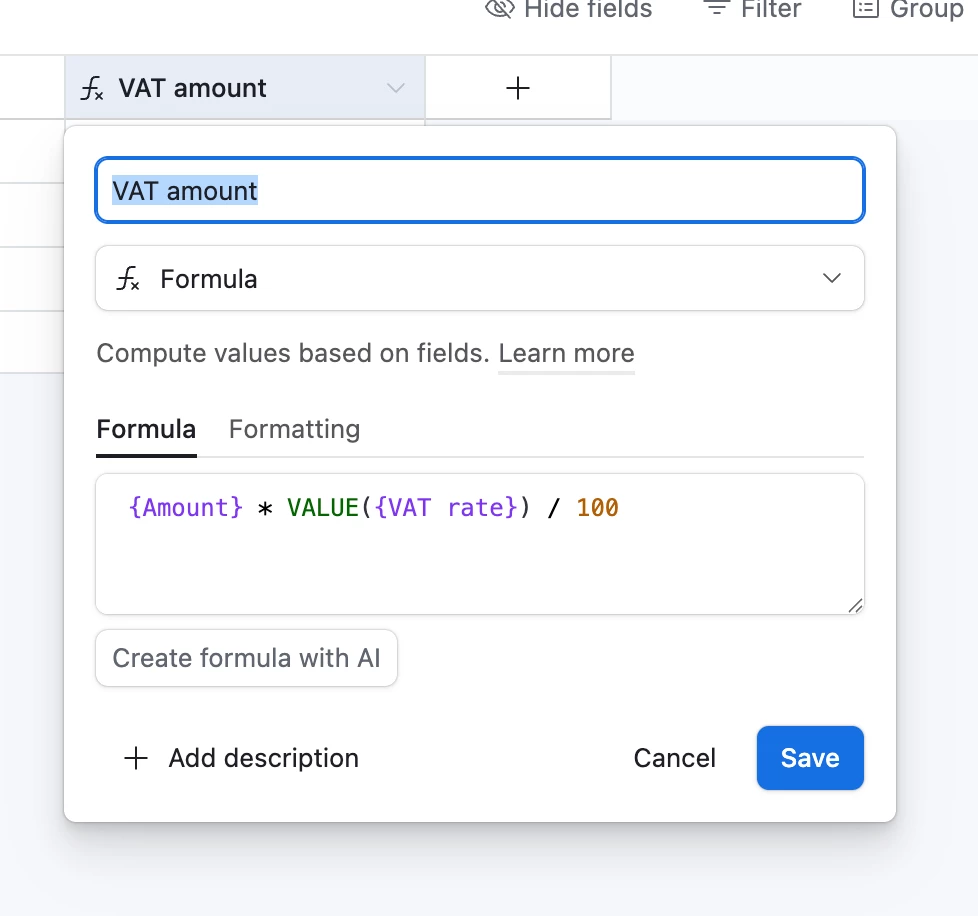
VAT amount | formula | {Amount (Net)} * VALUE(SUBSTITUTE({VAT Rate}, "%", "")) / 100


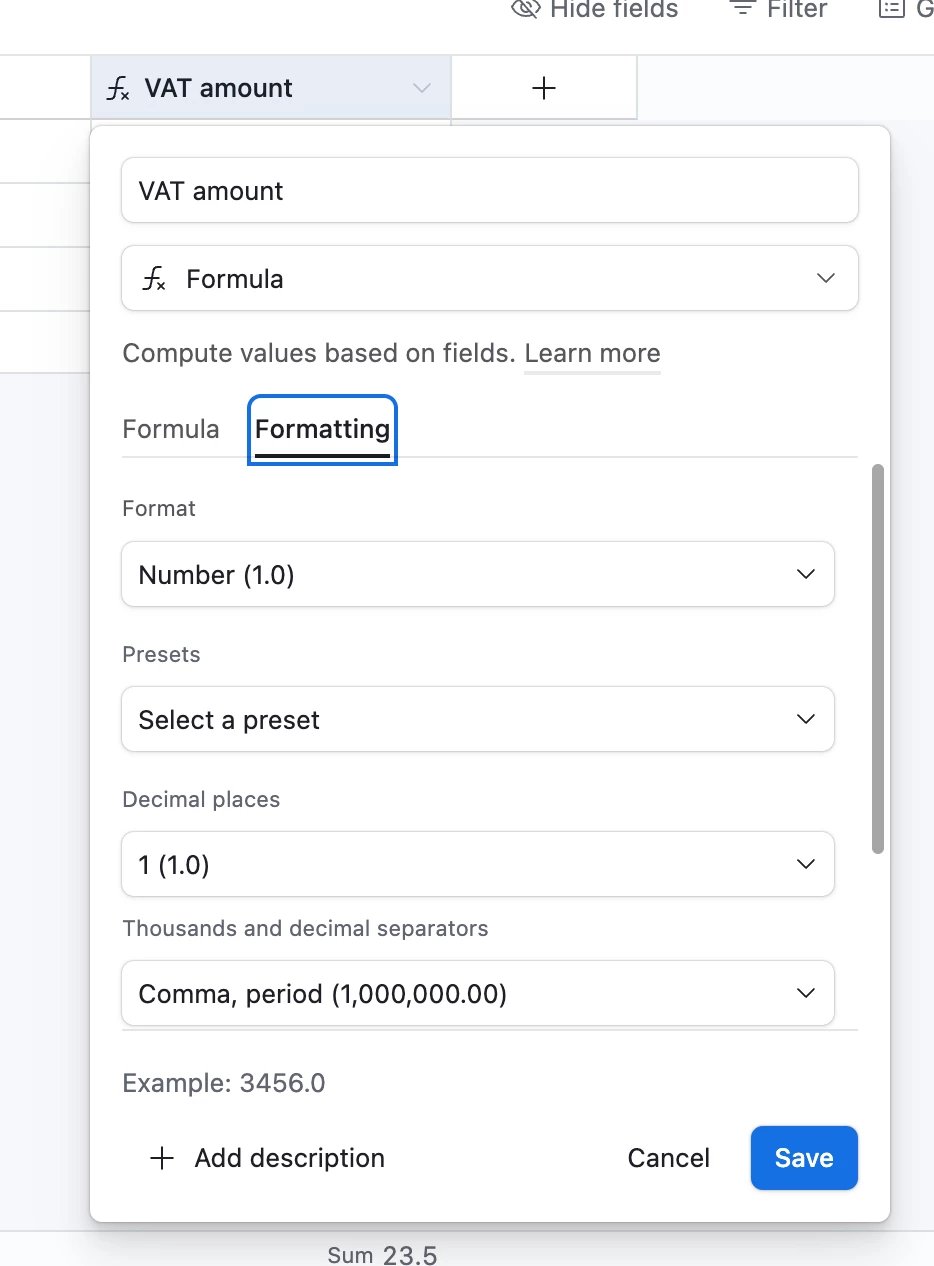
Interesting to see that the VAT Amount value is 14????

It should be 13.5, well, mathematically speaking it has to be 13.5


With VAT rate as number, it works as it should be.

However the idea is to use single select to reduce human error/workload.


Is it possible to get VAT Rate as single select and VAT Amount working together correctly?

Any ideas out there? I just ran out of them.


Thanks
Best answer by coderkid


I just tested… make sure you have right formatting...

8 replies

Forum|alt.badge.img+4
  • Author
  • Known Participant
  • April 17, 2026

As a workaround/solution I considered to use an automation to copy the VAT rate value into a cell with type number and use it calculate the VAT Amount value. However, burn out an automation on such “easy” thing… I found it absurd. 

I keep it is a plan Z but I would like to hear any other options, if any.


Mike_AutomaticN
Forum|alt.badge.img+29

Hey ​@luismi,

Did you try using the Round() formula? Most probably that is the issue.


Feel free to grab a slot if you need further help!

Mike, Consultant @ Automatic Nation


coderkid
Forum|alt.badge.img+6
  • Inspiring
  • April 17, 2026

Math is not the problem here... it’s how Airtable is interpreting your Single select value. Airtable can sometimes behave inconsistently when converting them to numbers and using them as a Single Select value…


So, just try this :

{Amount} * VALUE({VAT Rate}) / 100

Or If you're using values like "13.5%", try this :

{Amount} * VALUE(SUBSTITUTE({VAT Rate}, "%", "")) / 100


Forum|alt.badge.img+4
  • Author
  • Known Participant
  • April 17, 2026

Thanks for the quick and valuable response ​@Mike_AutomaticN 

I tried… 

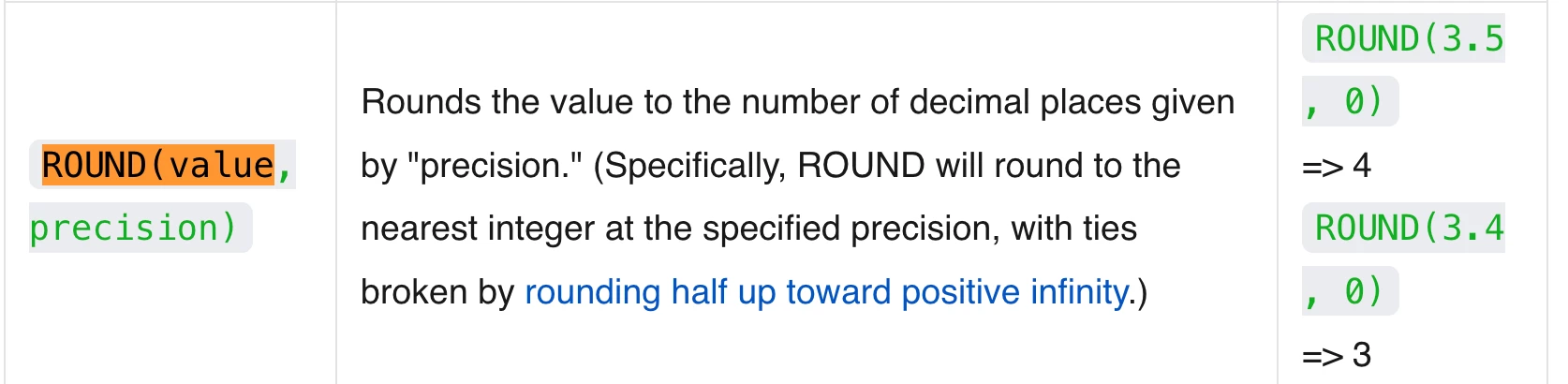
ROUND(
  {Amount (Net)} * VALUE(SUBSTITUTE({VAT Rate}, "%", "")) / 100,
  2
)


Still returning 14. AAAAAHHHRRRGG!!! 😥


Mike_AutomaticN
Forum|alt.badge.img+29

Lol you might want to check out ​@coderkid answer above! I did not try that on my side!


coderkid
Forum|alt.badge.img+6
  • Inspiring
  • Answer
  • April 17, 2026


I just tested… make sure you have right formatting...


Forum|alt.badge.img+4
  • Author
  • Known Participant
  • April 17, 2026

[...]  make sure you have right formatting...


I am going to print a t-shirt with that sentence, for this summer.


My initial formula was working ok, I just missed the format... and…  probably another coffee to be fully awake


Thanks all guys, much appreciated all the comments/ideas.


coderkid
Forum|alt.badge.img+6
  • Inspiring
  • April 17, 2026

Hahaha ,,, So, send us a photo of you wearing that T-shirt 🙂