Question

attachments in interface are not downloaded by viewers

  • March 3, 2026
  • 3 replies
  • 59 views

abouchard
Forum|alt.badge.img

I have an interface that is shared with non airtable users regularly and need the documents in the interface to be downloadable. The interface is shared publicly but when viewing the interface as a non user there is no download option for the attachments. How do I fix this?

3 replies

leok
Forum|alt.badge.img+2
  • Participating Frequently
  • March 3, 2026

Hi ​@abouchard , I actually tested this after seeing your post and ran into the same thing. There is no download option visible when viewing a public interface as a non Airtable user.

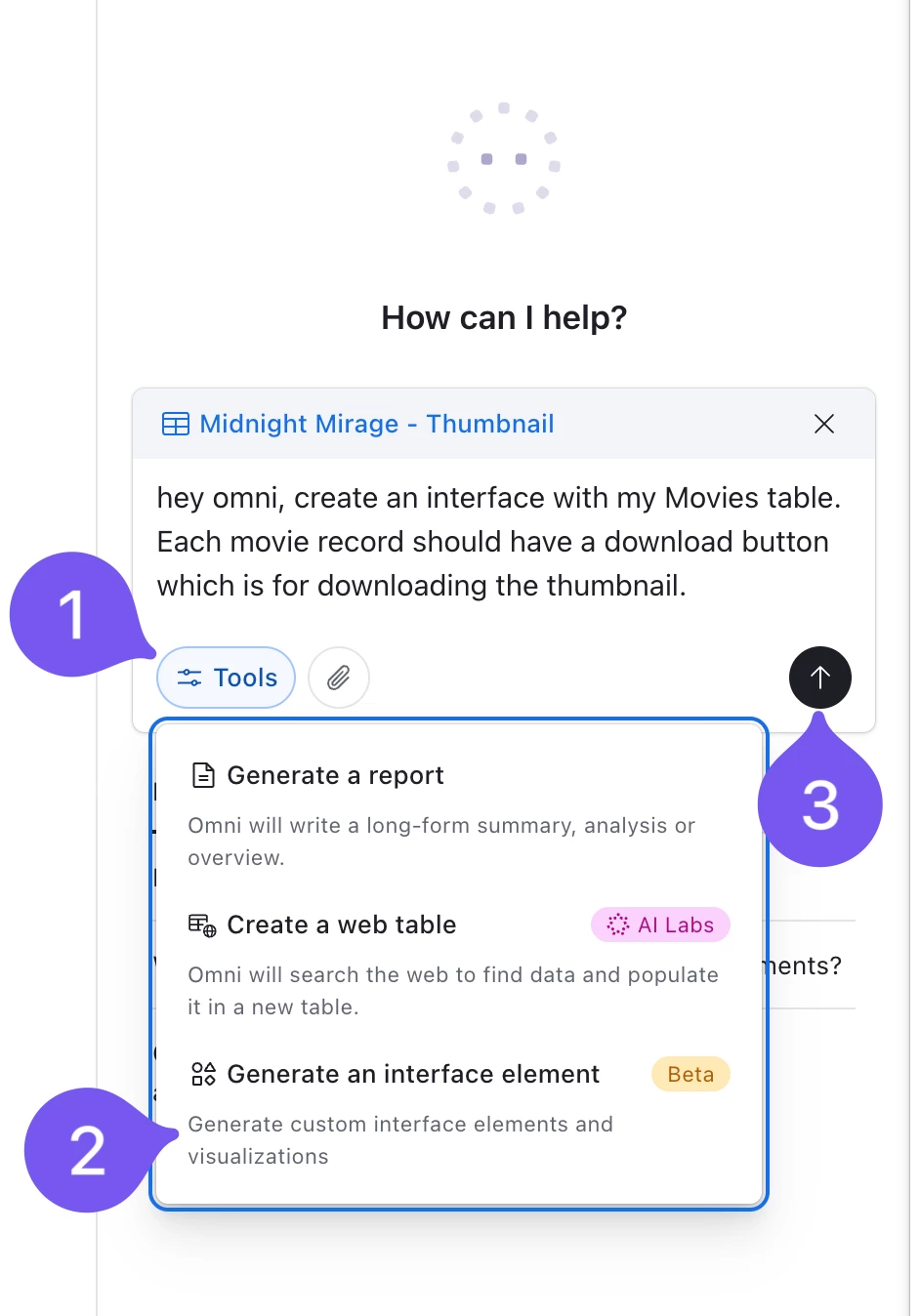
One thing that worked for me was using Omni. Ask Omni to build a custom interface for your specific need and tell it to add a download button for the attachment field. It will add a proper downloadable button exactly where you need it.

I am attaching a screenshot below so you can follow along.

Also here is the page it created, you can try it yourself. The UI is pretty basic since I used a simple prompt, but if you give it more detailed instructions you will get a much cleaner result.

Leo from UseEfficiently


ScottWorld
Forum|alt.badge.img+35
  • Genius
  • March 3, 2026

Hi ​@abouchard 

You may want to open a support ticket with support@airtable.com about this… it might be a bug.

If they tell you that it is not a bug but expected behavior, then I would definitely recommend submitting this as a feature request on the product feedback form here.

- ScottWorld, Expert Airtable Consultant


abouchard
Forum|alt.badge.img
  • Author
  • New Participant
  • March 4, 2026

Appreciate the insight here!

Unfortunately, my org does not allow the use of Omni. The workaround I’ve come up with is sharing the table view instead of the interface (which does allow non-users to download). From more research I’ve found that downloading for non-users from an interface is not supported which seems odd to me but definitely going to put in a feature request for that.