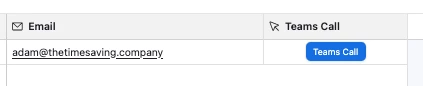
We use Microsoft Teams for both internal and external calls.
I’d like to have a button in the interface that lets me make a call via Microsoft Teams. Unfortunately, a button with “Callto:” or something similar doesn’t work. We use Chrome as our browser.
I’m almost afraid that this might be due to one of the company’s default configurations. Or does anyone have any ideas?
users: A comma-separated list of user IDs representing the participants of the call. The user ID field supports the Microsoft Entra UserPrincipalName, typically an email address, or in a PSTN call, it supports a PSTN MRI 4:<phonenumber>.
users: A comma-separated list of user IDs representing the participants of the call. The user ID field supports the Microsoft Entra UserPrincipalName, typically an email address, or in a PSTN call, it supports a PSTN MRI 4:<phonenumber>.
Airtable’s button may not handle the callto: protocol reliably in Chrome. I’d recommend using a Teams meeting or Teams deep link instead of callto:. If the link works when opened directly in Chrome but not from the Airtable button, then the issue is likely related to the browser or company policy handling external protocols. Testing the same link outside Airtable is a good way to narrow this down.