Question

Calendar Block

  • November 10, 2025
  • 3 replies
  • 59 views

Forum|alt.badge.img+2

Hello,

I would like to ask if there is any way how to block some days in calendar. For example due to vacation. I cannot either find a way how to block the morning, and let the customers choose only from the afternoon time without writing it into notes “Don’t book meeting earlier than 2 PM”


Thank you

3 replies

Mike_AutomaticN
Forum|alt.badge.img+28

Hey ​@Martin Koprnicky,

I don’t think I’m fully following. Would you mind sending over a couple of screenshots of your current set-up?
Do you have a time slots table with avialblef fixed slots? Is scheduling being done via Airtable forms?

Completely different matter, but would love to have you join our Airtable Hackathon! Make sure to sign up!!

Mike, Consultant @ Automatic Nation 
YouTube Channel


Forum|alt.badge.img+2

Hello ​@Mike_AutomaticN 

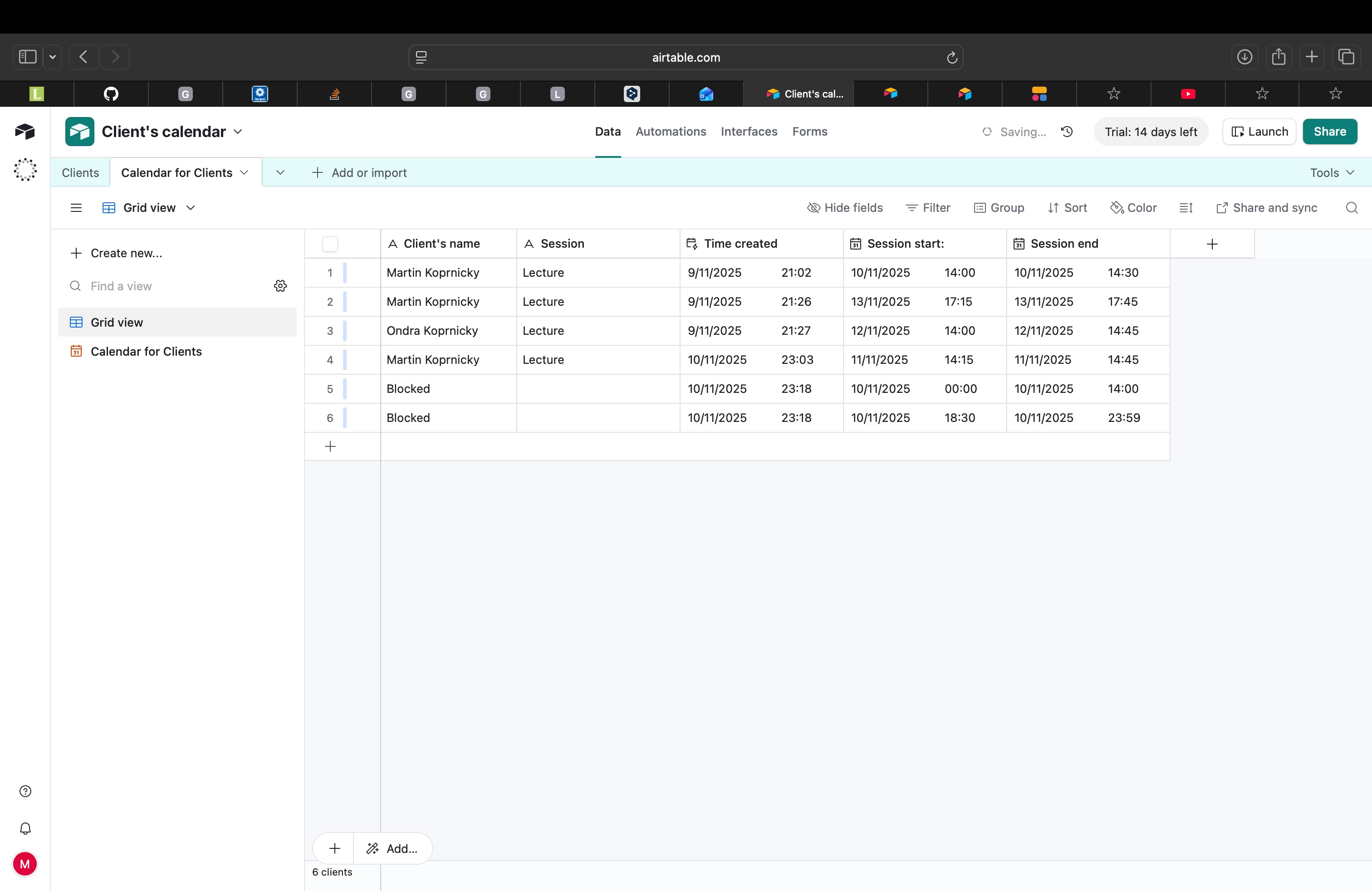
This picture contains lectures, with clients name, start and end time.


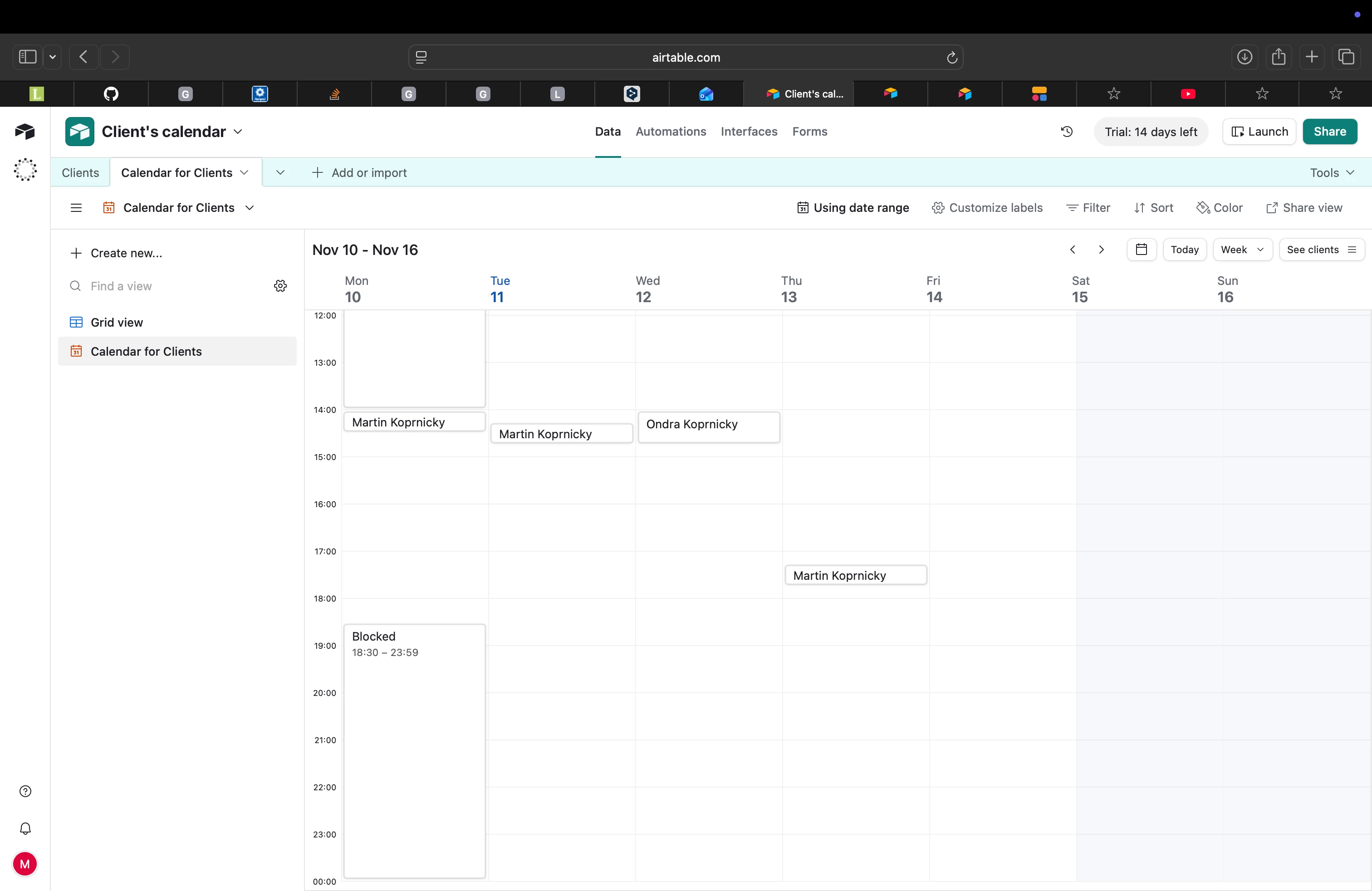
Here is a calendar of those sessions.. 


The main problem i can’t figure out is how do i block time from 00:00 until 14:00 and from 18:30 until 23:59 ? My vision is that clients will choose from free time, and book appointments themselves. But i wanna avoid them booking in time 00:00 - 14:00 and 18:30 - 23:59, each day.. So i am looking for some kind of block, that would prevent them booking in this time.. For some block, that would just prevent it.

As you can see i am solving it with new client called block.. but it would means i would have to change it every day.. Or make more of them, and change them over time.. it’s just messy, there’s gotta be another way how to solve it.

Thank you,
Martin Koprnicky 


Mike_AutomaticN
Forum|alt.badge.img+28

Hey ​@Martin Koprnicky,

I see. Is this really blocking the slot? Can’t users technically still schedule a call for that time? I’d be surprised if Airtable forms allows you to do that.

Either way, I’d say you have three different options:
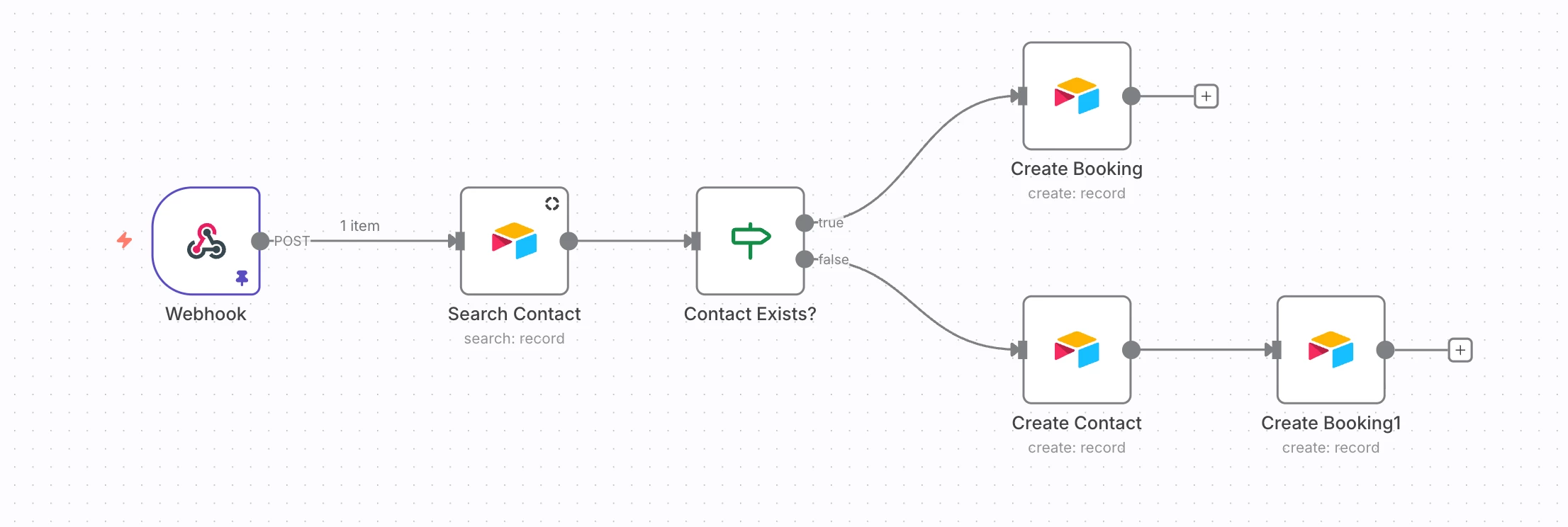
1. Use Calendly or Cal rather than Airtable for the booking aspect of your business.This is actually what I do for my own business, and then I just push calls scheduled via Cal to Airtable using n8n. Cal and Calendly are fully integrated with your own gmail/outlook calendar, which means that you woudl block your time on your own calendar and or set specific availability on Cal or Calendly’s interfcae.

re: n8n or other automation tool (more on these here) integration to push data from bookings to Airtable, your automation should look smth like this:


2. Createa a Schedule table, where you actually split all of your availability in fixed slots. Block these specefic slots where applicable. Dropdown of slots for scheduling would be filtering by un-booked/available slots.

3. Have an automation that will automatically create the “Block” records that you are manually creating. This is assuming that your solution acuatlly helps avoiding double blocks.

If you need any help setting this up, please feel free to grab a slot. I’d be happy to show you around. Also, I’d highly suggest you move forward with option 1 above.

Completely different matter, but would love to have you join our Airtable Hackathon! Make sure to sign up!!

Mike, Consultant @ Automatic Nation 
YouTube Channel