Question

Capture a workflow

  • March 12, 2026
  • 3 replies
  • 19 views

Forum|alt.badge.img+6

I have a number of tables that contain information about job applicants.  Some data is supplied by the applicant, some is suppled by HR.  Moreover, there’s a process (workflow) that captures different sets of data throughout the interview process.

  • Can I base an interface on the audience?  The applicant wouldn’t be an Airtable user, while the HR rep would be.
  • Can the interface change based on the state of the workflow?  Perhaps there is a state field that is read-only, but is modified by the completion of each step (applied, reviewed, interview, hired, etc).

Thoughts appreciated.

3 replies

ScottWorld
Forum|alt.badge.img+35
  • Genius
  • March 12, 2026

@craibuc 

To answer your first question:

Your applicants can fill out a form to create a new application in Airtable.

But your applicants will NOT be able to edit their own pre-existing application data in Airtable unless you pay for them to become an Airtable user, which would then require them to sign up for an Airtable account.

However, you can easily allow your applicants to edit their own application data for 100% free — without them signing up for an Airtable account — by using Fillout’s advanced forms for Airtable.

Fillout is 100% free, and it offers hundreds of features that Airtable’s native forms don’t offer, including the ability to update Airtable records using a form.

I demonstrate how to do this on this Airtable podcast episode:

Hope this helps!

If you’d like to hire the best Airtable consultant to help you with anything Airtable-related, please feel free to contact me through my website: Airtable consultant — ScottWorld


ScottWorld
Forum|alt.badge.img+35
  • Genius
  • March 12, 2026

To answer your 2nd question:

If you are on the Business Plan with Airtable, you can conditionally hide or show groups of fields on your interface, so you can have one interface page that dynamically shows or hides different things based on what state your application is in.

You can also create multiple different interface pages, which might be the easier way to go (and doesn’t require the Business plan).

- ScottWorld, Expert Airtable Consultant 


TheTimeSavingCo
Forum|alt.badge.img+31

Can I base an interface on the audience?  The applicant wouldn’t be an Airtable user, while the HR rep would be.

Kind of?  You can invite specific email addresses to specific Interfaces, and you can also filter those Interfaces to only show data that’s related to the logged in user

If the Applicant’s only submitting data you’re fine with a form, really and wouldn’t need to invite them to the Interface

Is it that you want the Applicant to be able to see where they are in the Interview process?  If so, yeah, you can build an Interface that’ll show that.  The easiest way to make that work is to invite their email address as a read-only user to your Interface, which would be free for both you and them

---

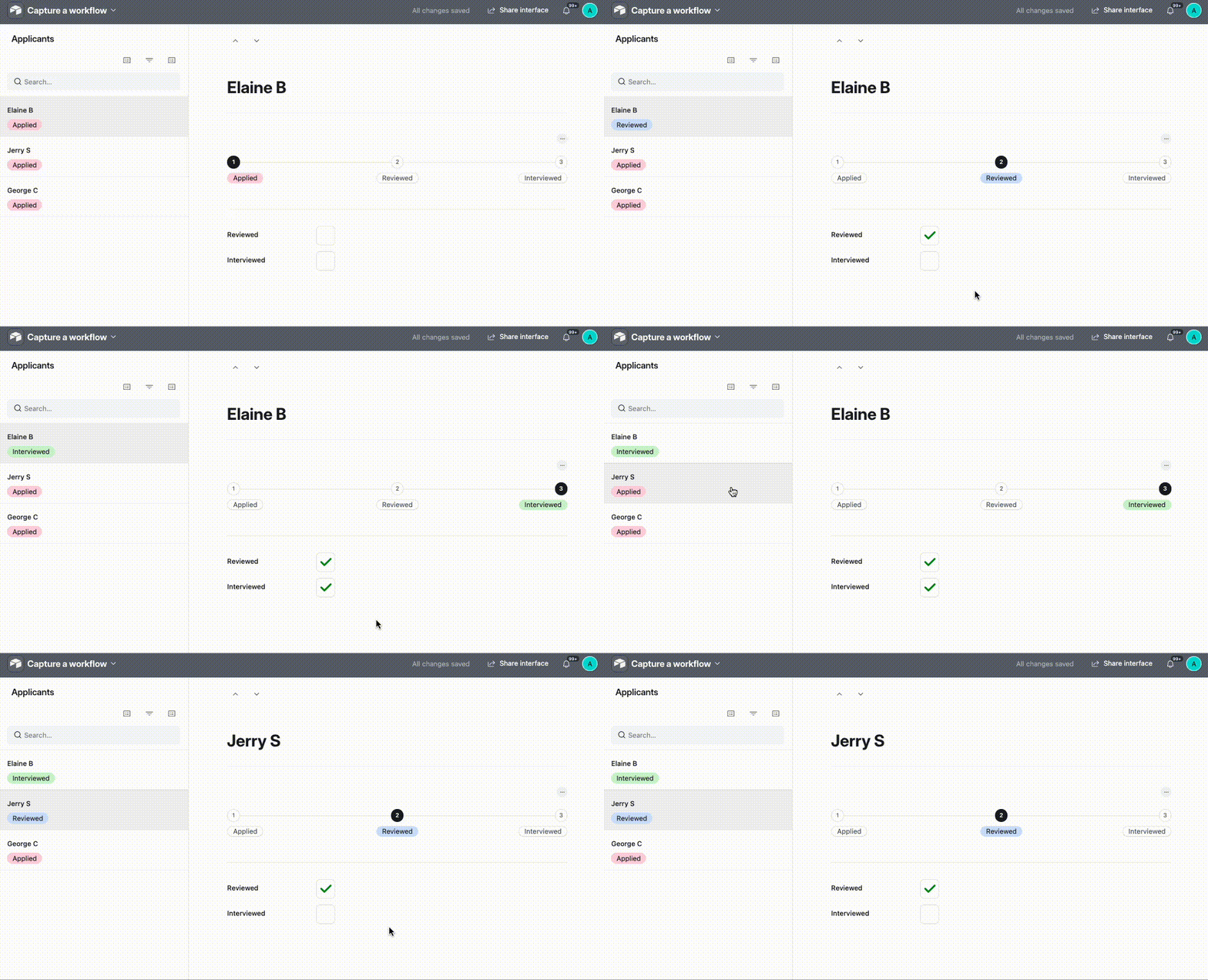
Can the interface change based on the state of the workflow?  Perhaps there is a state field that is read-only, but is modified by the completion of each step (applied, reviewed, interview, hired, etc).

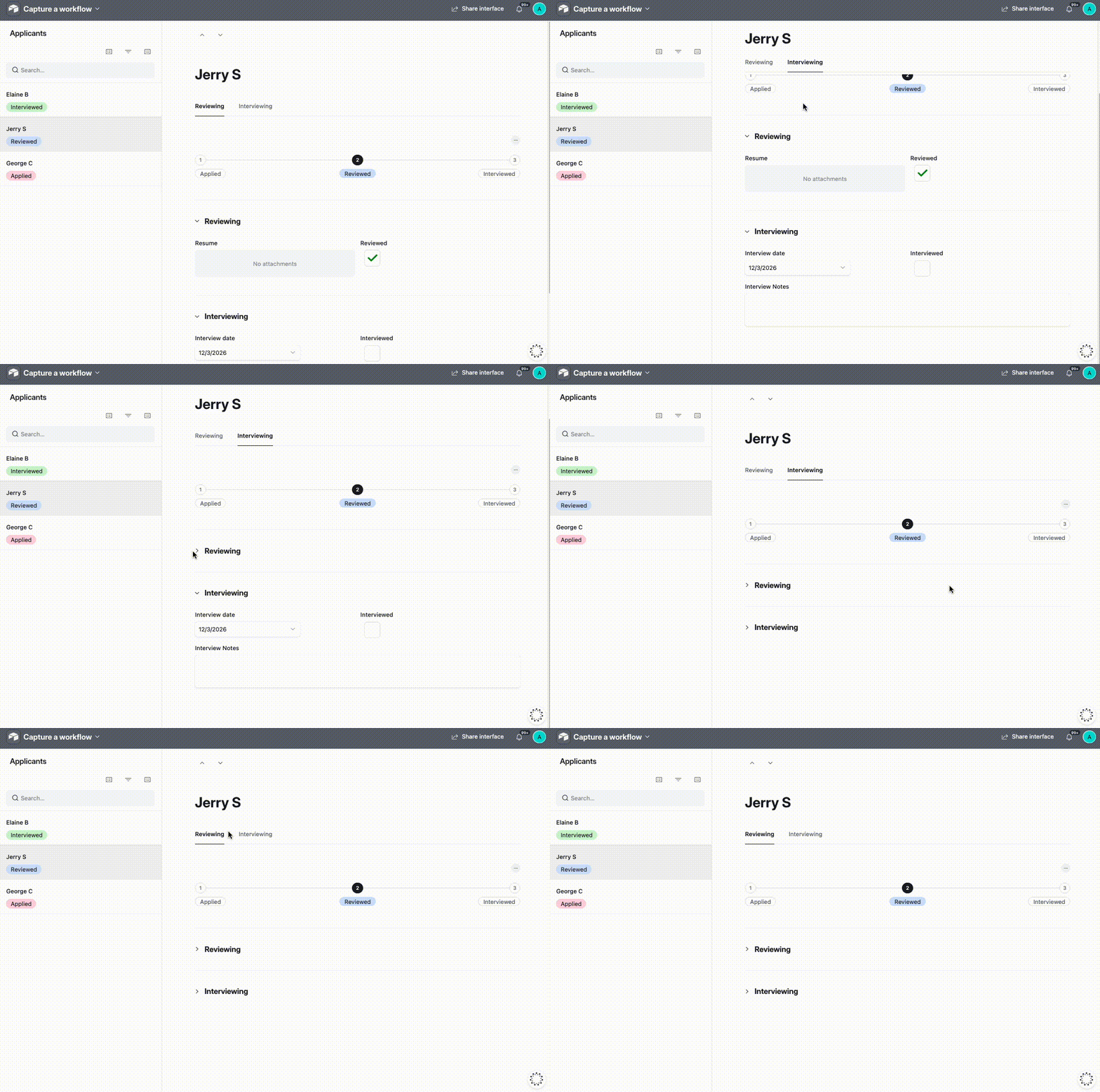
Yeap it can, but in your specific example I think we’d just use a formula field for that?  This might be how it’d look in practice, and I’ve created it here for you to check out!

I think I’d also recommend using collapsible groups and tab navigation for this too, that way users will be able to easily refer to data from previous stages of the process and still be able to easily find stuff