
Question

Collapsible groups / sections in Airtable Interfaces?

  • January 23, 2026
  • 2 replies
  • 23 views

kittim
Forum|alt.badge.img

Hi!

Is there any way to create collapsible sections or groups in Airtable Interfaces when building one from scratch?

We’d like to keep the interface clean, while still having access to additional or less frequently used fields when needed.

If this isn’t supported natively, does anyone have a good workaround?

Thanks!

2 replies

TheTimeSavingCo
Forum|alt.badge.img+31

Hm, if you’re referring to the Blank layout, I don’t think so I’m afraid.  Maybe you can put in a Text element with unique text in it and use CMD/CTRL+F as a way to jump to it?  e.g. Section 1 or something

I think only Record Review / Record Details have collapsible groups at this point


Mike_AutomaticN
Forum|alt.badge.img+28

Hey ​@kittim,

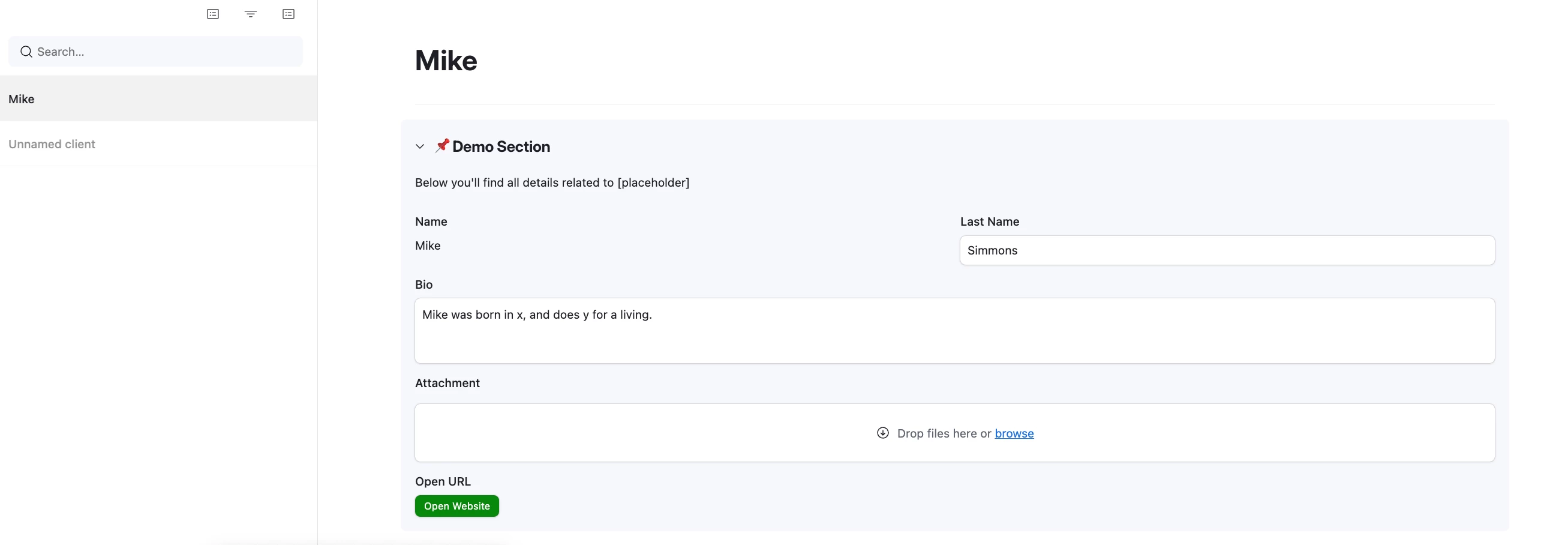
You can find collapsible groups in some of the interfaces -check out this other post (showing record review page layout).


Expanded:


Collapsed:


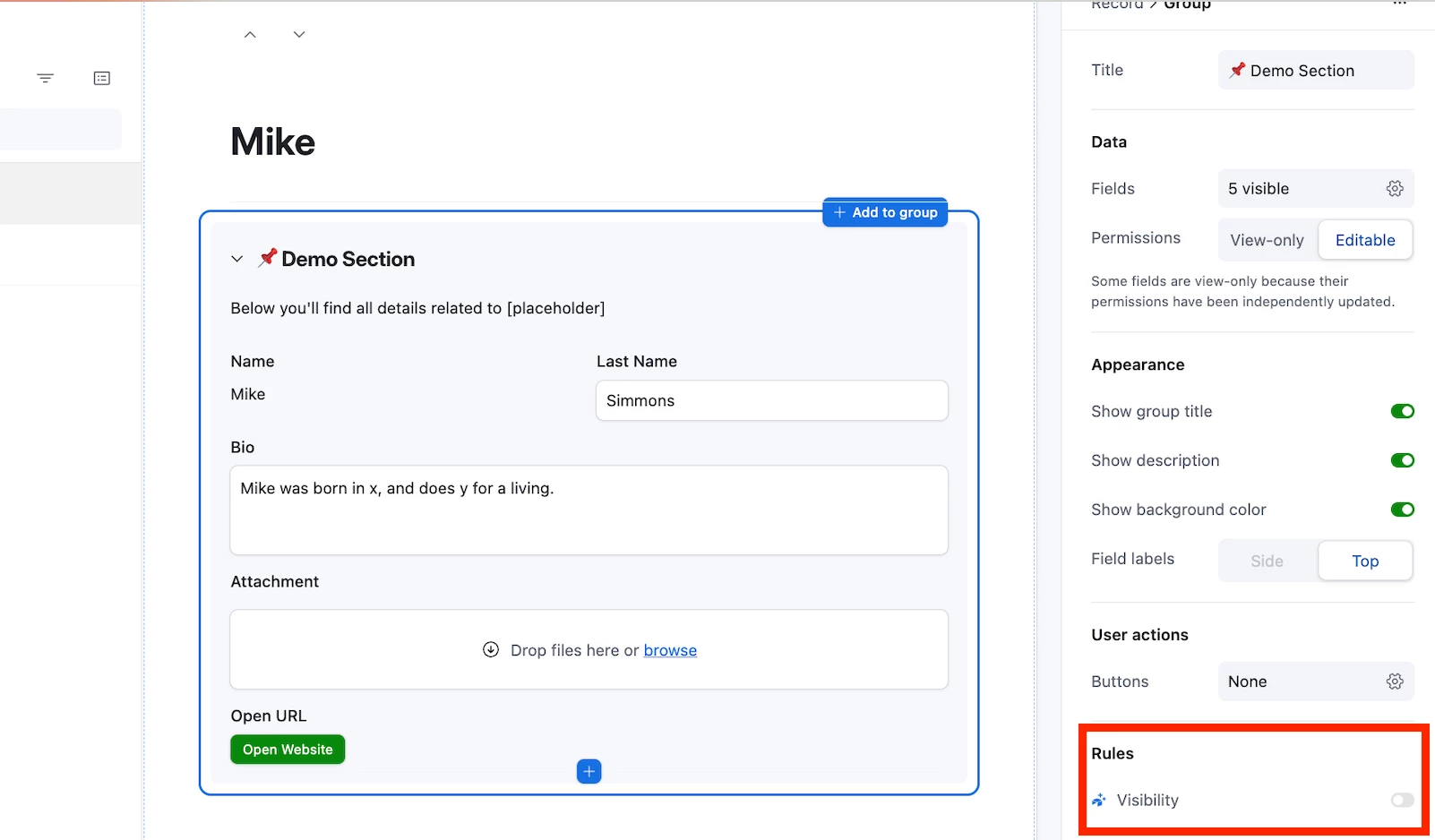
Furthermore, if helpful and if under a Business plan you can set conditional visibility as shown below to hide your fields or groups based on certain conditions.


Feel free to grab a slot using this link if you need any help setting this up! I’d be happy to help you out in a 5 min call.

Mike, Consultant @ Automatic Nation 
YouTube Channel ​​​​​​