Question

Condition Filters

  • December 17, 2025
  • 6 replies
  • 100 views

Forum|alt.badge.img+1

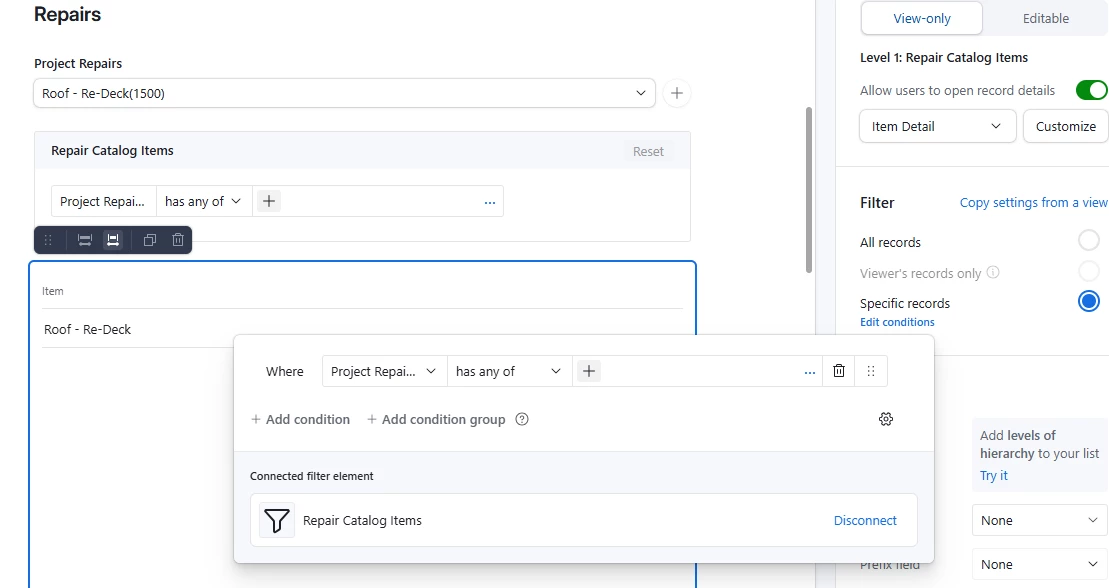
I’m working on an interface that is all connected to Property Projects through the Record Picker. I’m trying to create elements that pull data from the subject property through the Record Picker. For example, I’m creating a Comps element. However, I need the comps to pull only from the Property selected in the Record Picker. It’s prompting me to create a condition, however, I don’t have the Record Picker as an option. What am I doing wrong? Thank you in advance! 

6 replies

TheTimeSavingCo
Forum|alt.badge.img+31

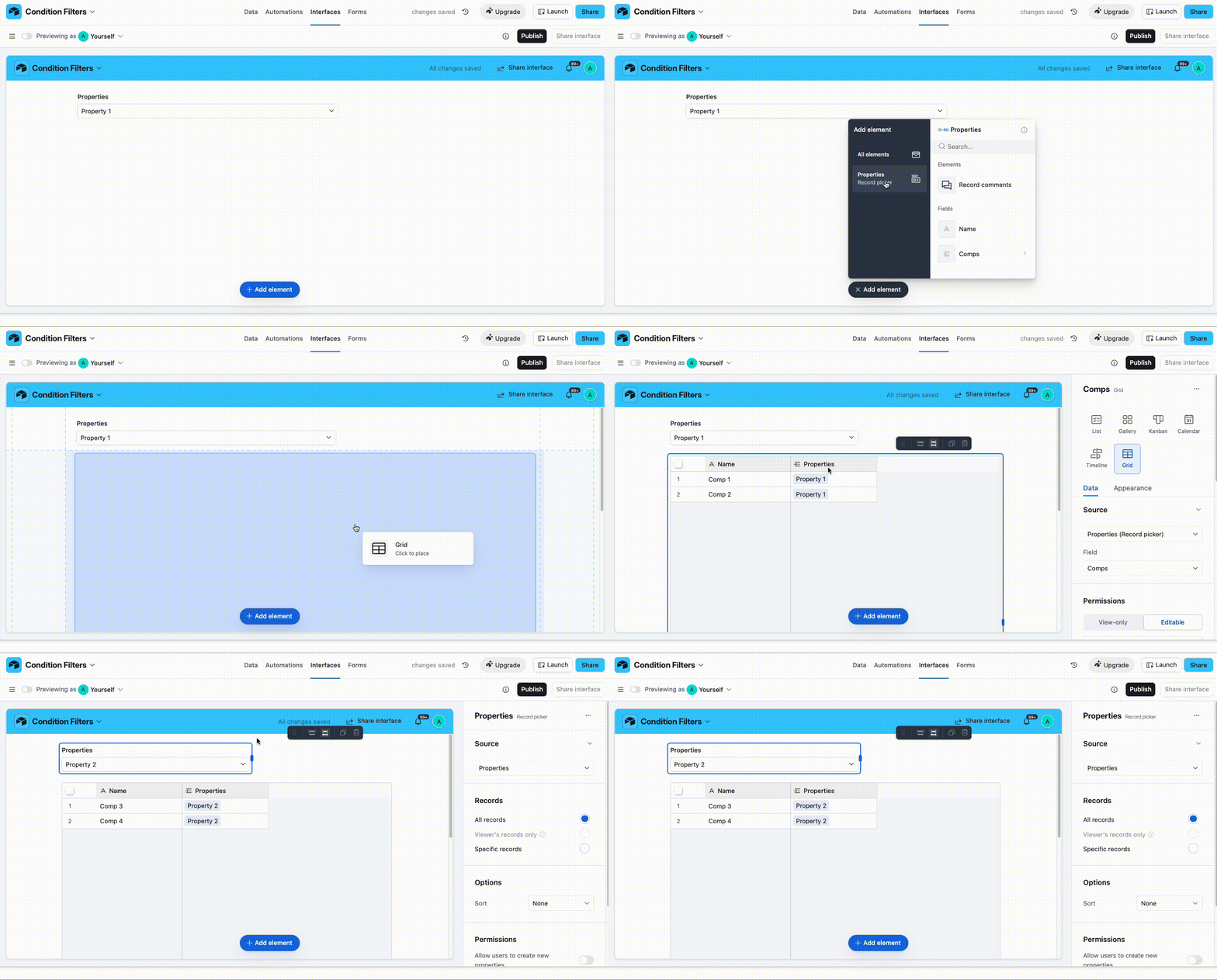
Hmm, if you select the Property Projects record picker element when trying to create the Comps element that should do what you need I think?

Data:


Forum|alt.badge.img+1
  • Author
  • New Participant
  • December 17, 2025

Right, but I need it to pull a specific record (aka the subject property from the Record Picker). In order to have it pull a specific record, it needs a condition. 


TheTimeSavingCo
Forum|alt.badge.img+31

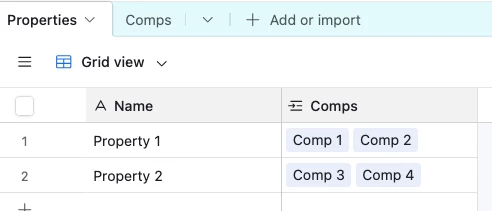
Hm, I’m not really following when you say ‘pull a specific record’, sorry.  Could you provide an example of a Property and Comp data that you’d want to show?


Mike_AutomaticN
Forum|alt.badge.img+28

Hey ​@TeamNHB01,

Would you mind sharing a couple of screenshots? Where is the need for applying a filter being shown?
 

Mike, Consultant @ Automatic Nation 
YouTube Channel 


Forum|alt.badge.img+1
  • Author
  • New Participant
  • December 19, 2025

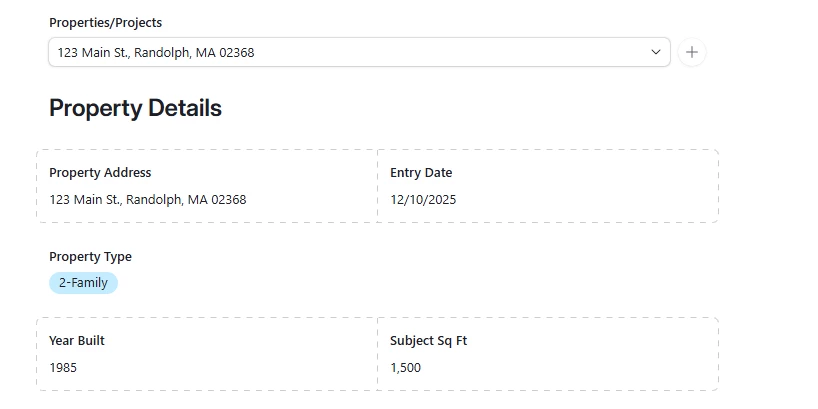
Thank you all! Yes, here are some screenshots. 

This is the record picker where we want to be able to select the subject property.

I want to add a repair or a comp for that specific property I’ve selected. Does this help?


TheTimeSavingCo
Forum|alt.badge.img+31

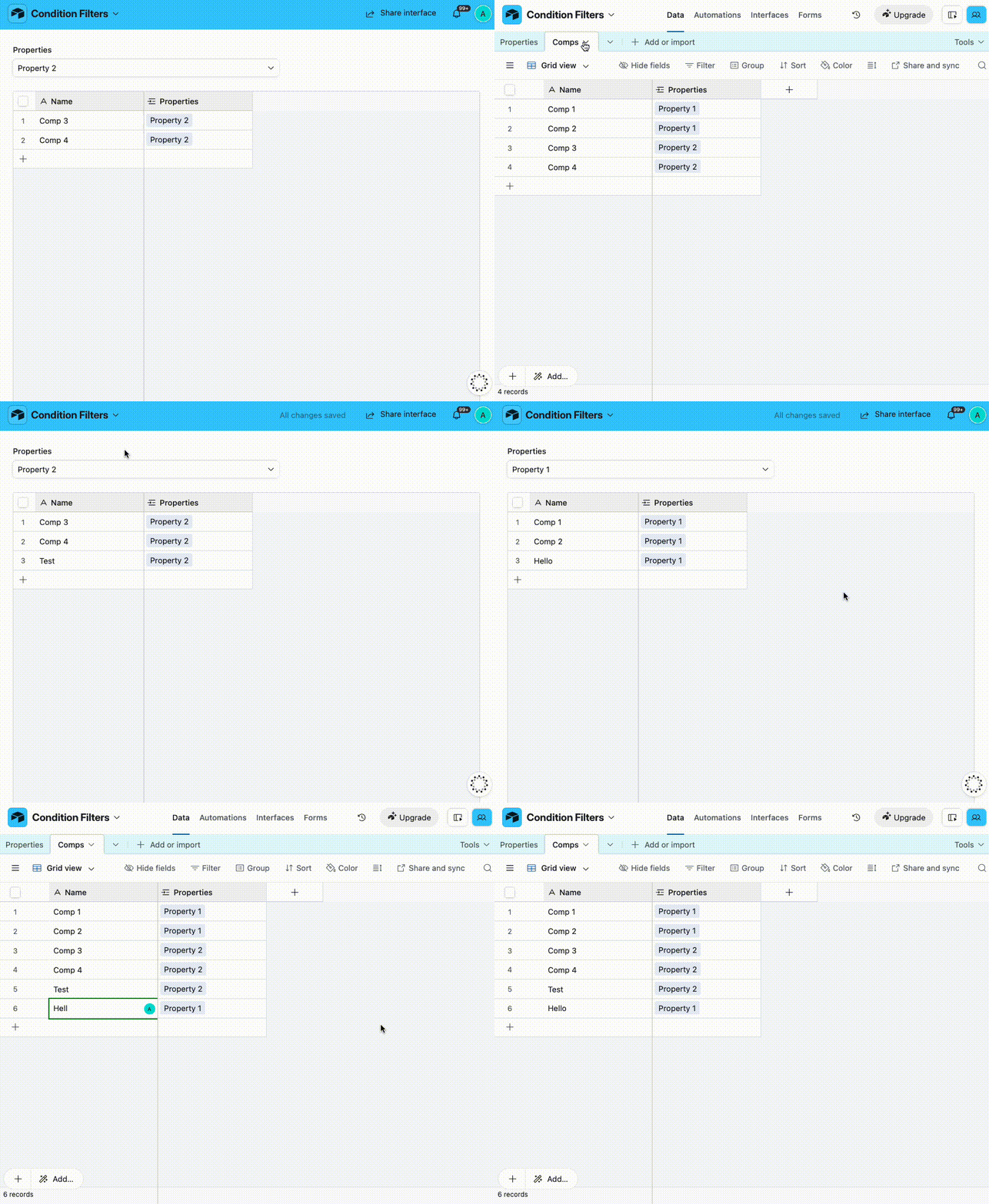
Just to confirm, the ‘Repair’ and ‘Comp’ tables are linked to the ‘Property’ table, right?  If so, adding the linked field to Repair or Comp via the Property Record Picker should do what you need?  The gif above shows how to do it and I’ve set it up here for you to check out


Here’s a gif of me adding Comp to the different selected Properties:


Sorry, I feel like I’m not understanding something!