Solved

Configure fields within an interface

  • Jul 16, 2023 10:04 PM UTC
  • 2 replies
  • 114 views

Forum|alt.badge.img+3
  • Participating Frequently

I'm wondering if there's a way to allow users configure fields from within an interface? e.g., my use case is that a certain user needs to be able to adjust Kanban columns on the fly by changing available values in a single-select field. They could do this easily in a regular Kanban view in the base, but is it possible to do this somehow in an interface?

Best answer by theloco

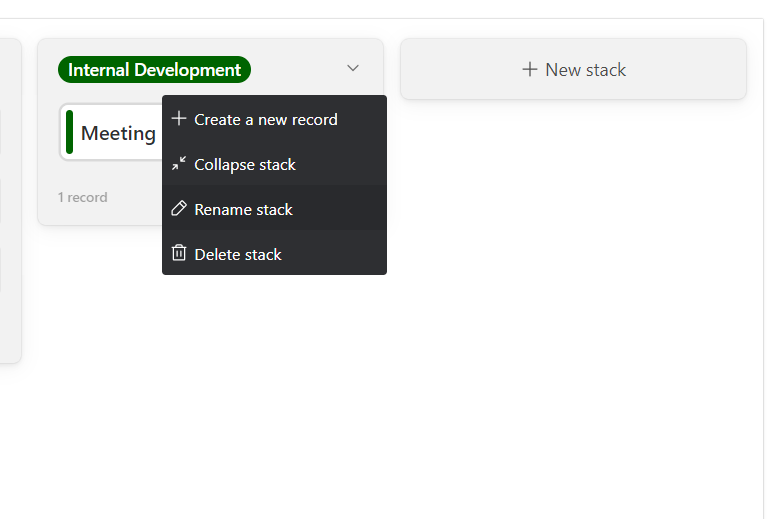
When in the Kanban view on the interface there should be the option to "Rename Stack" by right-clicking on the option you would like to re-label. The option to create a new stack will be all the way at the end as you scroll to the right. Make sure that under Permissions the field is set to editable.


View original
This topic has been closed for replies.

2 replies

theloco
Forum|alt.badge.img+2
  • New Participant
  • Answer
  • Jul 16, 2023 11:41 PM UTC

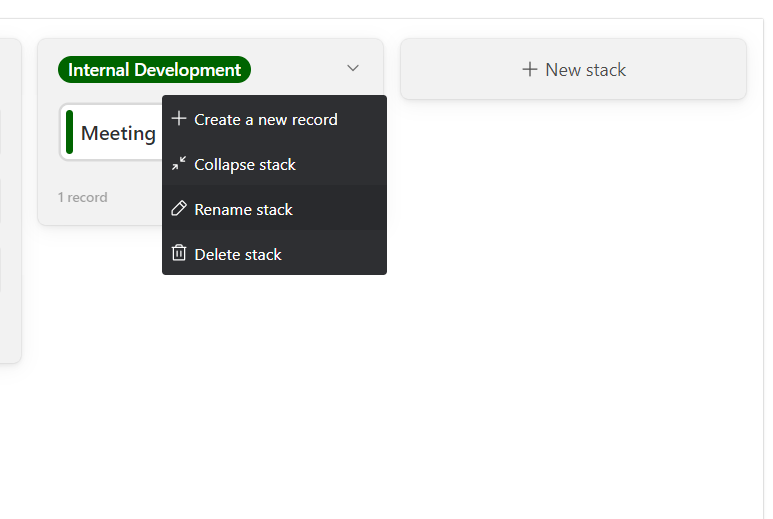
When in the Kanban view on the interface there should be the option to "Rename Stack" by right-clicking on the option you would like to re-label. The option to create a new stack will be all the way at the end as you scroll to the right. Make sure that under Permissions the field is set to editable.


Forum|alt.badge.img+3
  • Author
  • Participating Frequently
  • Jul 25, 2023 9:54 PM UTC

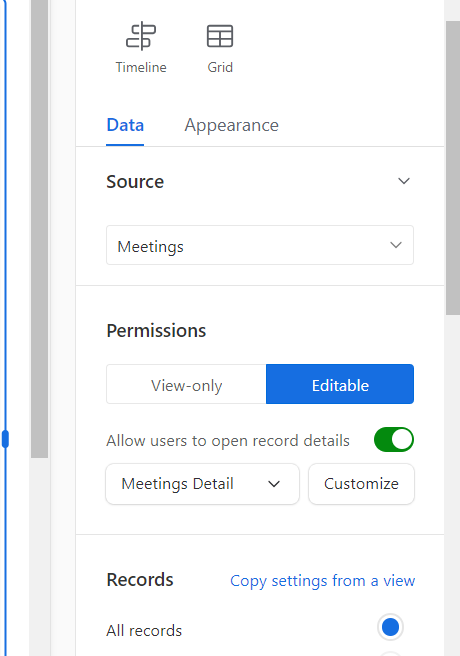
When in the Kanban view on the interface there should be the option to "Rename Stack" by right-clicking on the option you would like to re-label. The option to create a new stack will be all the way at the end as you scroll to the right. Make sure that under Permissions the field is set to editable.


I don't know how I missed that! Thank you!