Question

How can I reorder columns in kanban?

  • February 11, 2026
  • 4 replies
  • 5 views

Forum|alt.badge.img

My kanban columns are not in order. How can I change them?


I have a labelled order on the data table but this isn’t translating over in my interface kanban view.



4 replies

TheTimeSavingCo
Forum|alt.badge.img+31

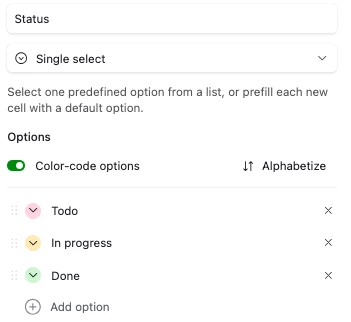
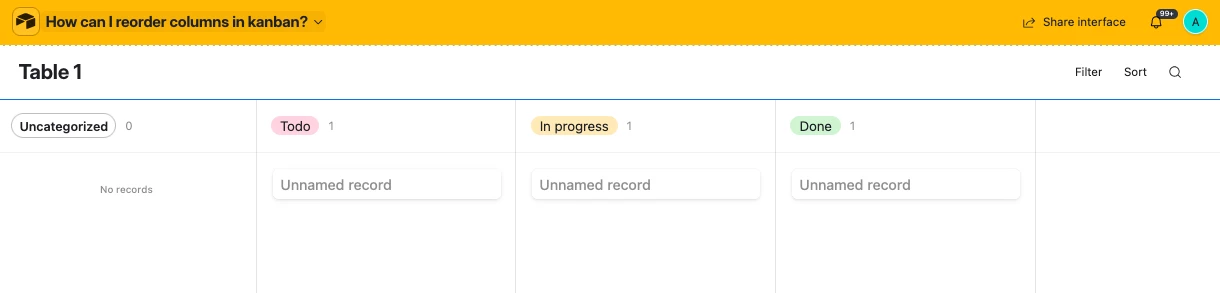
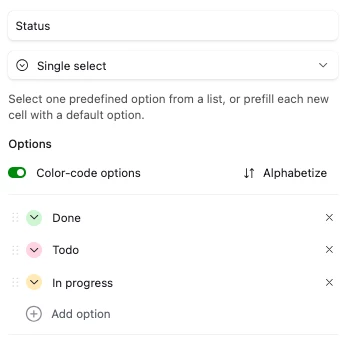
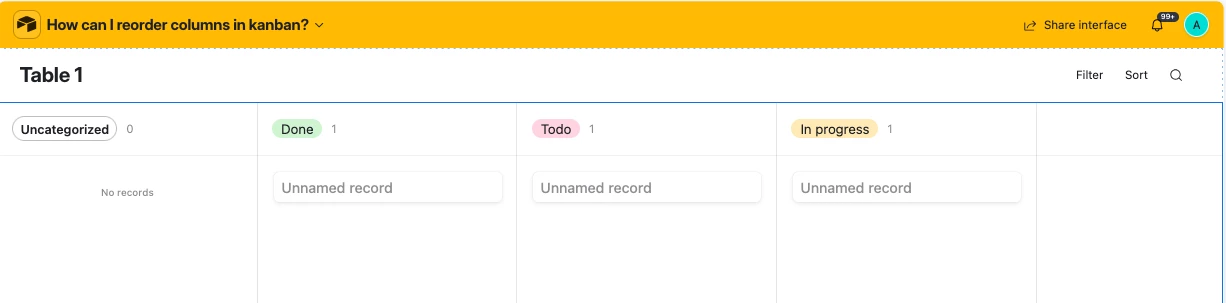
Hm may I know what field type you’re stacking on?  I just tried changing the order of a single select field’s options and that seemed to work:

Original


Updated


Forum|alt.badge.img
  • Author
  • New Participant
  • February 11, 2026

The kanban board is in an app interface.

I don’t see any way to move around or re-order the columns.


I don’t see the options you have in your example. 


catherinelevins
Forum|alt.badge.img+1

Hi there! As an interface user you will not be able to readjust the order yourself and based on the screenshot you shared that appears to be the case. 


You’re going to want to talk to whomever on your team manages Airtable. The details that the ​@TheTimeSavingCo shared are from the base layer which is where this update needs to happen. Once the order is changed on the field level in the base the order in that list will be the order that appears in your kanban view (top = left, bottom = right). It is important to note that once the field order is changed this will change for everyone who uses this kanban view. Just important to call out since sometimes folks don’t realize that a change like this impacts everyone.


Good luck!


TheTimeSavingCo
Forum|alt.badge.img+31

Ah, you’re using a linked field as the stacking field.  I believe in that situation it defaults to sorting it alphabetically and we don’t have the ability to change the order
 

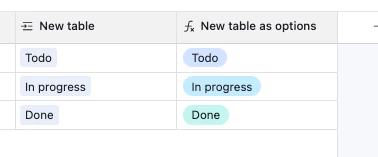
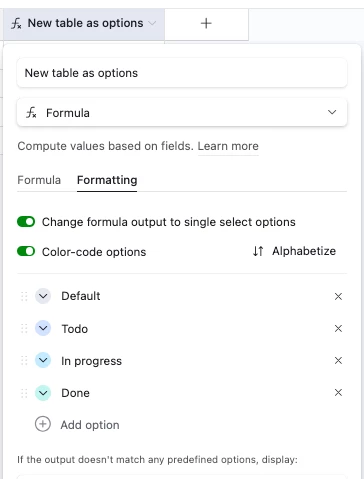
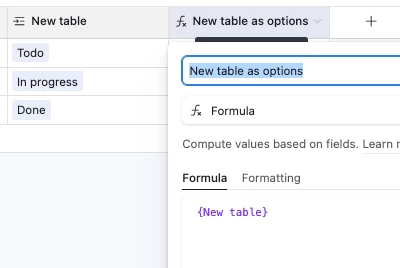
As a workaround, perhaps you could create a formula field that’ll output the value of the linked field as text, and then output that as options?  That’ll let you keep the linked field functionality while also being able to reorder:


I’m curious as to why you’re using a linked field for statuses though.  Is it that you want to get a count of how many deals are in each status at any one point of time?