Question

Interface Left Edit pane is different.

  • January 18, 2026
  • 4 replies
  • 33 views

Forum|alt.badge.img+2
  • Participating Frequently

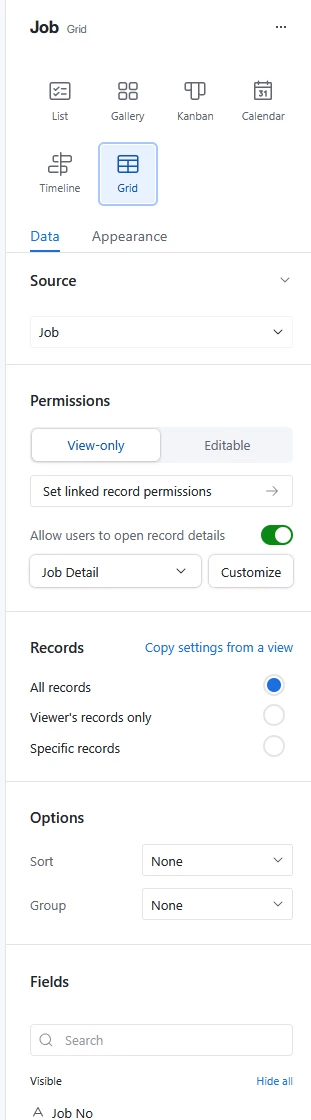
When I choose Blank Layout on Create Interface and add grid element manually, my right panel looks like this.
 

When I choose List Layout to start, my right panel looks like this :
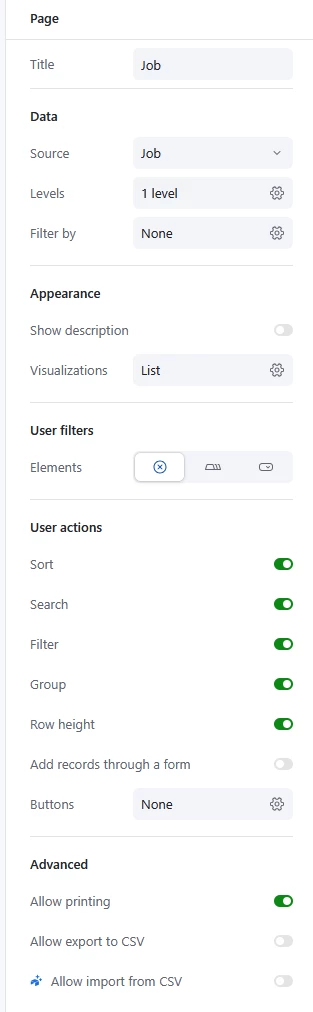
 

How can I have this second option when I add grid element manually.

4 replies

Mike_AutomaticN
Forum|alt.badge.img+28

Hey ​@TGJM,


Unfortunately they are just different page layouts with different setups all together. Blank page layout is pretty “legacy” and AT has not been pushing updates for it. You might want to request this as a feature request/product idea: https://community.airtable.com/p/product-ideas


Forum|alt.badge.img+2
  • Author
  • Participating Frequently
  • January 18, 2026

This is a problem for me as I want to filter the records based on the Record Picker Id and I am unable to do this as page filter option is not available. 

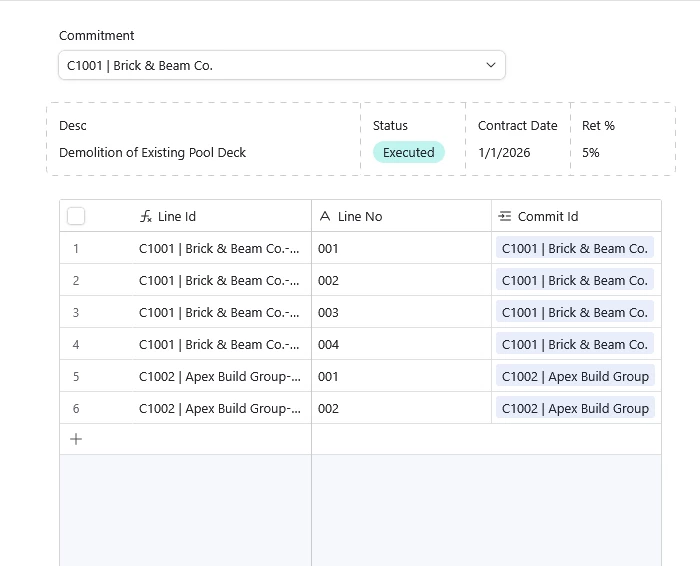
As per above in the blank interface I have top element as a record picker. I want to filter the bottom Grid element coming from a different table to filter based on matched Record Picker Commit Id to Detail Table Commit Id so only top 4 records are selected. How do i achieve that?


Forum|alt.badge.img+2
  • Author
  • Participating Frequently
  • January 18, 2026


Okay… I found out that I can achieve this by selecting my source as Record Picker and then Choosing the Table as a Field. 


Flow Digital
Forum|alt.badge.img+1
  • Participating Frequently
  • January 19, 2026


Okay… I found out that I can achieve this by selecting my source as Record Picker and then Choosing the Table as a Field. 

Glad you were able to resolve the issue. Cheers!