Question

Not seeing '+ Add field button' in Rows section of Pivot Table.

  • April 12, 2026
  • 4 replies
  • 16 views

Forum|alt.badge.img+1

Hi, I’m trying to create a pivot table in Interfaces > Dashboards. I need two nested rows (Vertical and Region) to cross-reference values against one column (Quarter) for the table to be useful.

However, I just don’t see the Add Row option in the configuration panel on the right. Multiple sources tell me this should be possible, but I’m not seeing how. Can anyone help?
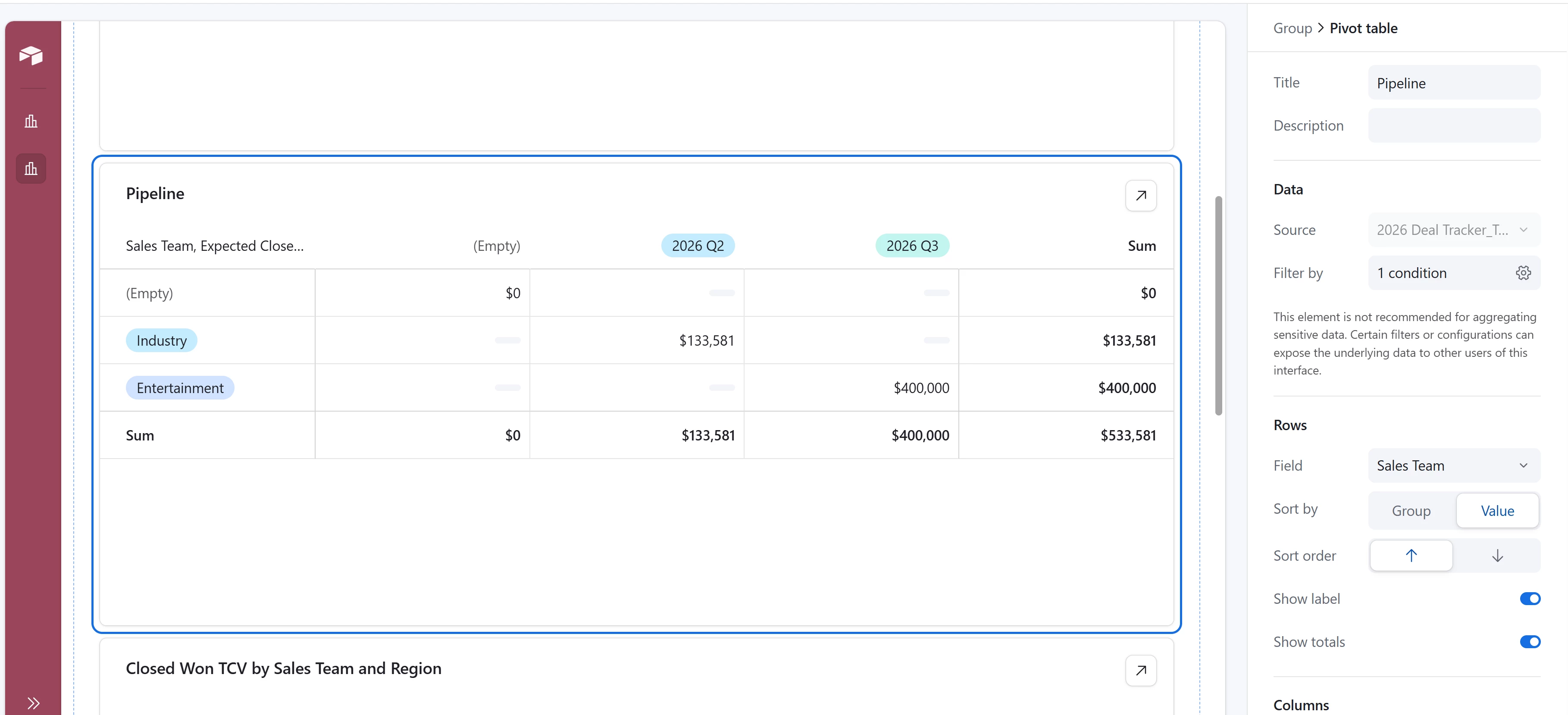

Not able to nest another field.


4 replies

ScottWorld
Forum|alt.badge.img+35
  • Genius
  • April 12, 2026

Any category that you want to appear as a row needs to be pulled from the same exact field in Airtable.

I demonstrate how to create pivot tables on this Airtable podcast episode.

Hope this helps!

If you have a budget and you’d like to hire the best Airtable consultant to help you with this or anything else that is Airtable-related, please feel free to contact me through my website: Airtable consultant — ScottWorld


TheTimeSavingCo
Forum|alt.badge.img+32

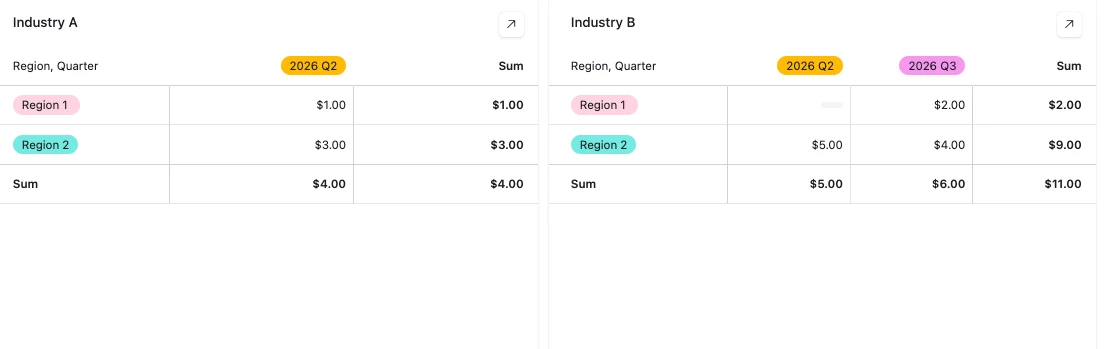
Hm, I don’t think that’s possibe I’m afraid.  As a workaround, would it be possible to create one Pivot table per Vertical instead?

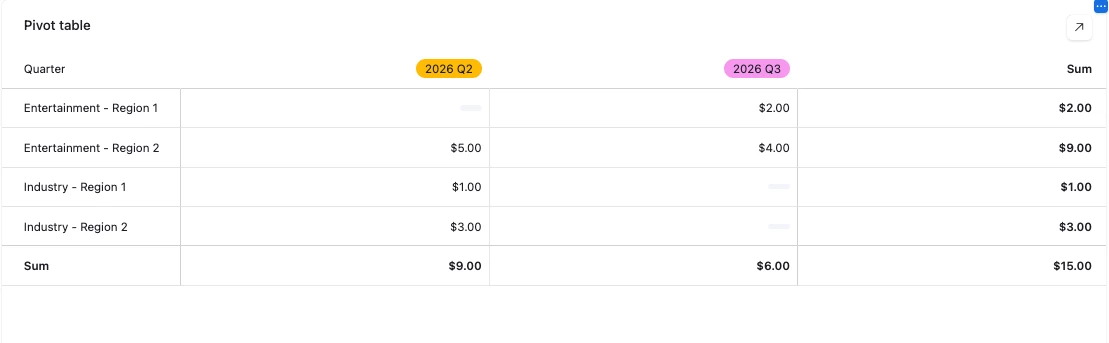
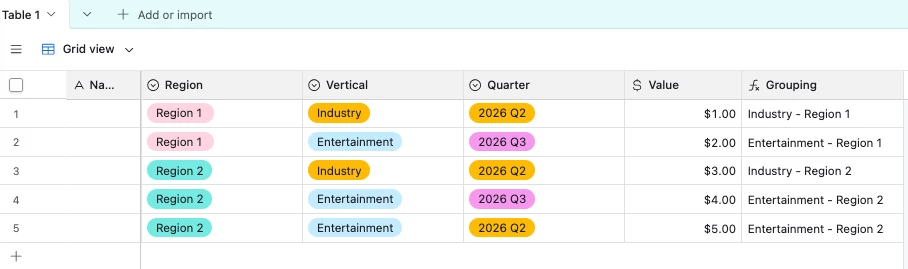
Or potentially you could create a formula field that concatenates the Vertical + Region, and then use that as the row?  Not as clean as one pivot table per Vertical though


Both of these workarounds also really suffer if you have a lot of different Verticals too

---

You can also try using Omni to create a Custom Extension for this if neither of the workarounds above are workable


Forum|alt.badge.img+1

Thanks, @scotworld. I did watch the podcast before I posted here, but didn’t find the answer to this requirement.


Forum|alt.badge.img+1

Thanks, ​@TheTimeSavingCo, that’s what I’ve done now. I’ve split each vertical into its own pivot table, but it defeats the purpose to an extent. I’m afraid I can’t concatenate the Vertical + Region in the source grid.

Really appreciate you taking the time to create an example and share screenshots.