Solved

single drop down selector to be used as selector for a specific form

  • May 29, 2026
  • 4 replies
  • 146 views

Forum|alt.badge.img+6

Hello all,

I was looking in the forum, I didn’t find anything really matching this query, so here I am.

Idea: have a single dropdown menu to choose an option and once it is selected the user clicks on a button to display a form (form associated to the option selected on the drop down menu).

Notes: initially, no intention to use anything outside portals interface, I know there are tools out there, really good ones, with a lot of interesting features, but right now I want to know if I am hitting a portals UI limit or if there is a solution or kind of solution available within the AT platform.

I am just asking if someone got hit by the same idea/issue and found a solution. It is also valid if I hear feedback like… “I tried everything, omni, script… nothing worked, ended up with fillouts”. That’s also a valuable info and I really appreciate it.

Alternatively, I was thinking on play around with forms/add record pages and play with conditional visibility to adjust the form fields based on initial drop down selection. Probably it is the best option, however I would like to make the idea more like an page 1 selection, page 2 form, page 3 review/approval. (next, next, next style to guide the end user)

Thanks
Best answer by TheTimeSavingCo

I was thinking on play around with forms/add record pages and play with conditional visibility to adjust the form fields based on initial drop down selection

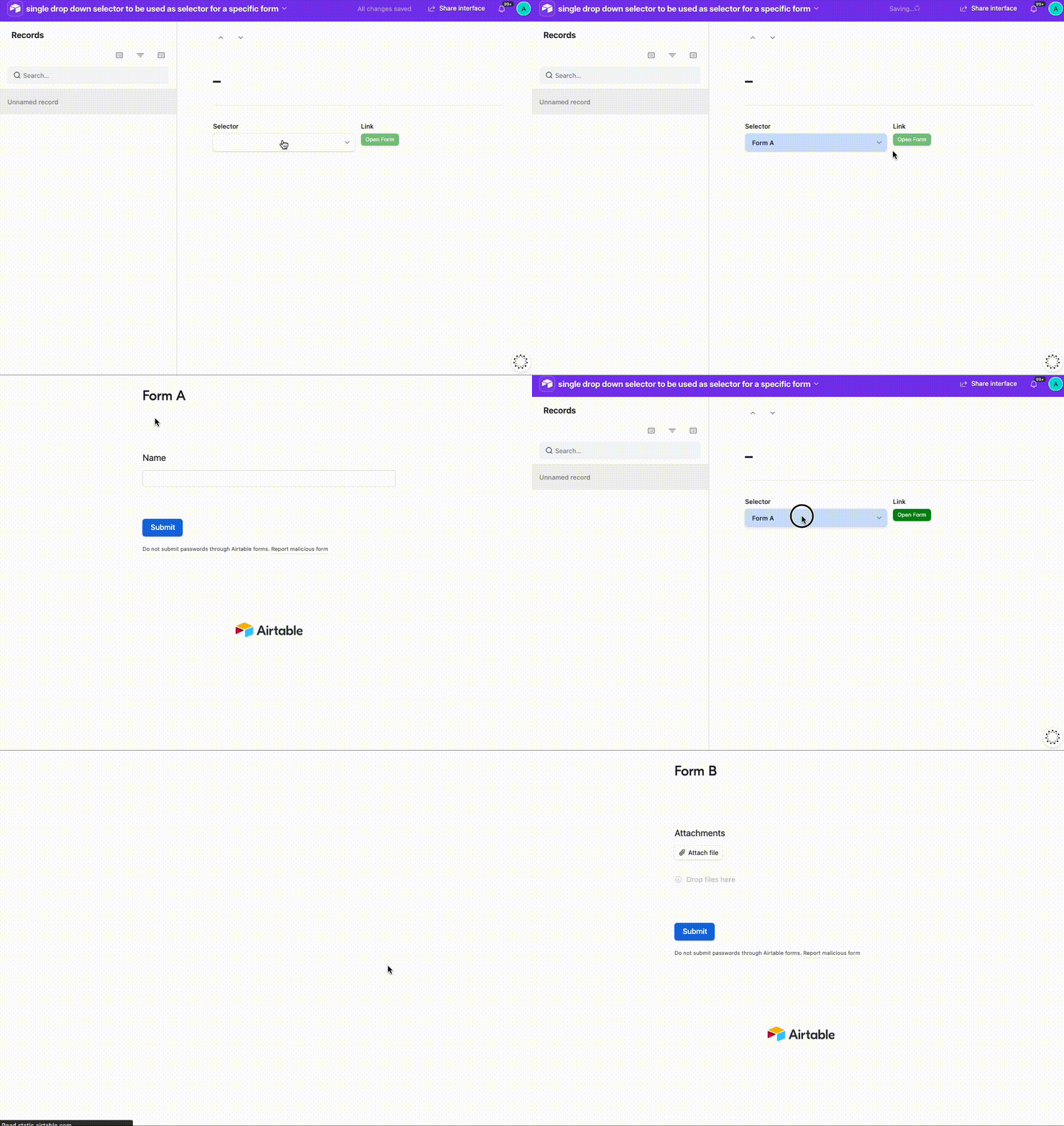
Hm, we could do this with a SWITCH inside a Button field maybe?  I’ve set it up here for you to check out


Not sure I fully understand your question though, sorry!

---

I would like to make the idea more like an page 1 selection, page 2 form, page 3 review/approval. (next, next, next style to guide the end user)

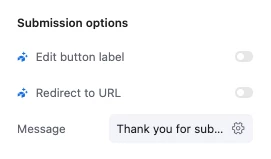
Hmm..when a form’s submitted, we can redirect them to a specific Interface page with the results of that submission, so that might help with the review bit?


4 replies

TheTimeSavingCo
Forum|alt.badge.img+32

I was thinking on play around with forms/add record pages and play with conditional visibility to adjust the form fields based on initial drop down selection

Hm, we could do this with a SWITCH inside a Button field maybe?  I’ve set it up here for you to check out


Not sure I fully understand your question though, sorry!

---

I would like to make the idea more like an page 1 selection, page 2 form, page 3 review/approval. (next, next, next style to guide the end user)

Hmm..when a form’s submitted, we can redirect them to a specific Interface page with the results of that submission, so that might help with the review bit?


Forum|alt.badge.img+6
  • Author
  • Known Participant
  • May 31, 2026

Hello!

Thanks for the idea, hummmm… that could work. I need to test it.

Your initial page on the portals is a record view. Do you know -in case you have an immediate answer- if that works from a from page or blank page?

I really need to test this.


TheTimeSavingCo
Forum|alt.badge.img+32

if that works from a from page or blank page?

Blank page would work fine!  Form wouldn’t though, if we wanted a dynamic button on a Form we’d need to use Fillout or something I’m afraid


Forum|alt.badge.img+6
  • Author
  • Known Participant
  • June 5, 2026

Hello ​@TheTimeSavingCo 

I tested it, working as expected, never used buttons feature on the tables so I was completely blind about the options. But it works as expected!

Many thanks, one more time for the good advice!