Question

Sorting items in timeline interface

  • February 13, 2026
  • 4 replies
  • 51 views

Forum|alt.badge.img+1

All records in the timeline have a WBS code, for example 1.17.2, and also a zero-padded version like 001.017.002. In a grid view this allows clean hierarchical sorting without any issues.

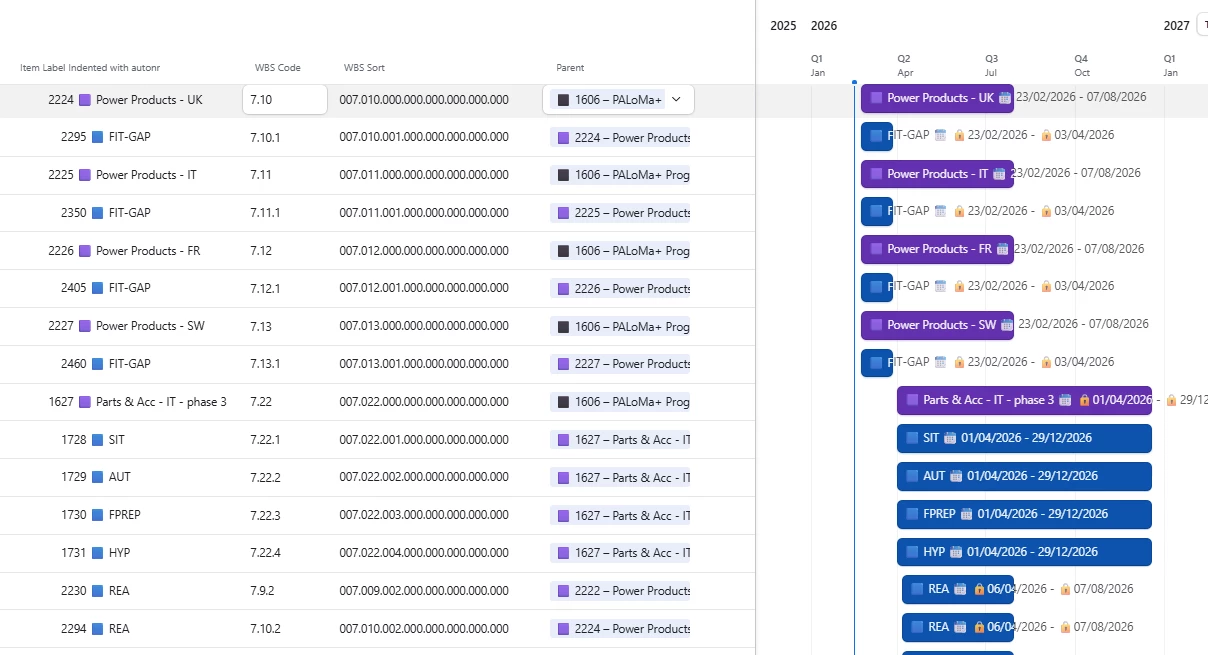
However, in the timeline view the records are still arranged primarily by start date. As shown in the screenshot, the configured sort on the WBS Sort field is not reflected in the vertical order.

Is there any way to force the timeline to display records strictly according to the hierarchical WBS order instead of by start date?


4 replies

TheTimeSavingCo
Forum|alt.badge.img+31

Hmm, looks like your screenshot isn’t showing up

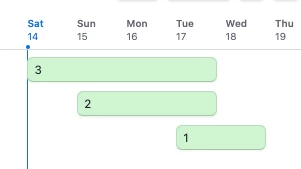
So instead of it showing like this:


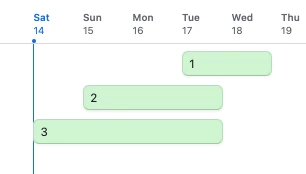
You want it to show like this?

If so I don’t think that’s possible I’m afraid and I’d suggest opening a support ticket to confirm!


Forum|alt.badge.img+1
  • Author
  • New Participant
  • February 14, 2026


I configured the timeline to sort by the WBS Sort field, yet the records are still arranged based on start date.

In the first screenshot including the Parent column, you can see that item 2294 (last line), which should appear directly below item 2224 (first line) according to the WBS hierarchy, is instead positioned below item 1627.

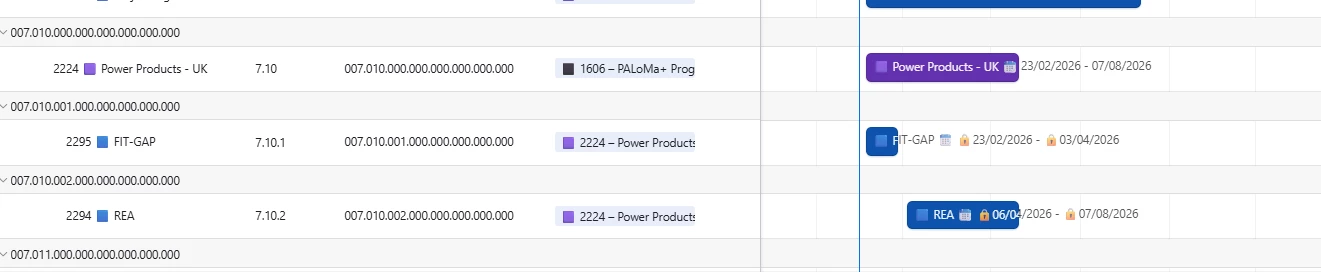
When I group by the WBS Sort field, the ordering becomes correct, but the visual result is not usable from an interface perspective (see second screenshot)

As it stands, there seems to be no way to enforce strict hierarchical ordering in the timeline view. This a known limitation i presume, but should this be considered a bug (field sort is not applied) ?


TheTimeSavingCo
Forum|alt.badge.img+31

Ah that’s working as intended I think, the ‘Sort’ function will sort the records that are starting on the same date.  e.g. if you have 3 records A, B, C starting 1 Feb 2026, then it’d sort those 3 for you

As far as I know the Timeline view will always sort by earliest date first I’m afraid and so I’d recommend opening a support ticket to confirm that!

---

As a workaround, perhaps you can try grouping by the first two sections of the WBS Sort field?  i.e. ‘007.010’ in this context?


Forum|alt.badge.img+1
  • Author
  • New Participant
  • February 23, 2026

Ah that’s working as intended I think, the ‘Sort’ function will sort the records that are starting on the same date.  e.g. if you have 3 records A, B, C starting 1 Feb 2026, then it’d sort those 3 for you

As far as I know the Timeline view will always sort by earliest date first I’m afraid and so I’d recommend opening a support ticket to confirm that!

---

As a workaround, perhaps you can try grouping by the first two sections of the WBS Sort field?  i.e. ‘007.010’ in this context?

Hello,
I implemented and tested grouping at level 2 (and other); however, it does not significantly improve the situation. Without proper sorting, I can’t use the timeline view, as it becomes too confusing to use.