Apply record template in interface

  • April 20, 2023
  • 3 replies
  • 18 views

Sean_Murphy1
Forum|alt.badge.img+17
What is the proposed idea/solution?

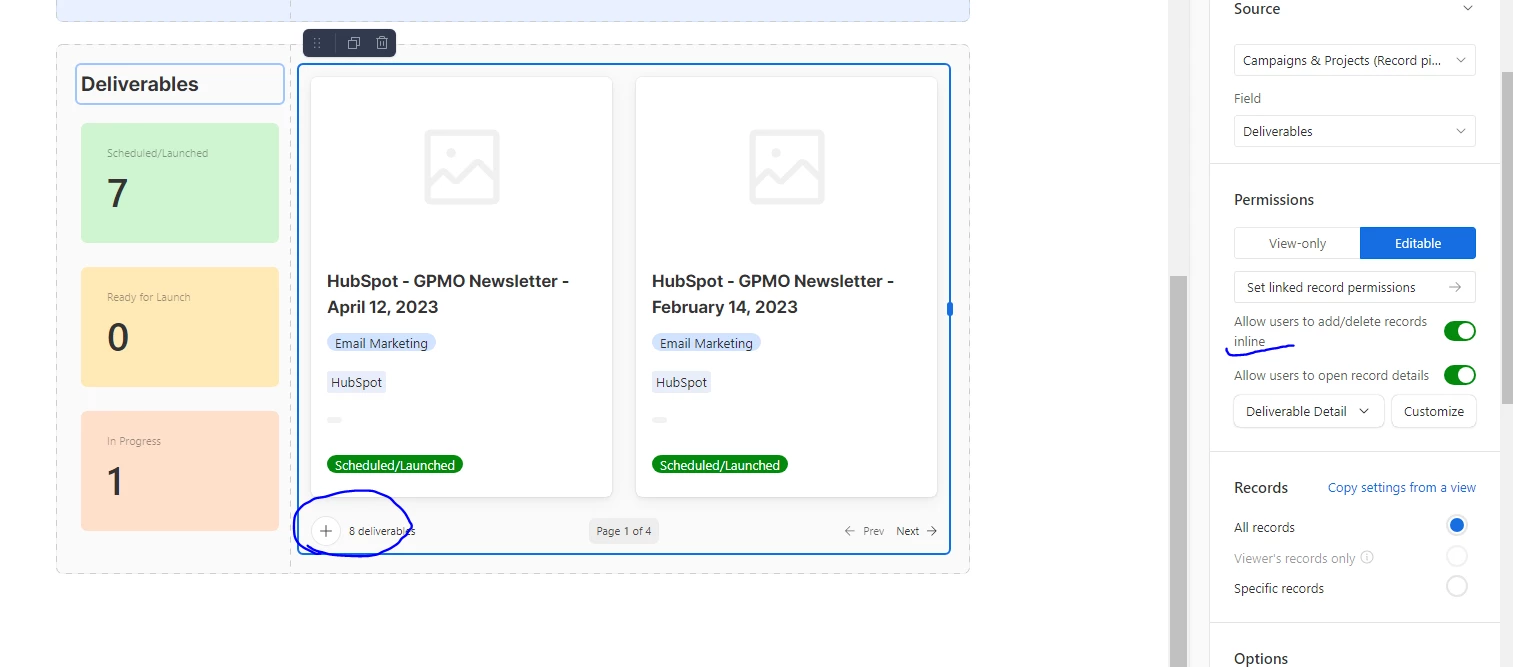
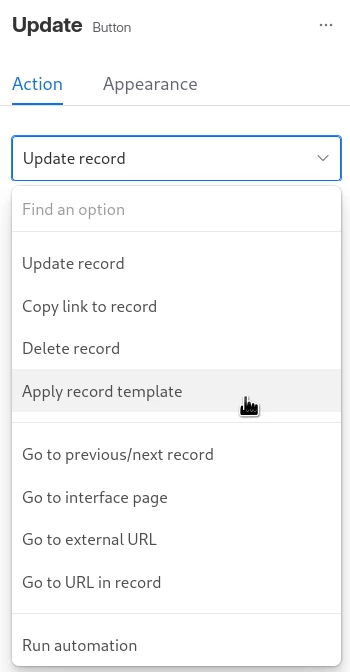
It seems likely that this is already being developed, but I suggest adding a new feature to the Button interface element (see attached screenshot for expected location) that allows users to apply a record template to the current record. This enhancement would help streamline the process of creating sets of sub-tickets and eliminate the need for cumbersome automation currently in place.

How does is solve the user problems?

Allows for faster, easier deployment of records in an Interface. Simplifies base administration.

How was this validated?

?

Who is the target audience?

People using Interfaces with a concept of 'sub-tickets' -- probably other use cases.
3 replies

Sean_Murphy1
Forum|alt.badge.img+17
  • Author
  • Inspiring
  • May 24, 2023

Thank you!


Forum|alt.badge.img+4
  • Participating Frequently
  • August 8, 2023

This works, but...

If you are applying a Record Template that uses a relative date, and that relative date is blank, you'll get an error. 

If you do this same operation in a traditional view, it asks you to enter the missing date before applying the template. 


Forum|alt.badge.img
  • New Participant
  • August 18, 2023

Hello - continuing this conversation!

Is there currently no solution for adding a record template in the interface? See below - would love if when pressing + on Interface, a record template could be applied. 


Thank you to anyone who can offer insight on a workaround, solution I don't know of or any known roadmap for this.