Dymo Print Output Support

  • October 6, 2016
  • 6 replies
  • 43 views

Forum|alt.badge.img+4

In addition to your current print export options, it’d be fantastic to be able to lay out Dymo labels using provided templates and then using our base’s knowledge to drive automated output of labels based on all kinds of strategic criteria.


6 replies

  • New Participant
  • February 20, 2017

I agree with Andrew. It would be fantastic if you could print cards to Dymo size labels.


Forum|alt.badge.img+4
  • Author
  • Known Participant
  • January 20, 2018

This is once again top-of-mind for us. We’d love Avery templates too. Any way to easily print barcodes en masse, without Excel/Word go-betweens would be DEEPLY appreciated.


Forum|alt.badge.img+4
  • Author
  • Known Participant
  • June 10, 2018

This is once again top-of-mind for us. We’d love Avery templates too. Any way to easily print barcodes en masse, without Excel/Word go-betweens would be DEEPLY appreciated.


You can calculate the pixel dims at 300 DPI, using the original Dymo spec, per label. For instance, I use 638px wide by 1200px high for Dymo Shipping Label 30323. But it’s not sexy.

We’d kill for native print presets for both Dymo and Avery labels within the Page Designer block AND print export dialog.


  • New Participant
  • November 10, 2019

i created a page designer block and printer to labels it worked fine


Forum|alt.badge.img+13
  • Inspiring
  • September 7, 2020

You can calculate the pixel dims at 300 DPI, using the original Dymo spec, per label. For instance, I use 638px wide by 1200px high for Dymo Shipping Label 30323. But it’s not sexy.

We’d kill for native print presets for both Dymo and Avery labels within the Page Designer block AND print export dialog.


Hi Andrew,

Can you explain how to calculate the pixel dims for Dymo Address Labels?
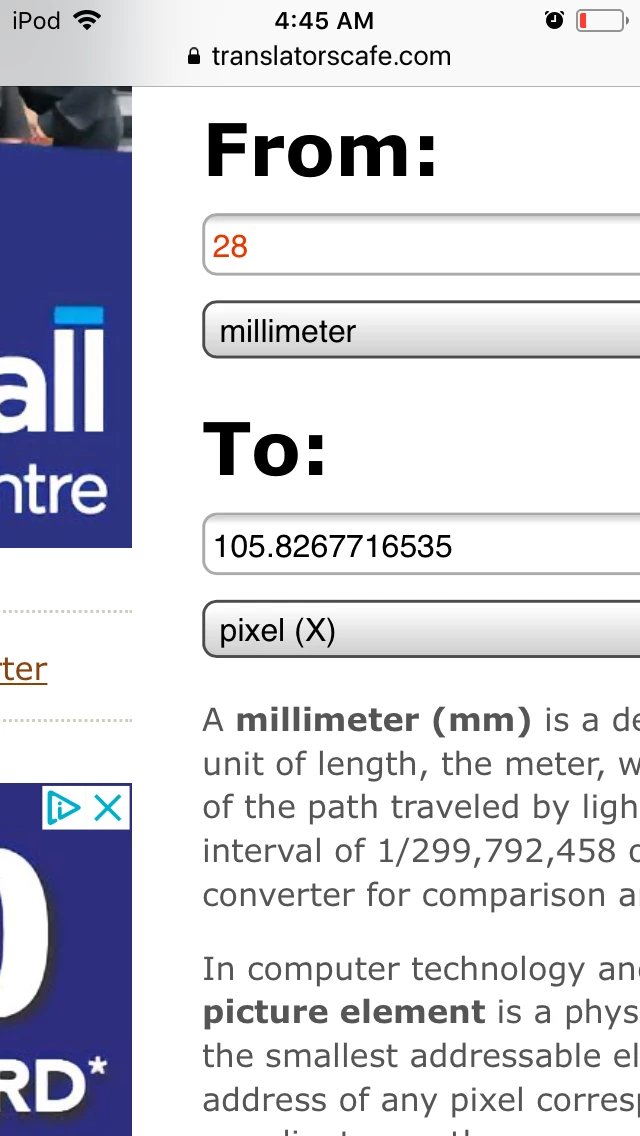
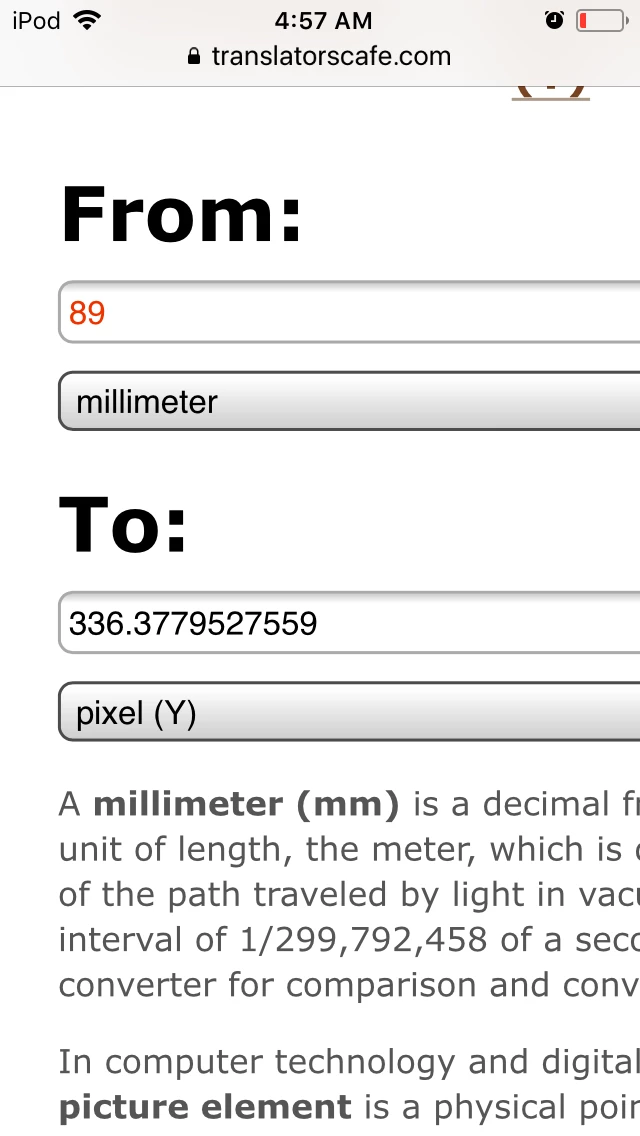
Theres are 28 mm x 89 mm LW ones


Forum|alt.badge.img+20
  • Inspiring
  • September 7, 2020

Hi Andrew,

Can you explain how to calculate the pixel dims for Dymo Address Labels?
Theres are 28 mm x 89 mm LW ones


Hi @Mariusz_S

According to this converter calculator, it is:

This is the website:

https://www.translatorscafe.com/unit-converter/jv/typography/

I also found this website about font sizes:

https://smad.jmu.edu/shen/webtype/measure.html

I just don’t know what LW means.

If all all else fails, try calling your local print shop. They deal with these calculations all the time.

Hope this helps.

Mary Kay