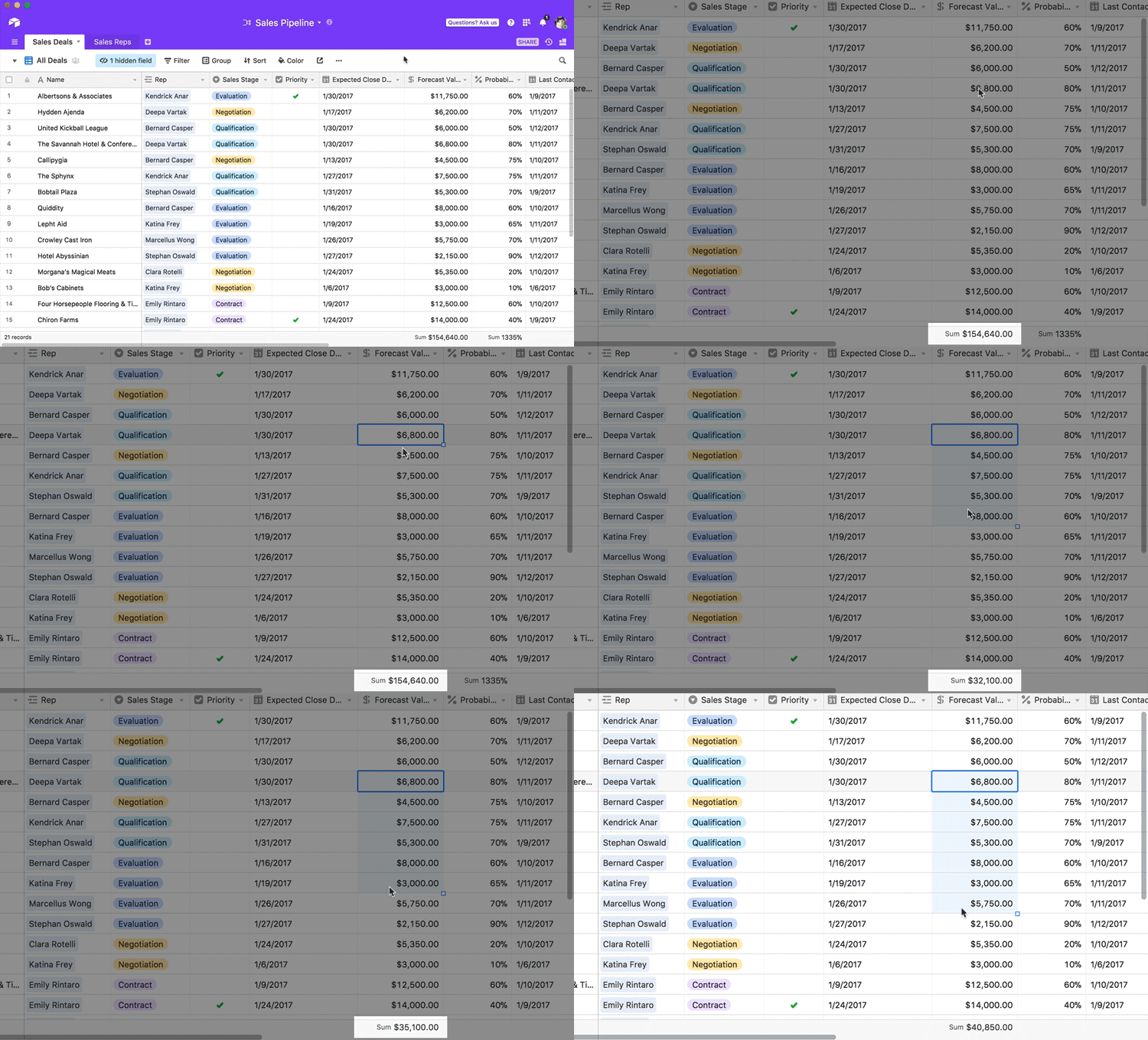
Showing the total sum

  • November 28, 2017
  • 3 replies
  • 15 views

Showing the total sum of the selected cells (not each column)


3 replies

Forum|alt.badge.img+5

You can show the sum of a selected set of cells by setting the summary bar to Sum, selecting the group of cells, and looking at the summary bar. Here’s a gif showing how to do that:


  • Author
  • Participating Frequently
  • November 28, 2017

that is just for one column but I can’t get the total sum of two columns?


Forum|alt.badge.img+18

that is just for one column but I can’t get the total sum of two columns?


@Ali_Aboutera You may consider summing two cells in a 3rd cell by formula. When you sum the 3rd column as shown above, you should see the totals you are looking for.