[SOLVED] See Sum of Number Fields in IOS App

  • February 27, 2016
  • 13 replies
  • 47 views

Forum|alt.badge.img

Is there a way to see sums of Number Fields in the IOS App (They appear at the bottom of the column in the web App)?


13 replies

I would also like to know if this is possible. If not, perhaps this could be moved to the Feature Request category?


  • New Participant
  • April 5, 2016

I would like to see this feature, I’m tracking sales so a total (sum) is a requirement for me


  • New Participant
  • April 24, 2016

I would also like to know if this is possible. If not, perhaps this could be moved to the Feature Request category?


I agree please add this to the feature request.


This is a fairly significant difference between the browser and mobile versions. For our application, it’s a hindrance to effectively using one of our tables when out in the wild without access to a desktop or laptop. I consider it a bug when one of my users sits in a meeting and says how annoying Airtable is because of this.

Can we get a status update? Looks like there’s a lot of interest here.


Forum|alt.badge.img+3
  • New Participant
  • July 12, 2016

To help us better understand your needs and inform the prioritization and design of the feature, it would be useful if you provided specific details about how you’re looking to use the feature, what problem you’re trying to solve, etc. Thank you!


  • New Participant
  • October 5, 2016

To help us better understand your needs and inform the prioritization and design of the feature, it would be useful if you provided specific details about how you’re looking to use the feature, what problem you’re trying to solve, etc. Thank you!


My use case is for tracking sales. If I have a different client record / sale on each row with a sale vale in a cell on that row, I would like to see a total (sum) of that column. You can do it in the desktop browser.

If you look at your Product Catalogue & Orders example in the app, you can only see the value of individual orders, not a total.

For this to be useful tracking sales, job costs, expenses or virtually any business related values you usually want to see the sum of a list of items.

Thanks


Forum|alt.badge.img+3
  • New Participant
  • November 2, 2016

Hi all,

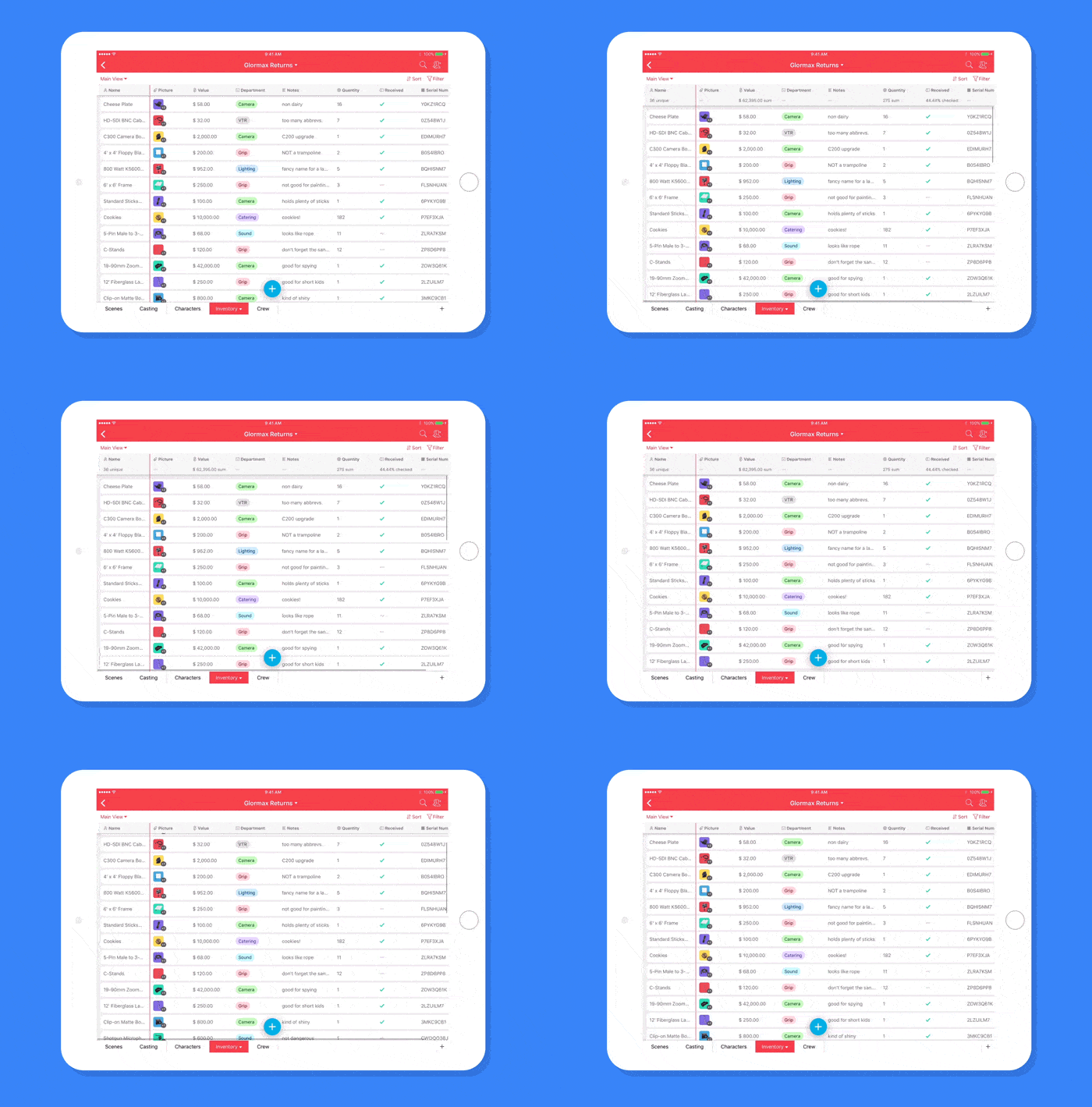
I just wanted to follow up on this thread and let you know that the latest iOS update includes the summary bar! Just pull down to reveal the summary bar (like in the GIF below) :grinning_face_with_smiling_eyes:

You can also update the summary function inline by tapping on a column header and tapping “Choose summary function.”

As always, let us know if you have any other feedback — we’d love to hear from you!


  • New Participant
  • November 23, 2016

Hi all,

I just wanted to follow up on this thread and let you know that the latest iOS update includes the summary bar! Just pull down to reveal the summary bar (like in the GIF below) :grinning_face_with_smiling_eyes:

You can also update the summary function inline by tapping on a column header and tapping “Choose summary function.”

As always, let us know if you have any other feedback — we’d love to hear from you!


The summary bar does not appear on IOS devices with a read only shared link or embed code on a web site.


  • Known Participant
  • January 4, 2017

Hi all,

I just wanted to follow up on this thread and let you know that the latest iOS update includes the summary bar! Just pull down to reveal the summary bar (like in the GIF below) :grinning_face_with_smiling_eyes:

You can also update the summary function inline by tapping on a column header and tapping “Choose summary function.”

As always, let us know if you have any other feedback — we’d love to hear from you!


Thank you for fixing this.


  • New Participant
  • February 3, 2017

Please make this for android as well… :slightly_smiling_face:


  • New Participant
  • August 28, 2017

Is the summary bar up yet for Android?


Forum|alt.badge.img+4

I am interested too in the summary bar on Android. Any plans?


  • New Participant
  • April 14, 2022

Hi all,

I just wanted to follow up on this thread and let you know that the latest iOS update includes the summary bar! Just pull down to reveal the summary bar (like in the GIF below) :grinning_face_with_smiling_eyes:

You can also update the summary function inline by tapping on a column header and tapping “Choose summary function.”

As always, let us know if you have any other feedback — we’d love to hear from you!


Does it work with Android?