
Introducing New Appearance Styles for Single Select Fields

  • September 16, 2025
  • 17 replies
  • 432 views

Akshar_Patel
Forum|alt.badge.img+9

Hello Airtable Community! 

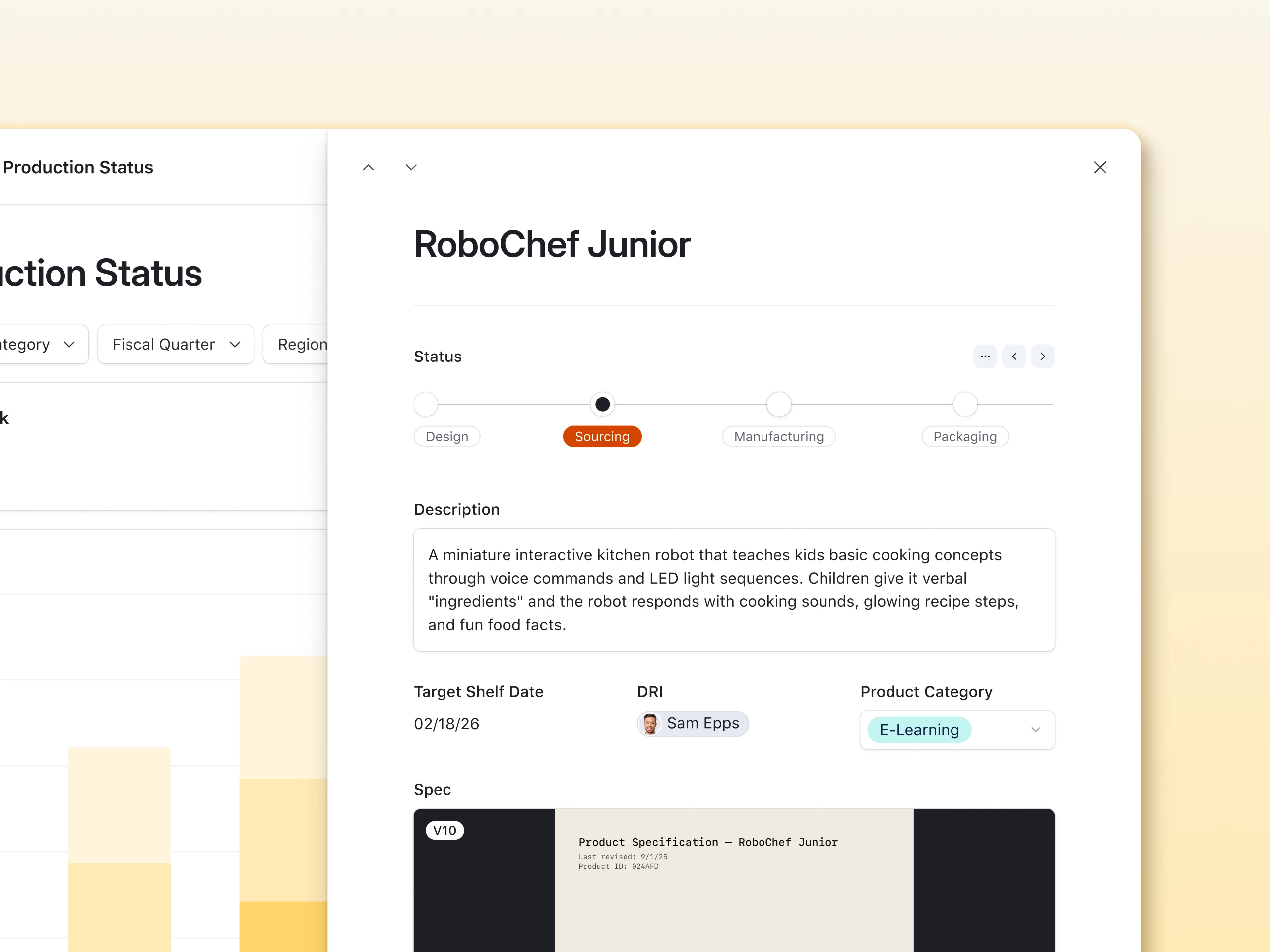
We're excited to announce two new appearance styles for single select fields that give you more control over how users interact with your data: Stepper and List variants.

These new visual options transform how single select fields display in Record Detail Pages, making workflows more intuitive and selection more user-friendly.


🎯 The Stepper Appearance

The Stepper appearance visualizes multi-step processes by showing users exactly where they are in a workflow and what comes next. Instead of seeing just the current status, your team can now see their position within the entire sequence.

Perfect for Sequential Processes:

  • Approval workflows: Draft → Design Review → Client Feedback → Final Approval → Published
  • Creative production: Script → Filming → Post-Production → Review → Delivered
  • Product development: Planning → Design → Development → QA → Deployed
  • Order fulfillment: Received → Payment Confirmed → Picking → Packing → Shipped

📋 The List Appearance

The List appearance displays all options vertically with radio buttons, similar to how single select fields appear in Forms. This familiar pattern makes it easy for users to see all available choices at once and make their selection with a single click.

Ideal for:

  • Priority levels: Low, Medium, High, Urgent
  • Categories: Bug, Feature Request, Enhancement, Documentation
  • Status options: Active, Inactive, Pending, Archived
  • Department assignments: Marketing, Sales, Engineering, Support
  • Any field where seeing all options at once improves decision-making
 

How to Set It Up

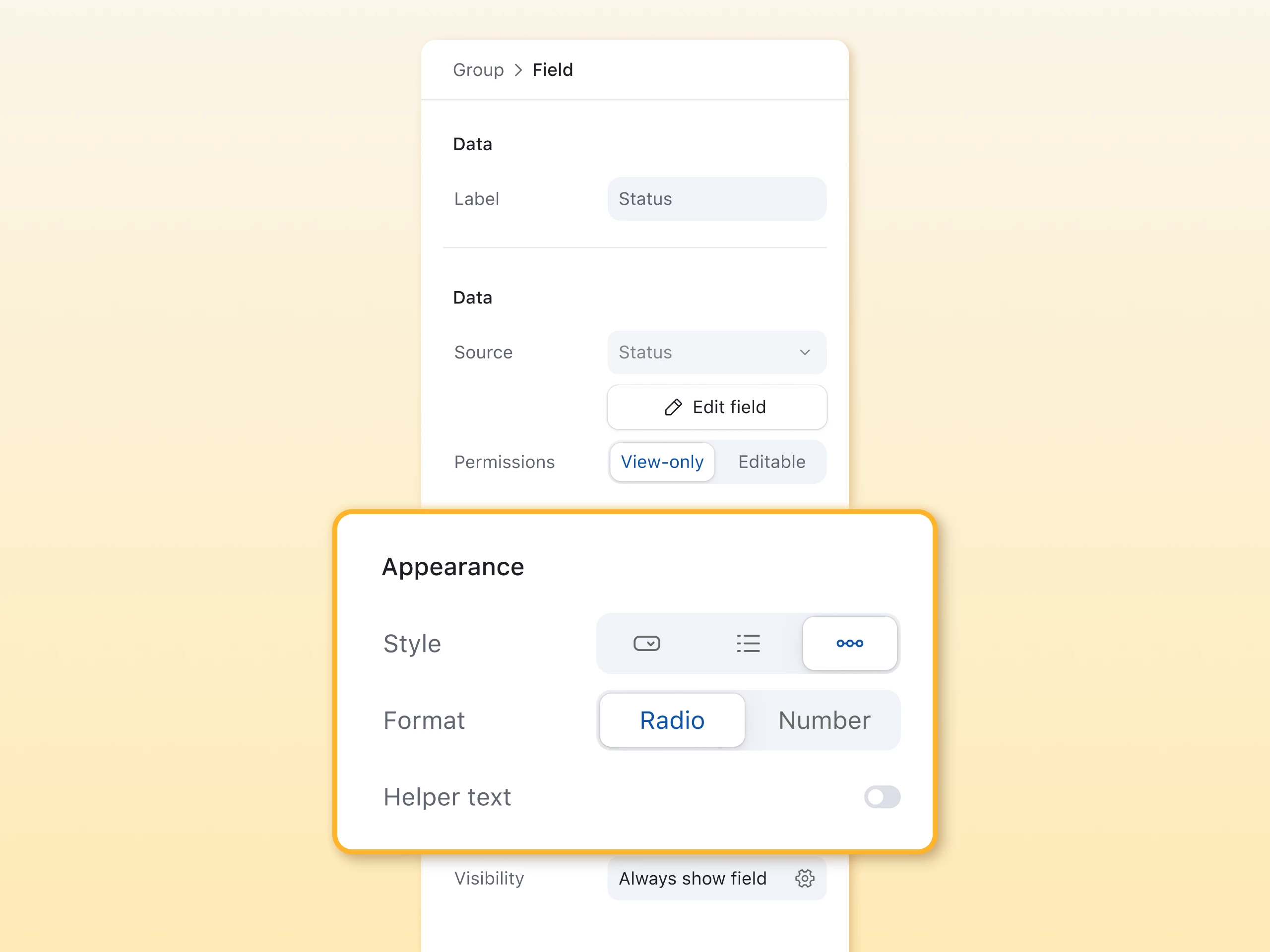
Both appearance styles are available for Record Detail Pages in your interfaces:

  1. Open a Record Detail Page in your interface
  2. Click on any single select field to open its configuration
  3. Navigate to the Appearance section
  4. Choose your style:
    • Field: Traditional dropdown/pill display
    • Stepper: Visual workflow progression
    • List: Vertical list with radio buttons
  5. Choose your permissions:
    • View-only: Status changes via buttons or automations
    • Editable: Users can click steps directly

The new appearances automatically work with your existing field options—no need to reconfigure anything!


Why Your Team Will Love It

  • Better visual clarity: Choose the right display for each use case
  • Reduced confusion: Sequential processes become self-explanatory
  • Faster selection: List view shows all options without clicking dropdowns
  • Professional polish: No more workarounds for better field displays

These new appearance styles are available now for all Airtable customers. Try them on your single select fields today!

Which appearance style will you try first? Share your use cases in the comments below

17 replies

Mike_AutomaticN
Forum|alt.badge.img+28

Niceee ​@Akshar_Patel!

Loved it. Thanks for sharing!!

Mike, Consultant @ Automatic Nation 
YouTube Channel


MatteoCrOps
Forum|alt.badge.img+3
  • Participating Frequently
  • September 16, 2025

this is rad!


DTL
Forum|alt.badge.img+11
  • Known Participant
  • September 16, 2025

Has this been fully pushed out? My appearance settings for single select fields do not have the options the image shows.


Stephen_Juth
Forum|alt.badge.img+6
  • Inspiring
  • September 16, 2025

Awesome! I’ve already started updating my interfaces to use the stepper appearance. It’s a great fit for many item status fields.


ScottWorld
Forum|alt.badge.img+35
  • Genius
  • September 16, 2025

@Akshar_Patel 

Very cool! Nice job!! :)

- ScottWorld, Expert Airtable Consultant


stagandforge
Forum|alt.badge.img+8
  • Participating Frequently
  • September 16, 2025

oooo, love this. Any potential Airtable could add an option allowing us to change how many options appear at a time in the Stepper option? I just tried it with some wordier status fields, and having four visible per ‘page’ wasn’t the most elegant looking given the amount of text.


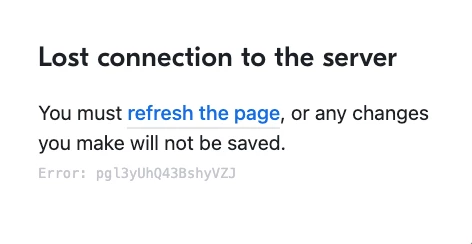
(I do also keep getting a server error every time I toggle the feature on, but that feels expected with new features.)


ScottWorld
Forum|alt.badge.img+35
  • Genius
  • September 16, 2025

@Akshar_Patel 

Ah yes, I’m getting those server error messages too.


Forum|alt.badge.img+1
  • New Participant
  • September 16, 2025

This looks nice! I think my crews will quite like the Stepper. Funny how that little visual detail can really enhance the user’s experience. Thanks, team!


Akshar_Patel
Forum|alt.badge.img+9
  • Author
  • Employee
  • September 16, 2025

Hi all! I’ve escalated this internally and we are looking into a fix here. Thanks for reporting!


DisraeliGears01
Forum|alt.badge.img+21

I always love more options!

Heads up though, over on the Reddit folks are reporting issues that for forms changing between list and dropdown doesn’t do anything anymore, everything is defaulting to dropdown. Naturally all my stuff is in Fillout, but I just tried making an Interface form and a Form form (how do you describe forms from the top bar haha?) and it seems like those are broken.


egordin
Forum|alt.badge.img+15
  • Known Participant
  • September 26, 2025

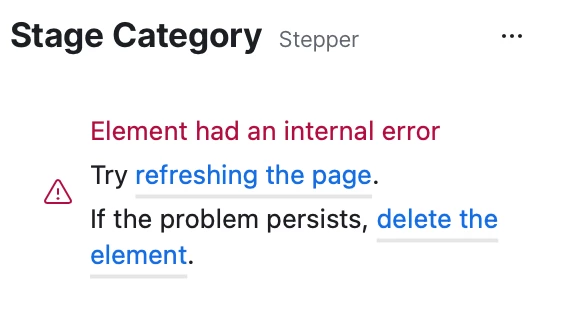
@Akshar_Patel I love this idea, but I’m still getting errors when trying to configure the stepper in Interface Designer (see screenshot below). Also, we have our project stages listed as records in a separate table.


Akshar_Patel
Forum|alt.badge.img+9
  • Author
  • Employee
  • September 26, 2025

@Akshar_Patel I love this idea, but I’m still getting errors when trying to configure the stepper in Interface Designer (see screenshot below). Also, we have our project stages listed as records in a separate table.


Hey ​@egordin  - can you provide more details on the steps you’re taking that are leading to this error? I’ll be happy to look into it.


Mike_AutomaticN
Forum|alt.badge.img+28

Hey ​@Akshar_Patel 

I wanted to use this element on a publicly shared page, but whenever I wanted to open the detailed page of the record (where the element was found) I encountered an error. I changed it back to a dropdown, and the public version worked again.

Is this not available for publicly shared interfaces? Or was that just a random bug?

Mike, Consultant @ Automatic Nation 
YouTube Channel


egordin
Forum|alt.badge.img+15
  • Known Participant
  • September 26, 2025

Hey ​@egordin  - can you provide more details on the steps you’re taking that are leading to this error? I’ll be happy to look into it.


Hi Akshar! All I did was add the stepper to an interface in the interface designer. Please note that the field that I’m adding is a formula field with single select options enabled.


Akshar_Patel
Forum|alt.badge.img+9
  • Author
  • Employee
  • September 28, 2025

Hey ​@Akshar_Patel 

I wanted to use this element on a publicly shared page, but whenever I wanted to open the detailed page of the record (where the element was found) I encountered an error. I changed it back to a dropdown, and the public version worked again.

Is this not available for publicly shared interfaces? Or was that just a random bug?

Mike, Consultant @ Automatic Nation 
YouTube Channel


Hey ​@Mike_AutomaticN  - yep, that seems to be a bug! I’ve filed this internally for investigation. Good catch!


Hey ​@egordin  - can you provide more details on the steps you’re taking that are leading to this error? I’ll be happy to look into it.


Hi Akshar! All I did was add the stepper to an interface in the interface designer. Please note that the field that I’m adding is a formula field with single select options enabled.


Hey ​@egordin - I was able to add a formula with single select options using the Stepper appearance but there seems to be some inconsistent behavior with how you enable it - I’ve also documented this one. Thanks for reporting!


egordin
Forum|alt.badge.img+15
  • Known Participant
  • October 10, 2025

@Akshar_Patel it seems like Airtable removed the ability to use the stepper with formula fields with single select options?


Forum|alt.badge.img+1
  • New Participant
  • March 3, 2026

Single Select "List" Appearance Stretches Full Width in Forms


After the recent update introducing new appearance styles for single select fields, I'm experiencing an issue with forms.

Issue:

When selecting "List" as the appearance option for a single select field in a form, the field stretches all the way to the right edge of the form, ignoring any expected width constraints.

Expected behavior:

The list options should be contained within a reasonable width, similar to how the dropdown appearance displays.

Steps to reproduce:

1.  Create or edit a form
2.  Add a single select field
3.  Set the appearance to "List"
4.  Preview the form — the list options stretch to the full width of the form

Is this a known bug being addressed, or is there a setting/workaround to control the width?

Thanks in advance!