Solved

Advanced copy paste

  • April 16, 2026
  • 3 replies
  • 22 views

Forum|alt.badge.img
  • New Participant

Hello,


I have a workflow which includes repetitive data input. Simple copy-paste have some drawbacks.

I have a table called Orders. Each row is one order which includes product, quantity etc. Each order requires multiple tasks to complete and there is a linked table for that called Order tasks. 

Orders come in patches with different products but every product tasks are very similar. I would like to configure first order tasks and then copy it to the rest of the orders. The problem is that then there are only first few tasks which are linked to ALL of the orders. Each order should have their own set of rows in Order tasks table.

I have tried multiple workarounds but I haven’t found working solution. For example, duplicating rows in Order tasks table makes it very tedious to relink to correct row in Order table. I have also configured “allow linking to multiple records” but it seems to have no effect when copying and still links to multiple records even when not allowed.

Is there some kind of copy paste workflow which duplicates rows in Order task table?
Best answer by TheTimeSavingCo

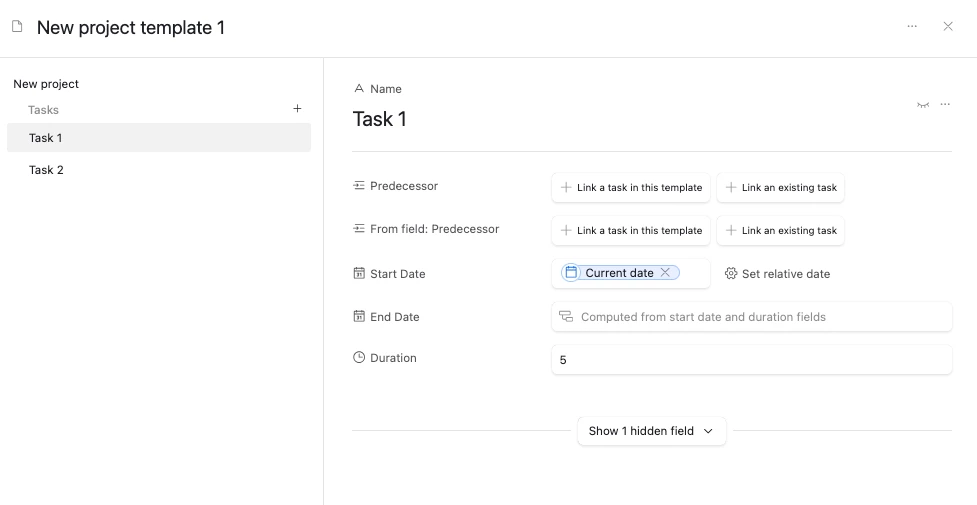
I’d recommend trying out Record Templates for this if you’re on a paid plan, and I’ve set up a base here for you to check out
https://support.airtable.com/docs/using-record-templates-in-airtable


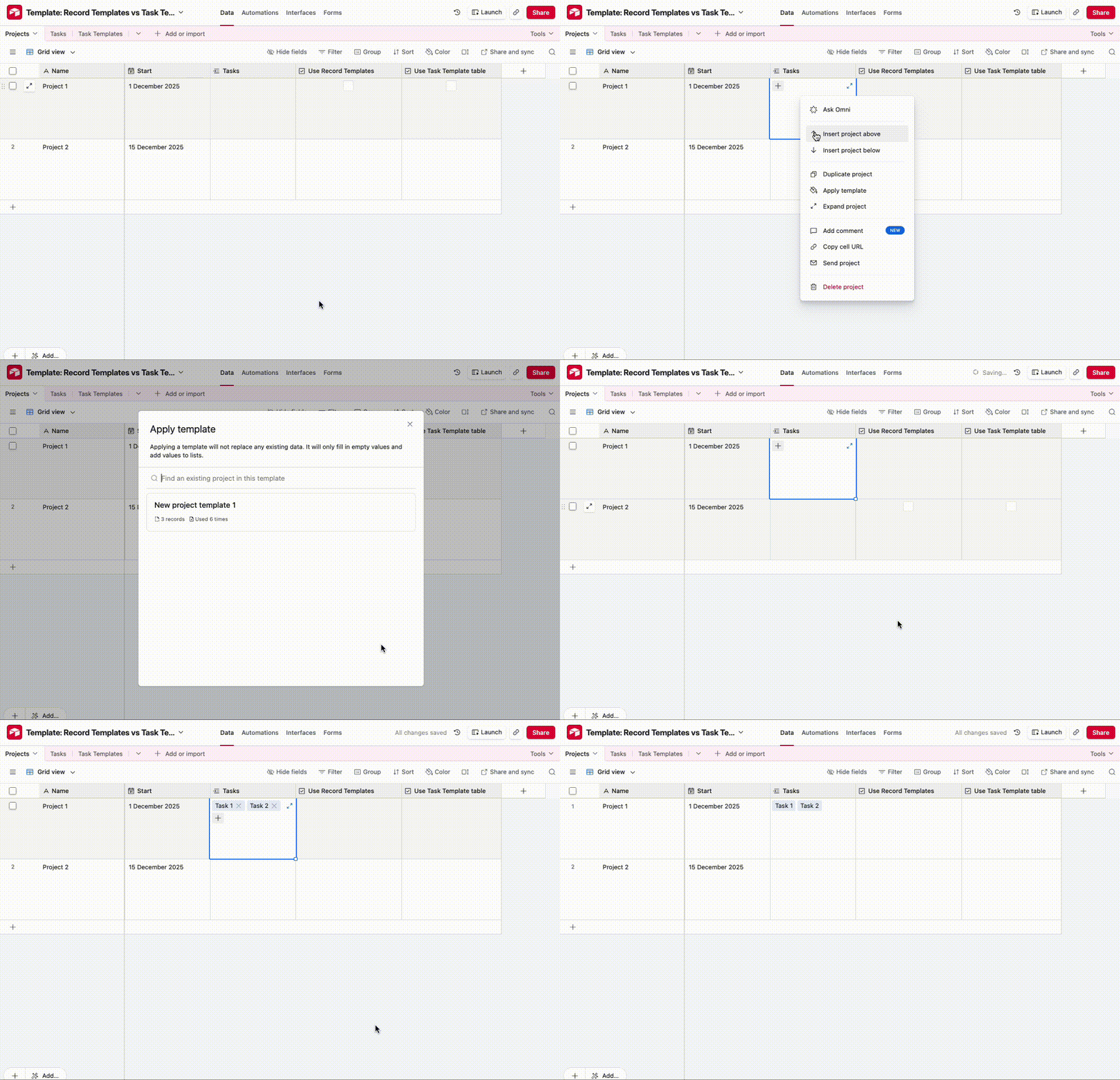
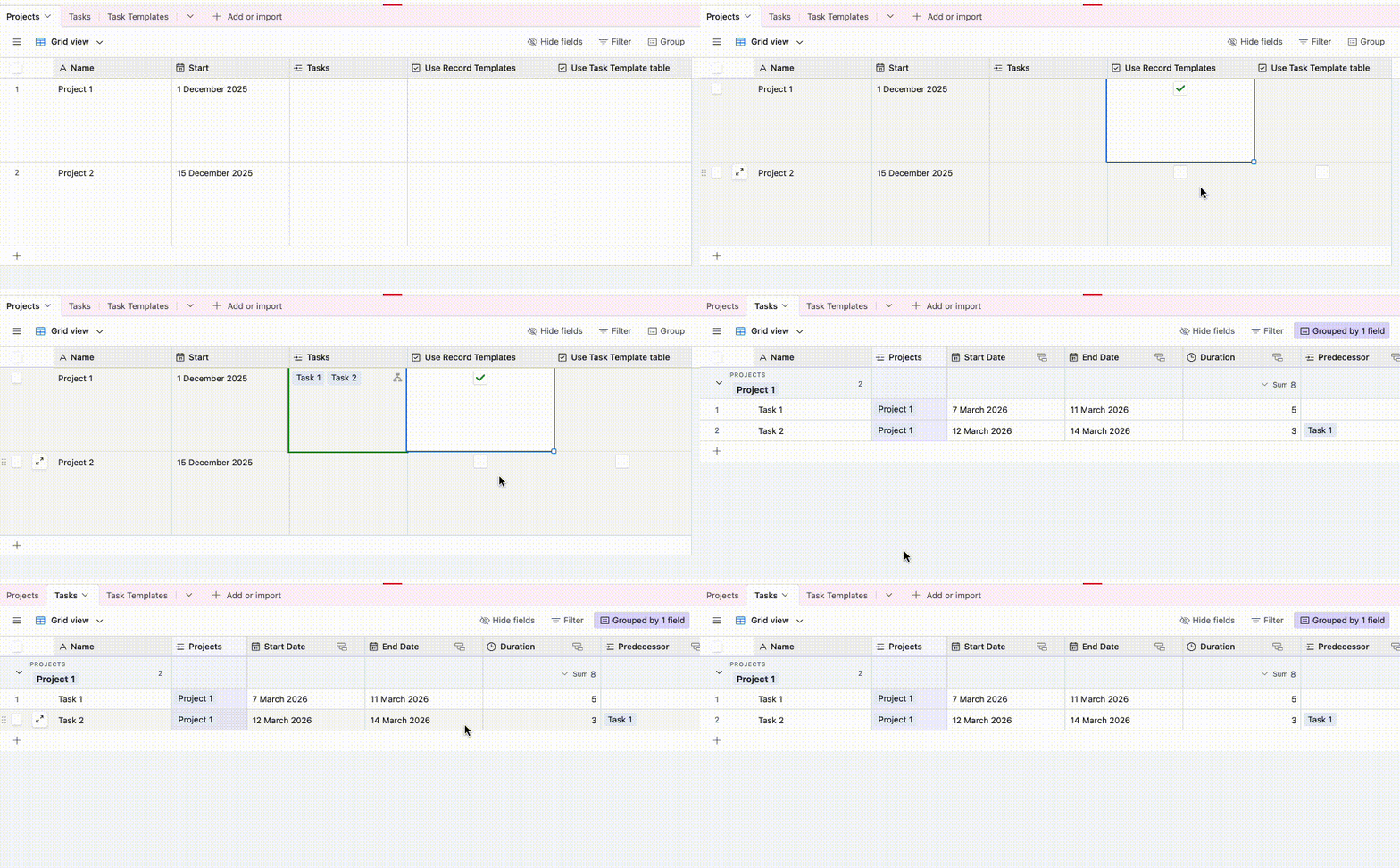
This’ll let you create a template of Order Tasks and apply them either via automation like so:

Or via right clicking and applying it:


If you’re not on a paid plan, you could also create a new table and create Task records in there as a template.  You can then use an automation with:

  1. Find record step to grab all the Task Template records
  2. Repeating Group record to loop through the Task Template records, and for each one, create a new record in the Task table with the relevant details, linked to the triggering record

3 replies

TheTimeSavingCo
Forum|alt.badge.img+32

I’d recommend trying out Record Templates for this if you’re on a paid plan, and I’ve set up a base here for you to check out
https://support.airtable.com/docs/using-record-templates-in-airtable


This’ll let you create a template of Order Tasks and apply them either via automation like so:

Or via right clicking and applying it:


If you’re not on a paid plan, you could also create a new table and create Task records in there as a template.  You can then use an automation with:

  1. Find record step to grab all the Task Template records
  2. Repeating Group record to loop through the Task Template records, and for each one, create a new record in the Task table with the relevant details, linked to the triggering record

Forum|alt.badge.img
  • Author
  • New Participant
  • April 16, 2026

Thanks! Record template is a nice step forward! It seems that there is no way to apply same template to multiple records same time? I tried to select a few records but there was no apply template button after the right click.


Holly Nilson-Clay
Forum|alt.badge.img

No, you can’t apply a template to multiple records in one go via the UI.

The automation route Adam mentioned is basically how you handle this. It’s still one trigger per order, but it removes the manual relinking and gives each order its own set of tasks.

If you’re dealing with batches, you can just trigger it per record (button field / status change, etc.), which ends up being a lot cleaner than trying to copy/paste across multiple orders.