Question

AirTable Cheat Sheet of Vocabulary

  • March 16, 2026
  • 4 replies
  • 26 views

Forum|alt.badge.img

Hi AirTable Community,

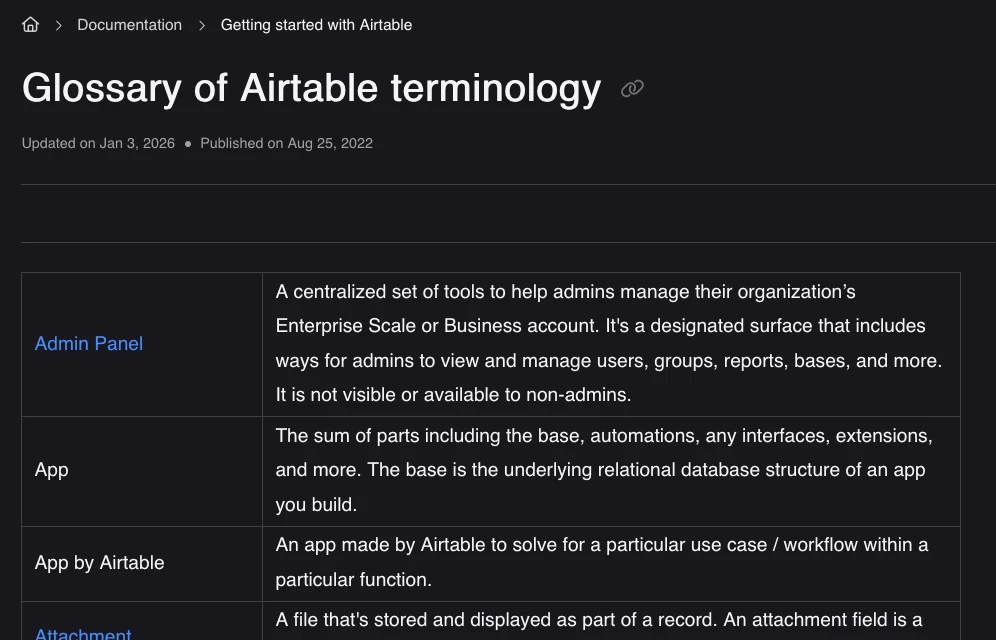
I’m looking for a simple vocabulary or terminology cheat sheet for Airtable that defines core terms like bases, tables, fields, views, records, interfaces, automations, etc.

Does something like this already exist—either from Airtable or from the community? Ideally something that could help new users quickly understand the platform language.


Thanks! Rebekah

4 replies

TheTimeSavingCo
Forum|alt.badge.img+31

Airtable has a glossary of terminology that you can find here!: https://support.airtable.com/docs/glossary-of-airtable-terminology


anmolgupta
Forum|alt.badge.img+2
  • Participating Frequently
  • March 17, 2026

If you are from sofware background, following will be helpful:

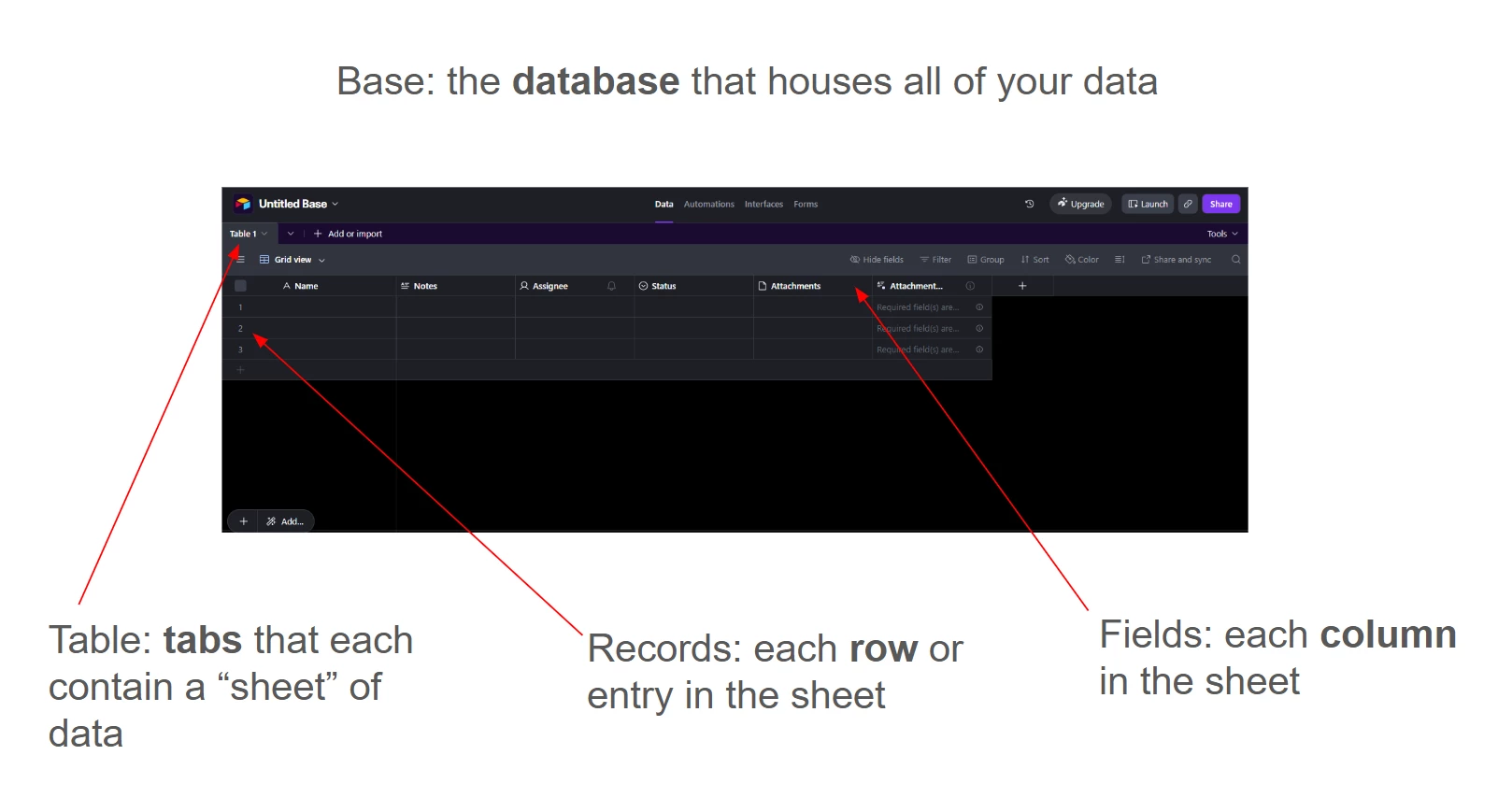
Base - Database

Table - Table in a database (Entity)

Fields - Fields/Attributes

Records - Records/Entries in a table

Interfaces - User Interface

Automations - Application layer (that manipulates data)


Forum|alt.badge.img
  • Author
  • New Participant
  • March 17, 2026

Thank you very much! I do not have a software background nor will anyone from my team. We will be using AirTable to managing our product development calendar and new home and accessory products.  I believe the glossary above will be a great start however are their visuals for any of the words in the glossary? I work with a creative group of people and visuals are much easier for everyone to understand.


e2laurel
Forum|alt.badge.img+6
  • Participating Frequently
  • March 17, 2026

Hi Rebekah! AirTable is very easy to use, even for non-tech savvy folks!

Think of AirTable as an Excel spreadsheet. The base is the file. The Tables are the sheets. Records are rows. Fields are columns. 

Interfaces are ways that you can customize displaying data. Automations are rules you can set up to perform actions when a certain trigger happens.