
Airtable to Slack

  • February 20, 2020
  • 12 replies
  • 130 views

Hi all,

Seeking some assistance or clarification on the Airtable to slack integration. I’ve setup a view in Airtable that is supposed to push messages to a channel in slack when a record in that view is updated. I use the slack message to trigger a scenario in Integromat.

In that watched view, I have a Lookup field which references my main table. That field is populated when certain conditions in the main table are met. However, the Lookup field becoming populated in the watched view doesn’t appear to trigger the slack message. I tried adding a formula field in the watched view that is equal to the Lookup field and is also populated when the required conditions are met in my main table. Again, though, the formula field becoming automatically populated does not appear to be an ‘update’ that triggers the slack message integration.

So, is it only manual updates that trigger the Airtable to slack notification? Am I missing something?

Many thanks for any comments.
12 replies

  • Author
  • Participating Frequently
  • February 21, 2020

For those that might be interested, after a fair bit of testing, it seems Airtable to slack notifications are not triggered by updates to computed fields (like formula, lookup, count, and rollup). Accordingly, only manually updated, non-computed fields will trigger the slack notification. If anyone finds otherwise, please let me know.


  • Participating Frequently
  • March 6, 2020

I found that only when I use the “Post all updates” I can get notifications in Slack channels. Not once on public or private channels when using a View.


  • Author
  • Participating Frequently
  • March 6, 2020

I found that only when I use the “Post all updates” I can get notifications in Slack channels. Not once on public or private channels when using a View.


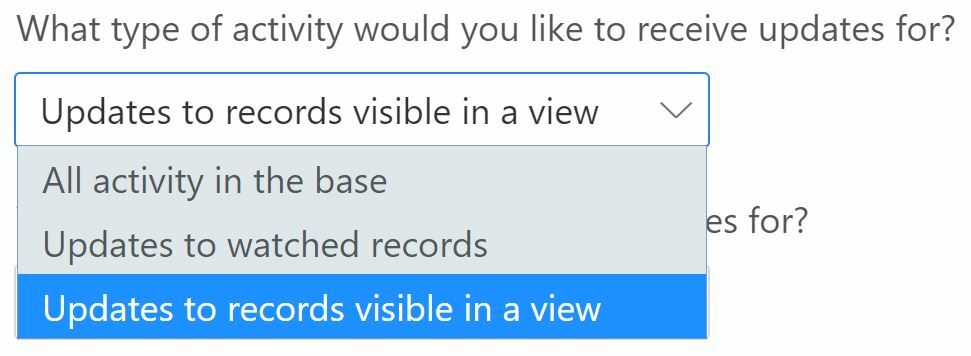
When you say “Post all updates” do you mean “All activity in the base”?


  • Participating Frequently
  • March 6, 2020

When you say “Post all updates” do you mean “All activity in the base”?


Exactly. “All Activity” works fine. “Updates to records visible in a view”, don’t work at all. I didn’t try the other option.


  • Author
  • Participating Frequently
  • March 6, 2020

Exactly. “All Activity” works fine. “Updates to records visible in a view”, don’t work at all. I didn’t try the other option.


It might be that you’re experiencing the same issues I had with the records visible in a view trigger. Only manual updates trigger slack notifications. If your slack triggering ‘view’ only has computed fields e.g. a lookup to another table, then changes in the other table do not trigger slack notifications in the view even though the lookup field for a particular record changes.

In my scenario, I wanted to auto trigger generation of an email when a lookup field of a record in a view changed upon changing of the corresponding record in another table. In the end, my workaround was to add a new checkbox field in the view being monitored for slack notifications so that when I mark the checkbox to generate the email this is registered as a manual update that triggers the slack notification which then triggers my integromat scenario.

Hope that makes sense and/or helps.


  • Author
  • Participating Frequently
  • March 6, 2020

It might be that you’re experiencing the same issues I had with the records visible in a view trigger. Only manual updates trigger slack notifications. If your slack triggering ‘view’ only has computed fields e.g. a lookup to another table, then changes in the other table do not trigger slack notifications in the view even though the lookup field for a particular record changes.

In my scenario, I wanted to auto trigger generation of an email when a lookup field of a record in a view changed upon changing of the corresponding record in another table. In the end, my workaround was to add a new checkbox field in the view being monitored for slack notifications so that when I mark the checkbox to generate the email this is registered as a manual update that triggers the slack notification which then triggers my integromat scenario.

Hope that makes sense and/or helps.


Note also that changes to hidden fields in a view do not trigger slack notification.


  • Participating Frequently
  • March 6, 2020

It might be that you’re experiencing the same issues I had with the records visible in a view trigger. Only manual updates trigger slack notifications. If your slack triggering ‘view’ only has computed fields e.g. a lookup to another table, then changes in the other table do not trigger slack notifications in the view even though the lookup field for a particular record changes.

In my scenario, I wanted to auto trigger generation of an email when a lookup field of a record in a view changed upon changing of the corresponding record in another table. In the end, my workaround was to add a new checkbox field in the view being monitored for slack notifications so that when I mark the checkbox to generate the email this is registered as a manual update that triggers the slack notification which then triggers my integromat scenario.

Hope that makes sense and/or helps.


I was thinking in the same line of the view being a sort of lookup from the main table, but also manual changes done on the view don’t trigger. But makes sense as part of the same problem.
Thanks for the answer.


  • Author
  • Participating Frequently
  • March 6, 2020

I was thinking in the same line of the view being a sort of lookup from the main table, but also manual changes done on the view don’t trigger. But makes sense as part of the same problem.
Thanks for the answer.


No problem. That’s strange though. Update to my view are triggering perfectly. Is it possible the manual updates are in hidden fields in your view?


  • Participating Frequently
  • March 6, 2020

No problem. That’s strange though. Update to my view are triggering perfectly. Is it possible the manual updates are in hidden fields in your view?


Weird enough, it seems that everything is working fine now.


  • Participating Frequently
  • March 6, 2020

Weird enough, it seems that everything is working fine now.


And now, when finished with testing and set everything again, stop working… LOL


  • Author
  • Participating Frequently
  • March 6, 2020

And now, when finished with testing and set everything again, stop working… LOL


Very strange. Does it work when you ask Airtable to send a test message to slack?


  • Participating Frequently
  • March 6, 2020

Very strange. Does it work when you ask Airtable to send a test message to slack?


It’s working again… Erratic behavior.
Yes it works with the test message.
