Question

Attachment Sorting

  • Nov 24, 2026 6:29 PM UTC
  • 2 replies
  • 15 views

Hi. I primarily use the Airtable app to manage a very simple database on my tablet. I have multiple attachments within a record with oldest showing first. I'd like newest showing first. I know I can reorder manually using my laptop by dragging but can this be done on the app? Is this possible as I haven't been able to work out how to do it. Thanks

2 replies

chelij
Forum|alt.badge.img
  • Participating Frequently
  • Nov 25, 2026 6:29 AM UTC

Hi @Kezza, the order inside an attachment field is set by upload time, so there is nothing to sort in place — the workaround is to give every file its own row in a second table, where sorting does work. A Make scenario keeps that table filled automatically.

  • Airtable — create a Files table. Add a single attachment field, a Created time field, a text field called Source ID, and a link back to your main record. The attachment field holds exactly one file per row, which is what makes it sortable.
  • Airtable — add the sorted view. In Files, add a table or gallery view sorted by Created time newest first, and filter or group it by the link to your main record. That view is the newest-first list you wanted, and it does not need a drag handle on the tablet. Attachment field reference
  • Make — watch the attachment field. Use Airtable → Watch Records on your main table, then iterate the attachments array so each file is handled on its own. Airtable modules
  • Make — skip what is already there. Search the Files table for the attachment's Source ID before creating a row. This is the part that stops duplicates, because a watch re-reads a record every time it changes.
  • Make — create the row. Add Airtable → Create a Record with the file URL, the Created time, the Source ID and the link back to the main record.
  • Airtable — read the sorted list. Open the Files view for newest first, or add a lookup of Files to the main record so the files are visible from there.

Two things to plan for: the same file stored twice counts twice against your attachment space, and you should leave the original field in place until the Files table has caught up, so nothing disappears while the scenario runs. Test it on one record with three or four files first and check that a re-run does not add duplicates.

I'd use this when the tablet is where you work: the Files view sorts without any dragging, and the main record becomes a place to look rather than a place to reorder.

Hope this helps!


TheTimeSavingCo
Forum|alt.badge.img+32

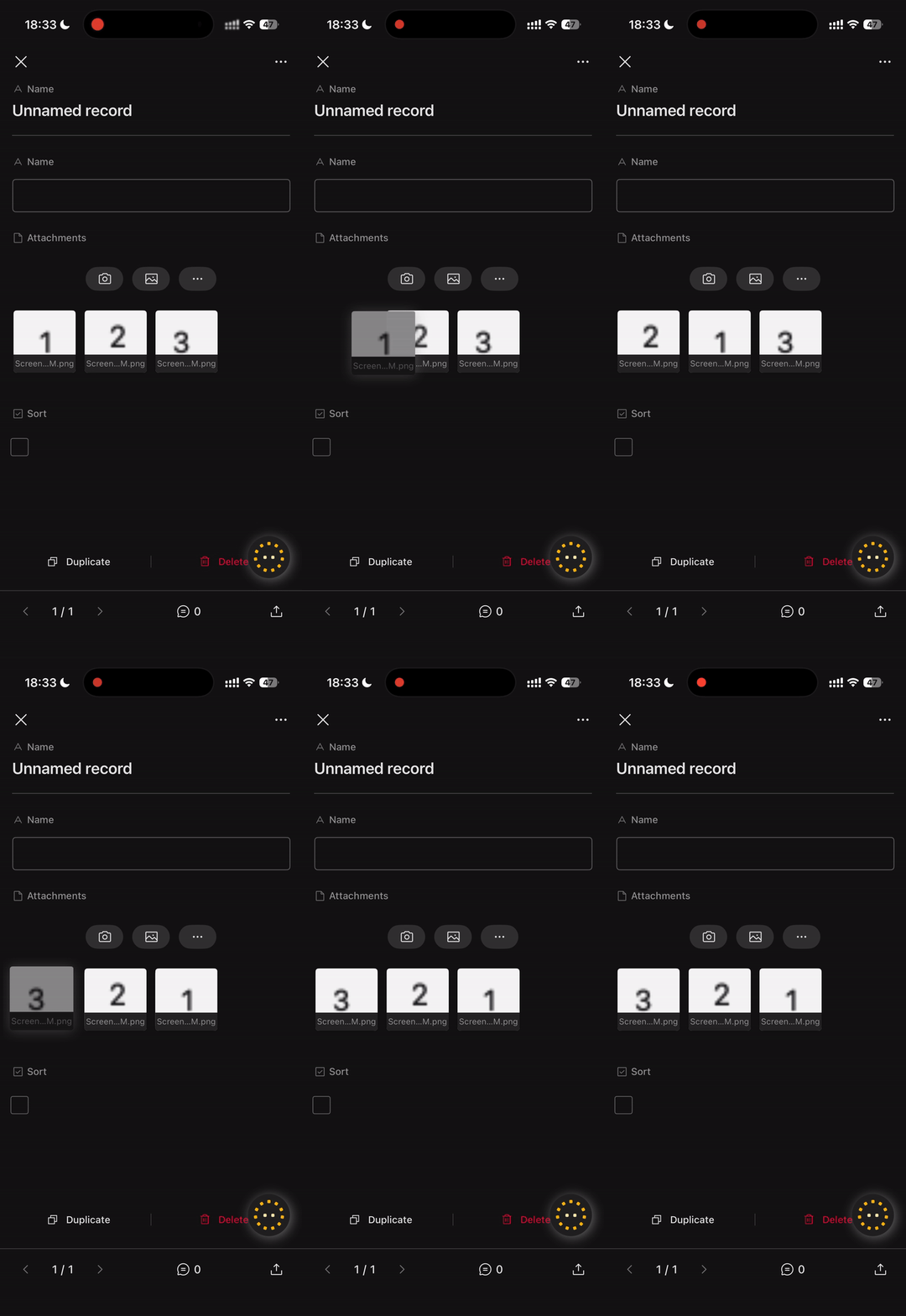
Hm I can drag and rearrange it fine on an iPhone on the app if that helps?

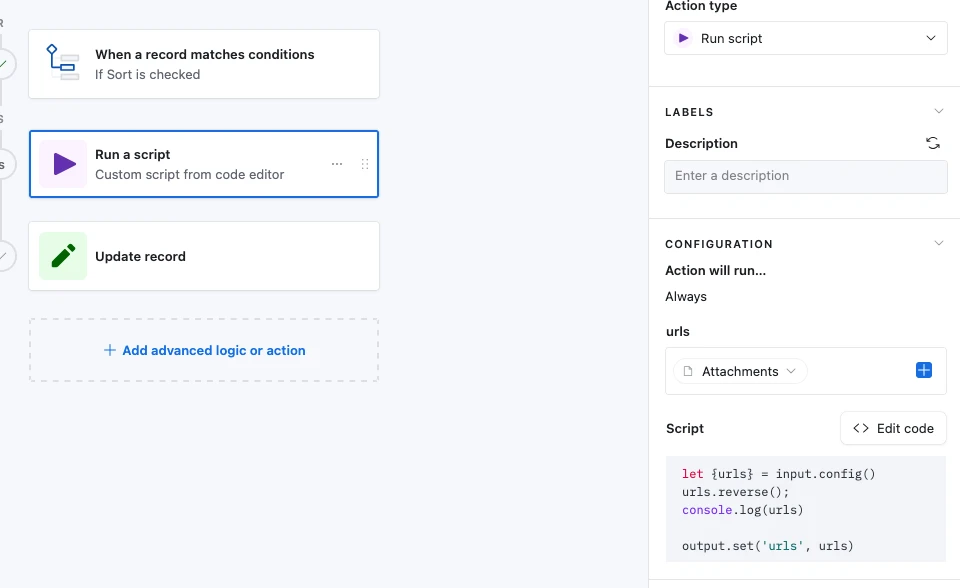
You could also create an automation to do this for you automatically by reversing the URL order and updating the attachment field too, and I’ve created it here for you to check out
 

And here’s how the automation looks: