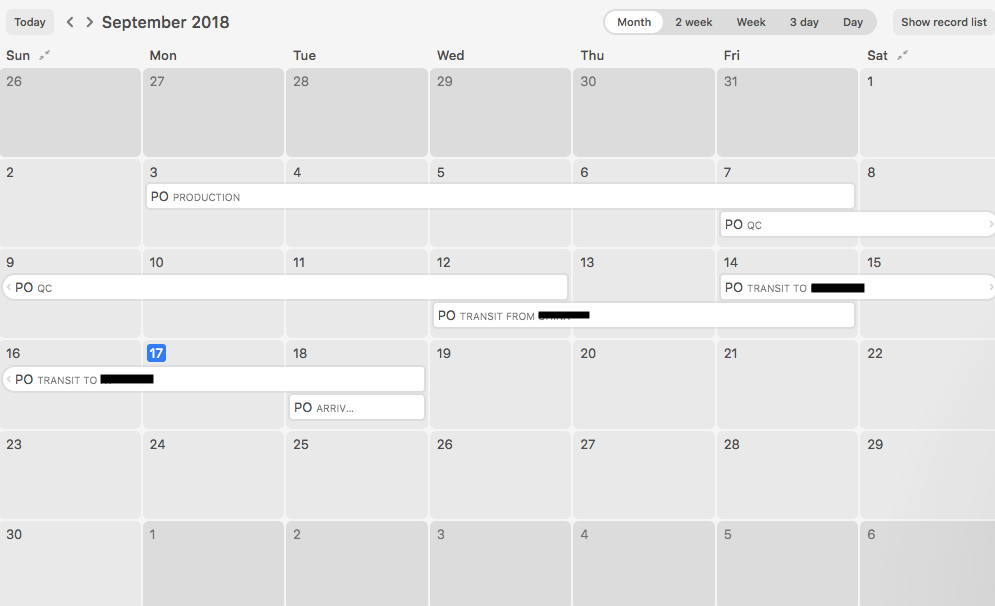
Trying to make a production schedule via the calendar feature. The calendar is connected to a tab for a specific vendor. Every line is a new order and within the order I have different stages for the production (PO Placed, PO in production, PO Shipping, etc.)
-How do I get each order (line) to appear in the calendar as a different color?
-Right now each stage of the order has an over lapping day that doesn’t give it the cleanest view. How do I fix this?
-Is there a way to view all tabs (vendors) on one calendar?