
Checkbox grid in forms

  • Apr 7, 2021 3:01 PM UTC
  • 2 replies
  • 96 views

Is there a way to create a checkbox grid similar to that of Google Forms?
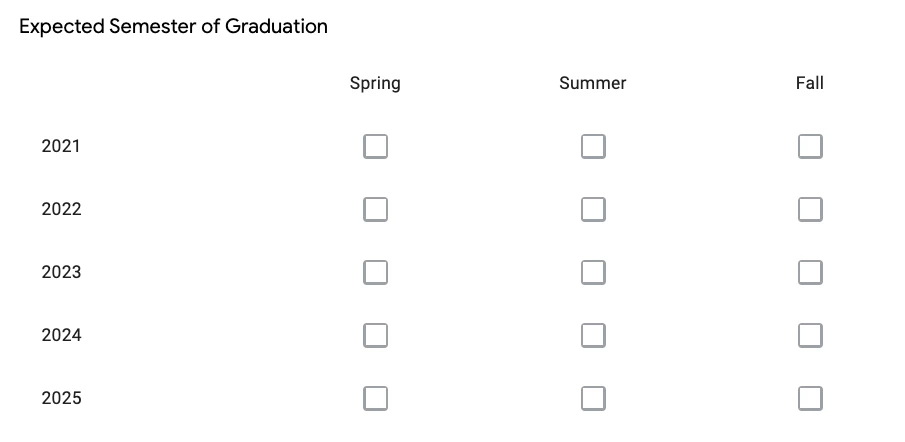
This topic has been closed for replies.

2 replies

ScottWorld
Forum|alt.badge.img+35
  • Genius
  • Apr 7, 2021 3:15 PM UTC

No, but you can continue to use Google Forms, or you can switch over to JotForm, which is quite possibly the most advanced form builder on the planet — and it also has direct integration with Airtable.

Grid form with checkbox fields:

JotForm Airtable integration:

And if you don’t get enough customizability from JotForm’s built-in integration with Airtable, you can also use Zapier or Integromat to apply conditional logic to your form data before adding the data into Airtable.

I much prefer Integromat because it is significantly cheaper & more powerful than Zapier. (I am also an Integromat Partner, and the link contains my personal referral code.)


Justin_Barrett
Forum|alt.badge.img+21

An alternate approach to collect the same data—assuming that users are only supposed to pick one checkbox from that grid—is to use a pair of single select fields: one for year, one for term.

