Close topic on community.airtable.com

  • November 19, 2018
  • 4 replies
  • 35 views

Sorry for the newbe question but how do I close a topic on this forum ? (ie a feature request that turned out to be already there)


This topic has been closed for replies.

4 replies

Forum|alt.badge.img+18

I’m not sure regular users can. I think only Admins can do that, and the only Admins are Airtable employees. In lieu of actually closing it, you could just edit the title and prepend "CLOSED - " to it.


  • Author
  • New Participant
  • November 19, 2018

I’m not sure regular users can. I think only Admins can do that, and the only Admins are Airtable employees. In lieu of actually closing it, you could just edit the title and prepend "CLOSED - " to it.


ok thanks, would be good if this was available to the original poster …


Forum|alt.badge.img+5

ok thanks, would be good if this was available to the original poster …


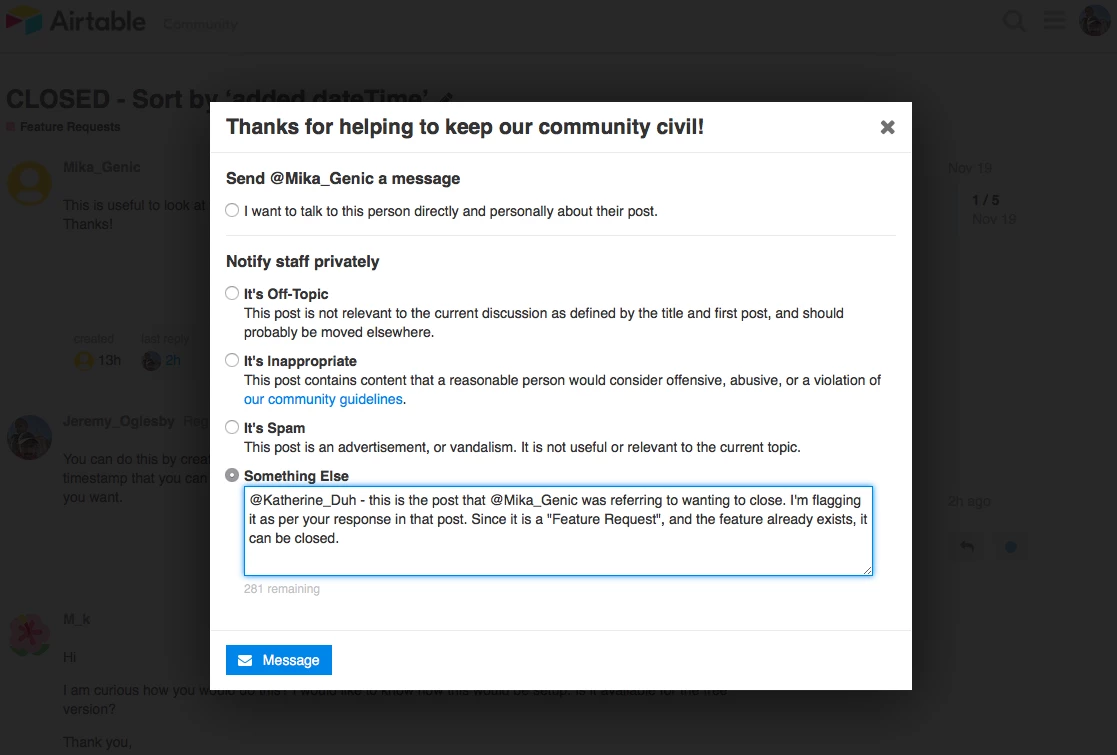
Hi there! So Discourse (the software on which this forum is built) makes it so that users with at least Trust Level 1 can flag posts for admin review. If you have a thread that needs closing, flag it, leave a note, and an admin will close it or merge it with another topic.

(If you don’t see a flag option, it might be because you’re still at Trust Level 0. Users can get to Trust Level 1 by:

  • Entering at least 5 topics
  • Reading at least 30 posts
  • Spend a total of 10 minutes reading posts)

Forum|alt.badge.img+18

@Kofifus @Katherine_Duh
I flagged the post Mika is referring to: