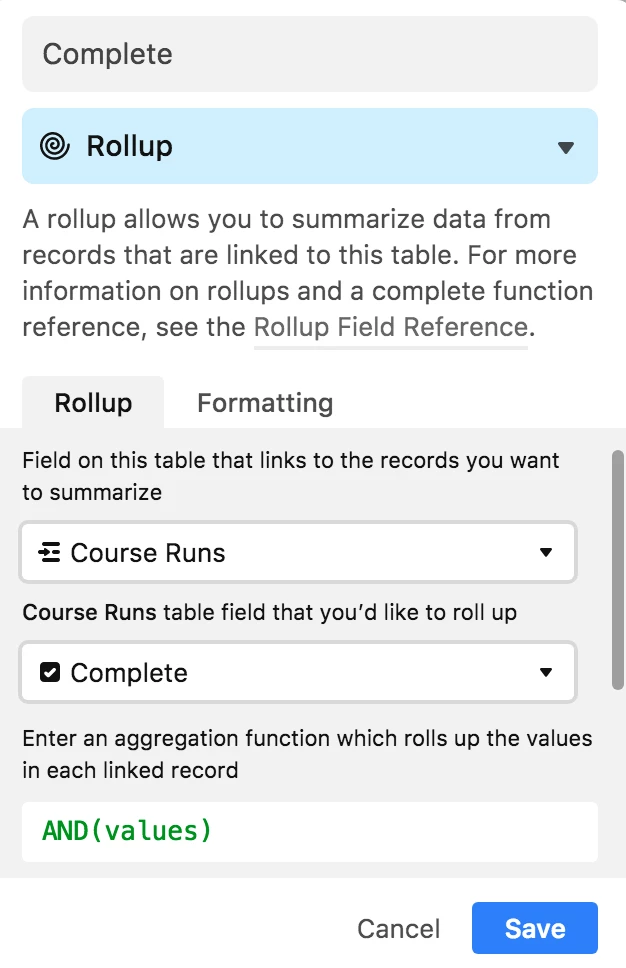
I have a long list of tasks that need to be completed before a launch and I would like to run a simple conditional that checks to see if all of the tasks in a single column have been marked as done (true). Is it possible in Airtable to run a conditional check on a range of cells within a single column?
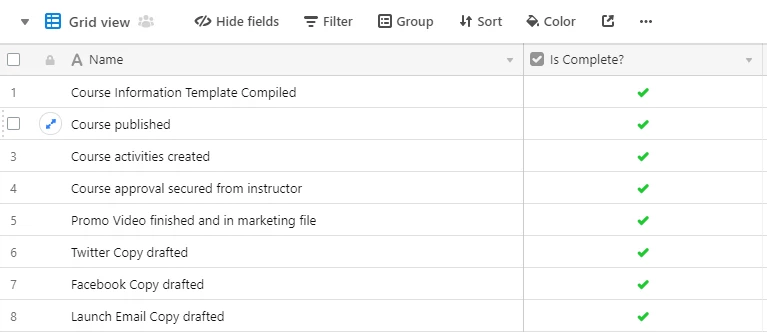
I realize I could put all of the tasks in a single row and then run the conditional statement using a nested IF(AND()) statement but because the list of tasks is so long (40-50) I would prefer to have all of the tasks in a single column and then the checkboxes in a single column next to those. (see photo).
The idea is to have one cell whose status is updated to “ :rocket: READY FOR LAUNCH :rocket: ” once all of the pre-launch items have been marked as complete.
How does one run a conditional check across a range of cells in a single column?