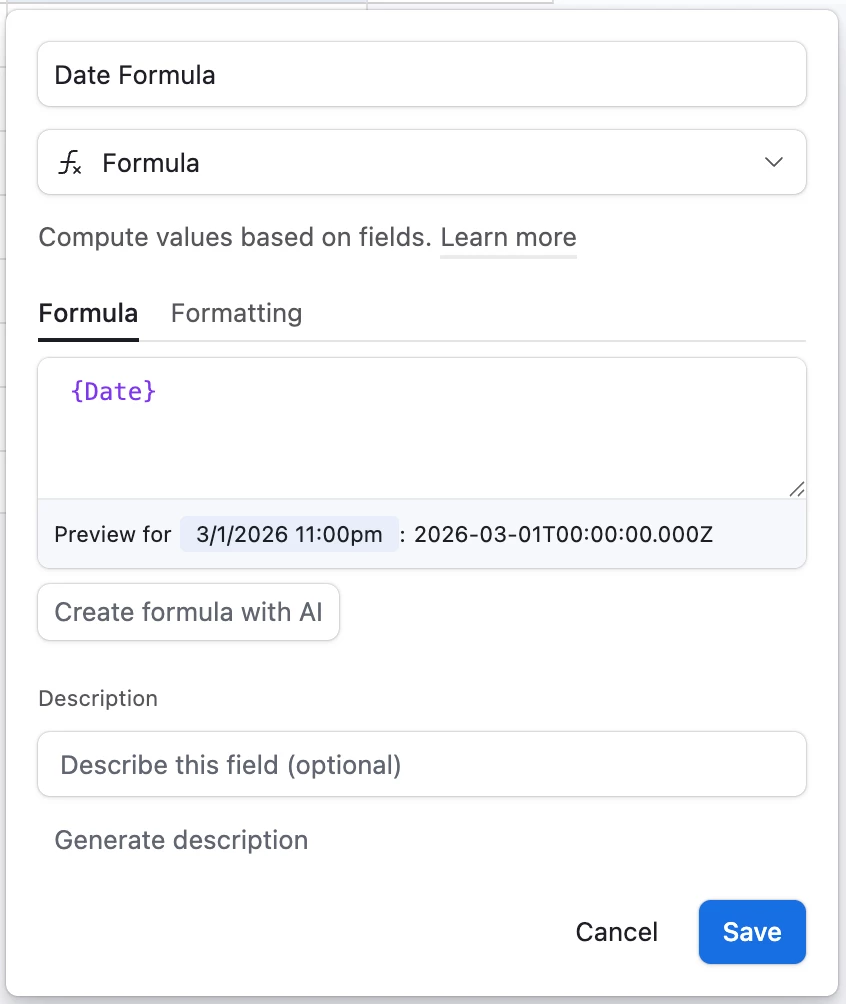
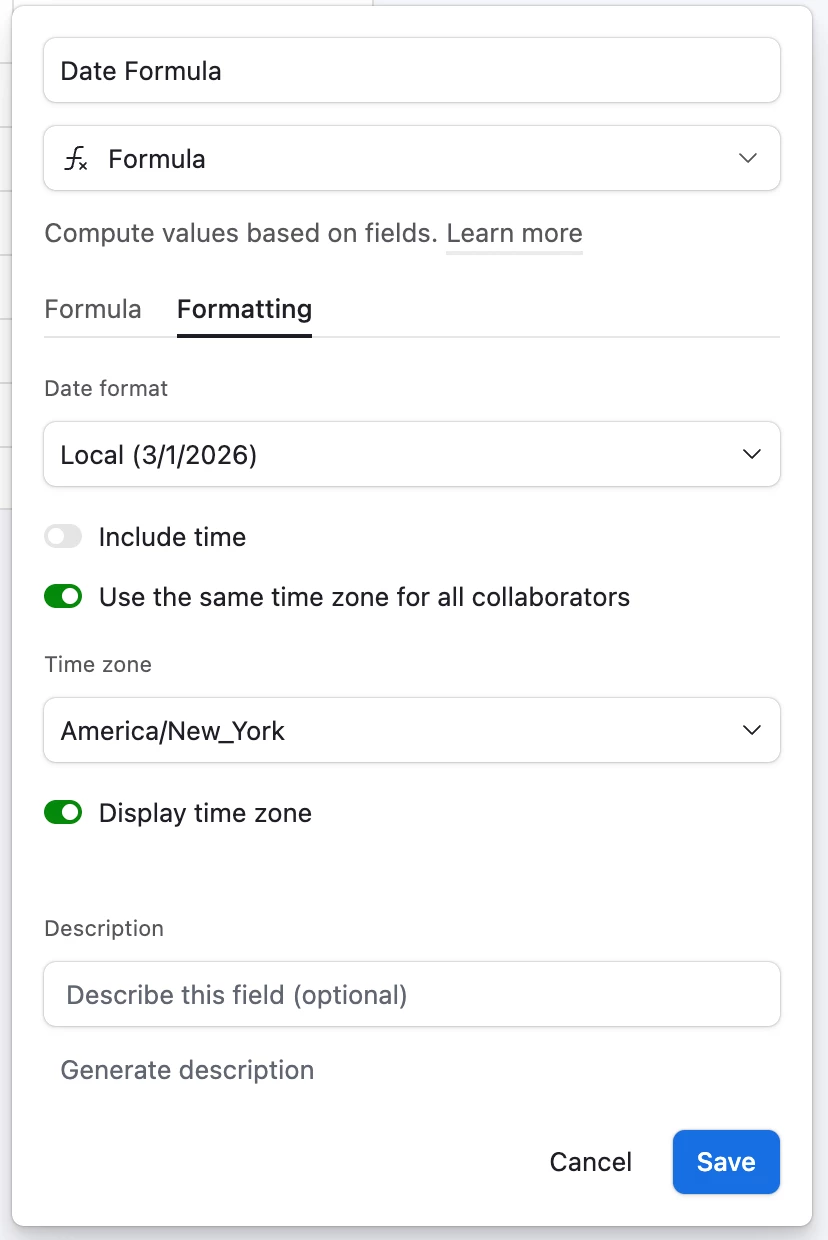
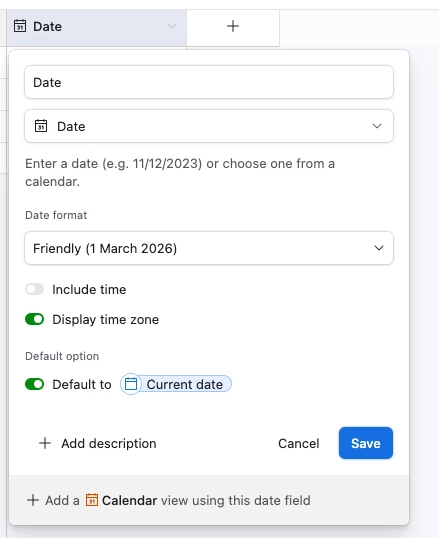
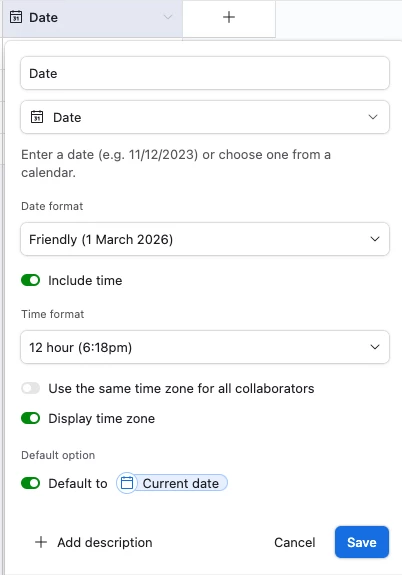
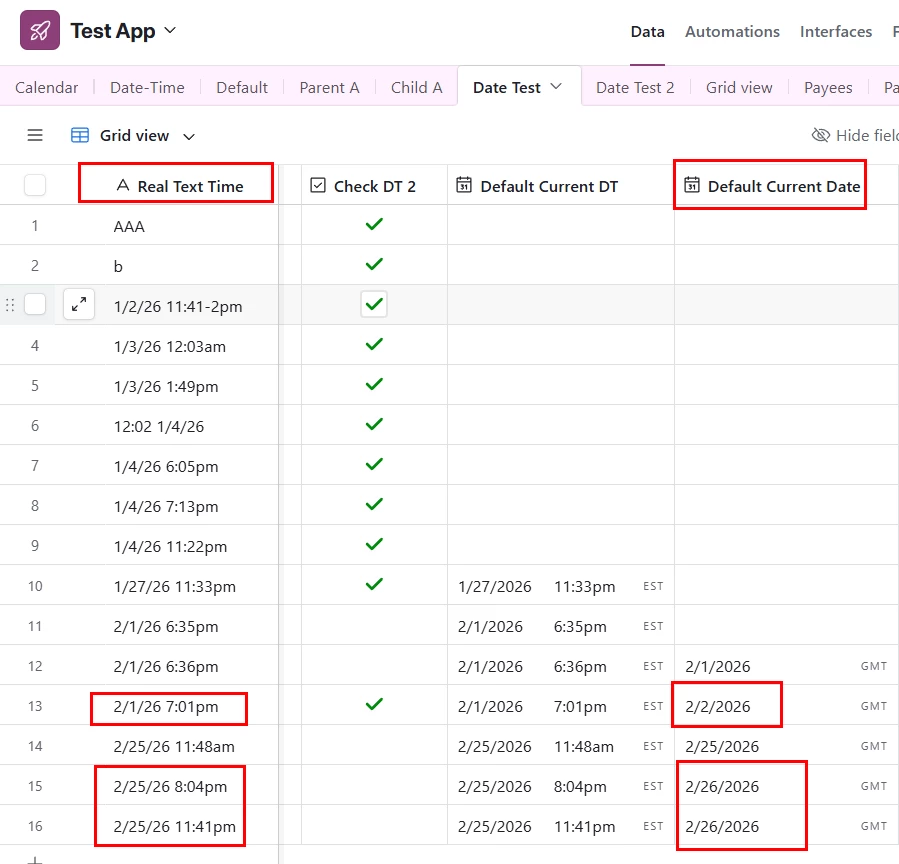
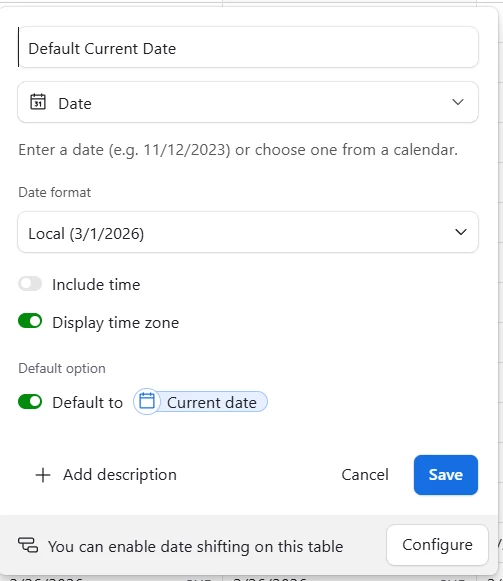
Result: when within the UTC-5 window (i.e. after 7pm) the displayed date defaults to the next day.
There MUST be away to make this work correctly - yes?
Best answer by leok
Hi @PeterG, I ran into a similar thing before. It is not something you are doing wrong. There is no setting to fix this right now, it is just a missing feature.
Two things that can work for now:
Option 1 - Formula field
Instead of using the Default Current Date field as a Date field, create a formula field and type Default Current DT in it. After doing this, you will be able to select your timezone again. This is probably the easier option since it does not use any of your automation quota.
Option 2 - Automation
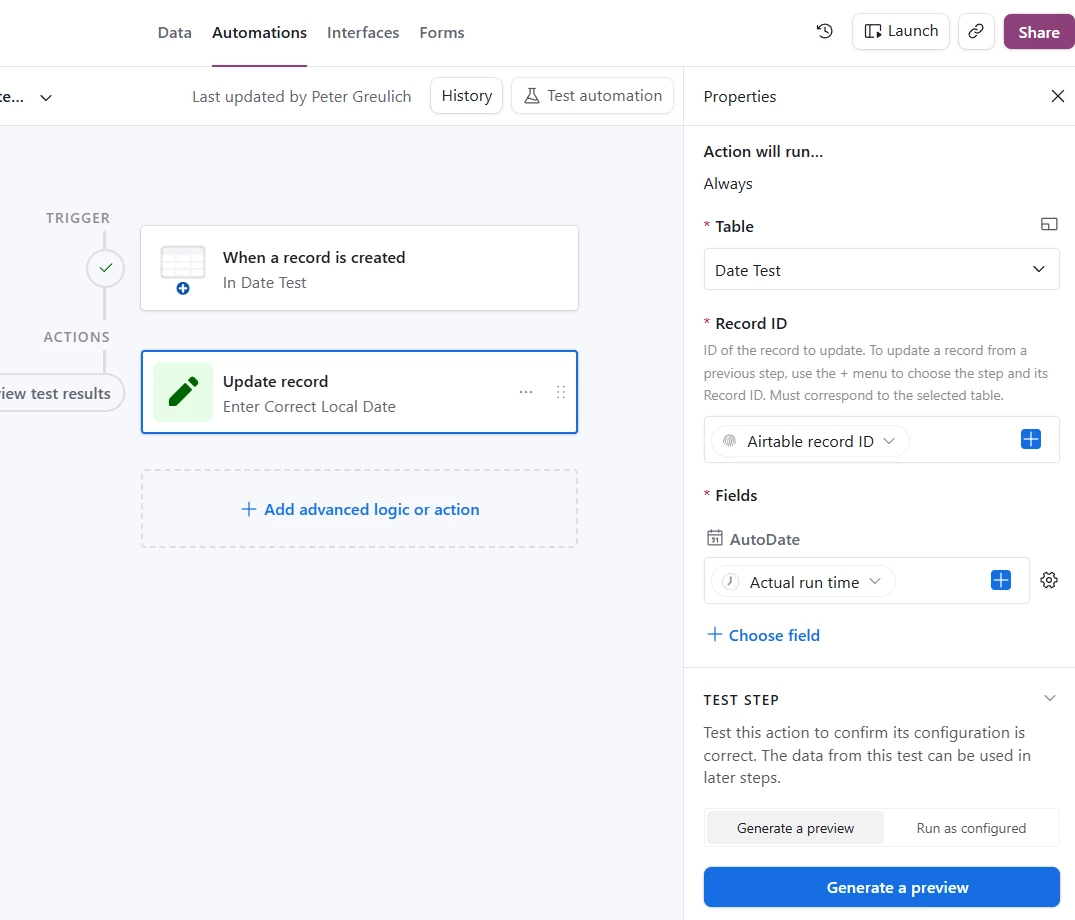
You can create an automation that runs when a new record is added and writes today's date into the field at that moment. This works well but it does use one automation run each time.
I would try the formula field first.
Also, it would be worth submitting this as a product idea so the Airtable team can see it. They do check that page and it helps them understand what people actually need. You can do that here: https://community.airtable.com/p/product-ideas
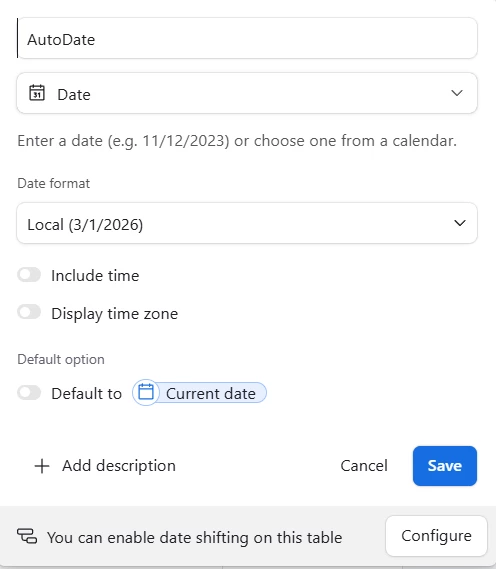
Hm, could you provide some screeenshots of your field setup?
When you said ‘Set to local time’, I was thinking you were talking about ‘Use the same time zone for all collaborators’, but if a Date field doesn’t have ‘Include time’ toggled on I can’t set a time zone for it at all so I figure I’m not understanding something
Hi @PeterG, I ran into a similar thing before. It is not something you are doing wrong. There is no setting to fix this right now, it is just a missing feature.
Two things that can work for now:
Option 1 - Formula field
Instead of using the Default Current Date field as a Date field, create a formula field and type Default Current DT in it. After doing this, you will be able to select your timezone again. This is probably the easier option since it does not use any of your automation quota.
Option 2 - Automation
You can create an automation that runs when a new record is added and writes today's date into the field at that moment. This works well but it does use one automation run each time.
I would try the formula field first.
Also, it would be worth submitting this as a product idea so the Airtable team can see it. They do check that page and it helps them understand what people actually need. You can do that here: https://community.airtable.com/p/product-ideas
Hi @PeterG, I had a look at this and honestly I do not think there is a clean workaround right now. Even with a formula field you still end up needing a date field with time included, which brings you back to the same problem.