
Formulas for Blocks

  • December 13, 2018
  • 3 replies
  • 72 views

I’m running into limits in Blocks. I want to be able to create formulas beyond just SUM, AVG, MEAN and other standard formulas. For example, I want to look at all the data from my NPS survey and calculate the NPS score automatically using the Summary Block. But these are the only options I get:
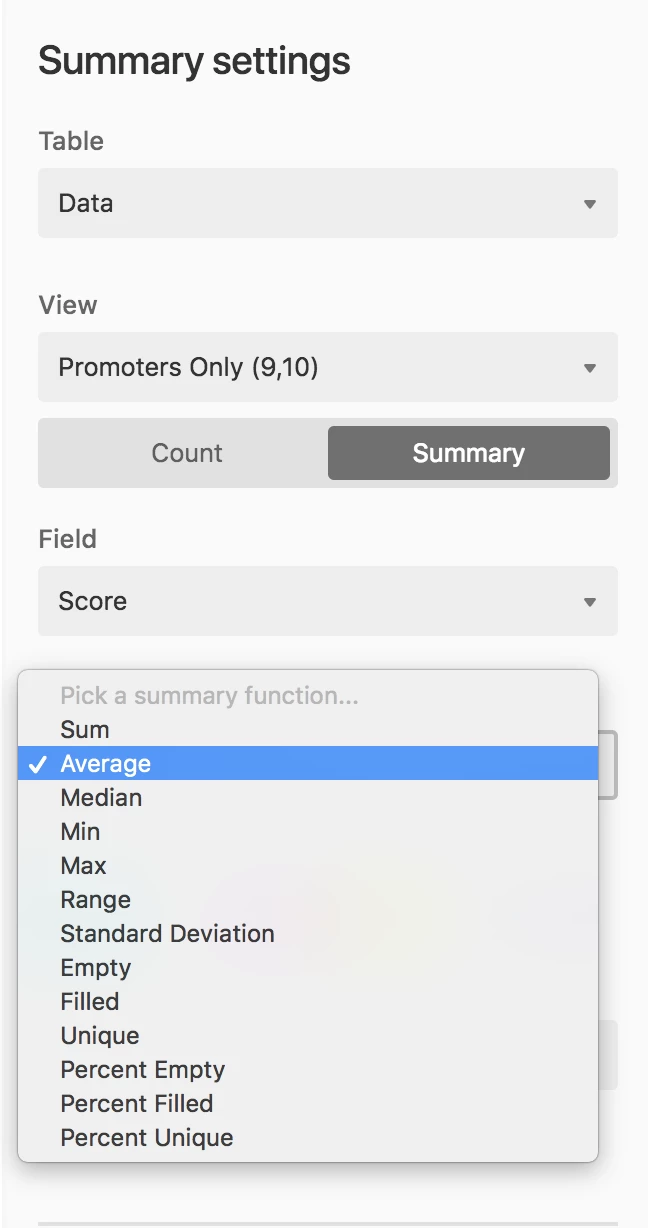
Is there any way to run calculations on the entire data set? Seems like Airtable doesn’t support this.
This topic has been closed for replies.

3 replies

  • Author
  • New Participant
  • December 13, 2018

Actually, looks like I can fake it by creating a formula within each row and then getting an average of that. It’s backwards but I think it could work.


  • New Participant
  • November 13, 2019

Would love to know how you set up the NPS system on Airtable. I have a form collecting feedback with one of the questions being the NPS per individual. How do you recommend going from there?
Thanks for all your help!


  • Author
  • New Participant
  • November 13, 2019

We created a new field with the formula:

IF(Score < 7, -100, IF(Score > 8,100,0))

Then create a new view and filter by a specific time period that you want to calculate the NPS.

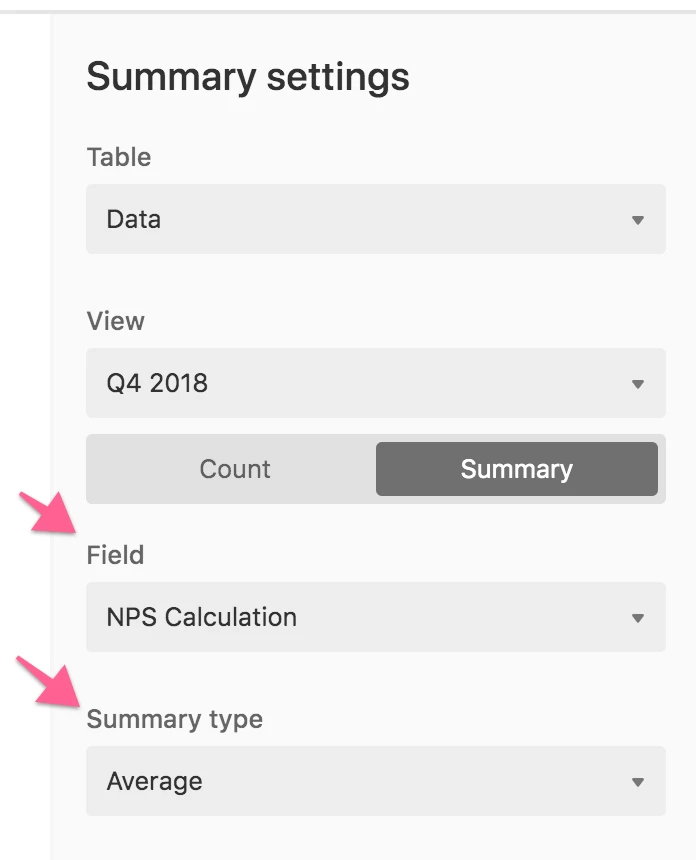
Then create a new block and specify that view, the field with the formula and choose “average”:

Hope it helps!