

How can I permanently dismiss UI feature tips and notifications when read?

  • August 30, 2018
  • 3 replies
  • 57 views

Forum|alt.badge.img+2

@Katherine_Duh from Airtable is very chatty in the lower left corner of my Bases, on a daily basis – see screenshot…
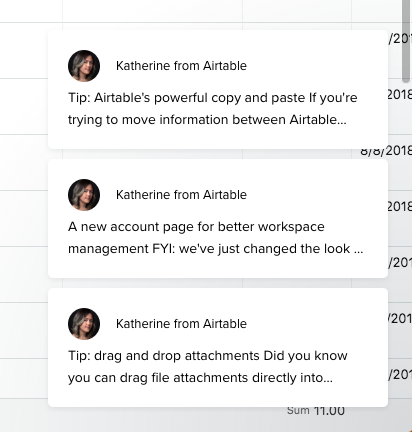
Her tips appear and re-appear on every browser session in a particular base.

These tips are handy, but I should be able to dismiss them for good once read and understood.

How can I do that?

This topic has been closed for replies.

3 replies

Forum|alt.badge.img+2
  • Author
  • Known Participant
  • September 4, 2018

Kind of disappointed that no-one has an answer to this. And was hoping that @Katherine_Duh herself might respond.


Forum|alt.badge.img+5

Kind of disappointed that no-one has an answer to this. And was hoping that @Katherine_Duh herself might respond.


Unfortunately, the fact that an in-app message will appear in multiple windows/tabs if you have multiple windows/tabs open is a limitation of the software that we use to broadcast the in-app messages (Intercom), and I don’t think there’s an easy way for us to solve it at the moment. I wish I had a better answer for you. In the meantime, I can prevent you from getting any in-app messages at all by putting your name on the opt-out list, but I can’t force in-app messages to only appear in one window. :disappointed:


Forum|alt.badge.img+2
  • Author
  • Known Participant
  • September 4, 2018

Thanks Katherine, understood.

For clarity, for me the (minor) annoyance is not a multiple window issue. It’s that the messages re-appear with every new browser session.

I can live with it. Seems like Intercom should offer you something better though :slightly_smiling_face: