
Question

Linked record field via CSV import extension

  • May 21, 2026
  • 1 reply
  • 16 views

AlexW-DP
Forum|alt.badge.img+5

Hello,


I am trying to use the CSV import extension to create records.  These records have a linked field to another record.  I am trying to populate the linked field via the CSV file, but I cannot seem to make it work.  I am attempting to create new records, not “merge” records.  Two immediate issues:

  1. On the mapping preview, the linked field does not appear in the record creation preview, even when the toggle is on.
  2. If I could get it to appear, I am not sure what info Airtable wants me to upload to successfully link the record. I tried the RecordID (pulled from the URL per Airtable’s guide) but that didn’t work.

There has to be a way to populate linked record fields via a CSV upload?  Can someone help! 


Thanks!!

Alex 

1 reply

TheTimeSavingCo
Forum|alt.badge.img+32

On the mapping preview, the linked field does not appear in the record creation preview, even when the toggle is on.

Yeah this bit’s confusing but expected behaviour I’m afraid

---

If I could get it to appear, I am not sure what info Airtable wants me to upload to successfully link the record. I tried the RecordID (pulled from the URL per Airtable’s guide) but that didn’t work.

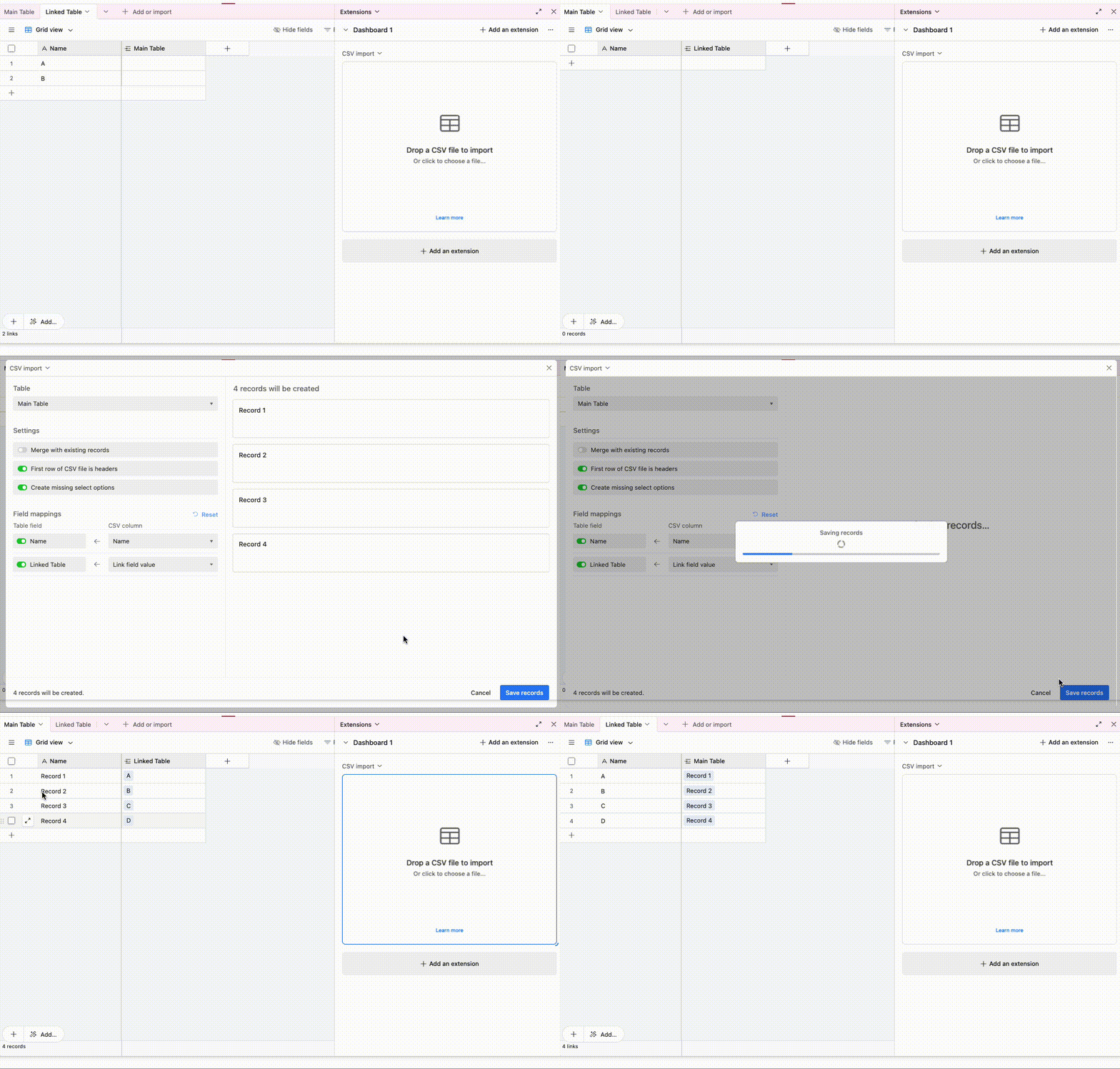
We’d put in the value of the primary field of the linked table!  Here’s an example:

And so we can see that the primary field in ‘Linked Table’ has ‘A’ and ‘B’ in it, and the CSV file had this:

Name, Link field value
Record 1,A
Record 2,B
Record 3,C
Record 4,D

And after the import it linked A and B, and created C and D for us