Solved

Remove an app's access to a base

  • February 11, 2023
  • 4 replies
  • 83 views

Ricardo11
Forum|alt.badge.img+16

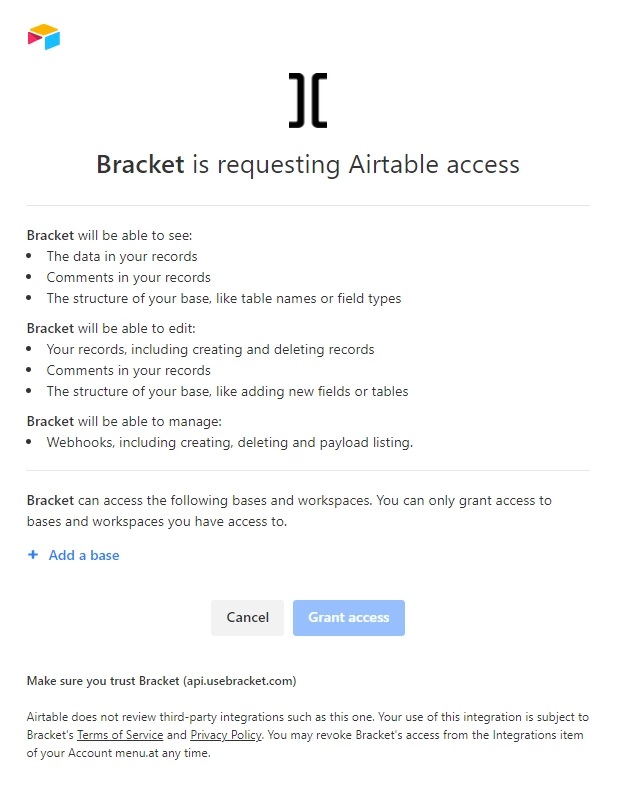
I have granted external 3rd party apps access to a base for testing purposes. How can I remove this access again?

Best answer by Ricardo11

Sounds like you are using OAuth. This support article says how to revoke an OAuth authorization. 


Thanks, I read the support article but was unable to locate the integrations section.

I misunderstood that one should open the account overview.
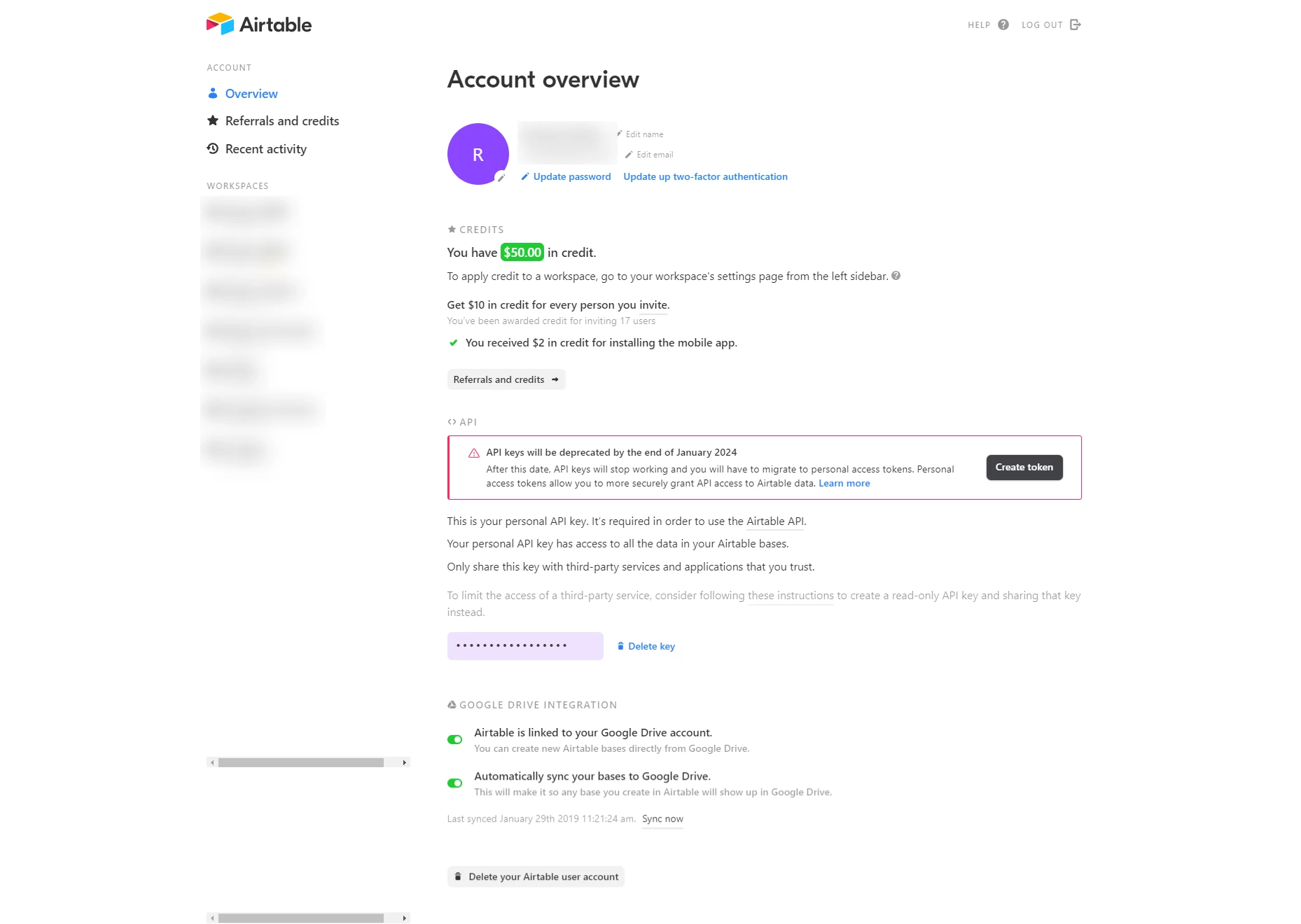
When in fact it's a separate menu item in the same list...
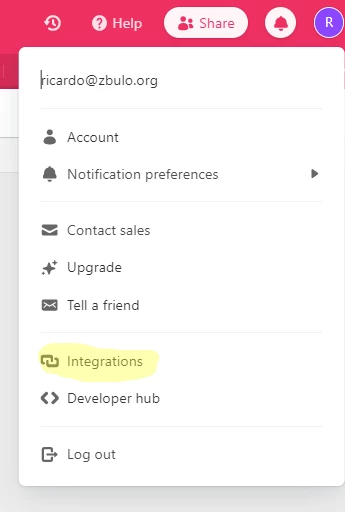
My bad, thanks for your patience.


4 replies

kuovonne
Forum|alt.badge.img+29
  • Brainy
  • February 11, 2023

That depends on how you granted the access. 

If you entered an API key on the third party website, login to the third party website and remove the API key. 

If you installed the 3rd part app as an extension in the base, delete the extension. 

If you added the 3rd party as a collaborator to the base, unshare the base with the 3rd party. 

If you handed out our API key but cannot delete it from the 3rd party, you can change your API key. Note that this could also break other integrations that use the same API key. 


Ricardo11
Forum|alt.badge.img+16
  • Author
  • Inspiring
  • February 11, 2023

That depends on how you granted the access. 

If you entered an API key on the third party website, login to the third party website and remove the API key. 

If you installed the 3rd part app as an extension in the base, delete the extension. 

If you added the 3rd party as a collaborator to the base, unshare the base with the 3rd party. 

If you handed out our API key but cannot delete it from the 3rd party, you can change your API key. Note that this could also break other integrations that use the same API key. 


Thanks @kuovonne, my question indeed to unspecific. I used the new / a different method that works without API keys or extensions, the one where the app prompts you to grant access, somewhat similar to how it works with Google products.

It says on the bottom. "You may revoke XXX's access from the Integrations item of your Account menu.at any time.", but I cannot find that option on https://airtable.com/account.


kuovonne
Forum|alt.badge.img+29
  • Brainy
  • February 12, 2023

Thanks @kuovonne, my question indeed to unspecific. I used the new / a different method that works without API keys or extensions, the one where the app prompts you to grant access, somewhat similar to how it works with Google products.

It says on the bottom. "You may revoke XXX's access from the Integrations item of your Account menu.at any time.", but I cannot find that option on https://airtable.com/account.


Sounds like you are using OAuth. This support article says how to revoke an OAuth authorization. 


Ricardo11
Forum|alt.badge.img+16
  • Author
  • Inspiring
  • Answer
  • February 13, 2023

Sounds like you are using OAuth. This support article says how to revoke an OAuth authorization. 


Thanks, I read the support article but was unable to locate the integrations section.

I misunderstood that one should open the account overview.

When in fact it's a separate menu item in the same list...

My bad, thanks for your patience.