I am trying to search for records in Airtable from Integromat and unable to figure out how.
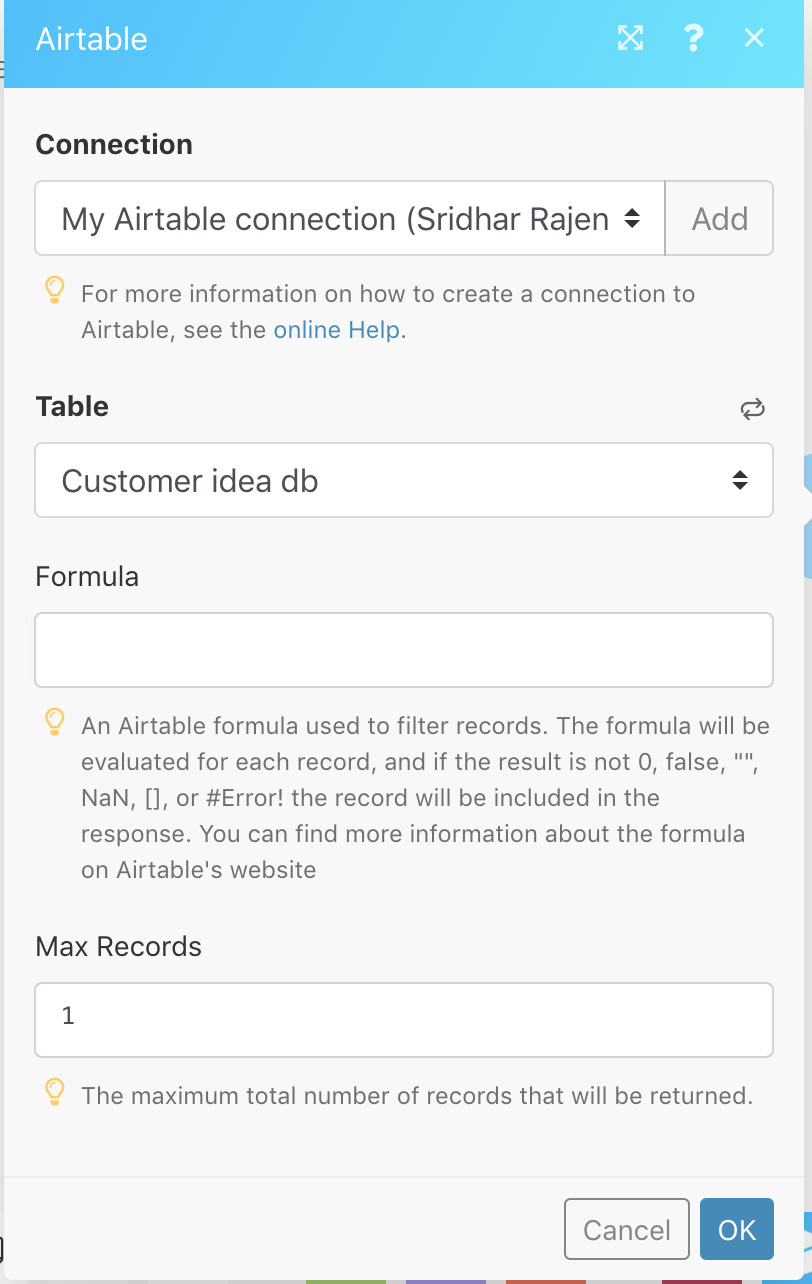
I have created a scenario where I get a unique id to be searched for in Airtable via a webhook. After linking the webhook to Airtable, I selected the option “Search records”. There is a field called “Formula” and I am not able to figure out what it means.

Solved
Search records in Airtable from Integromat
 +2
+2Best answer by M_k
Hi @Sridhar_Rajendran and @Kristina_Traeger1
This is in response to your posts.
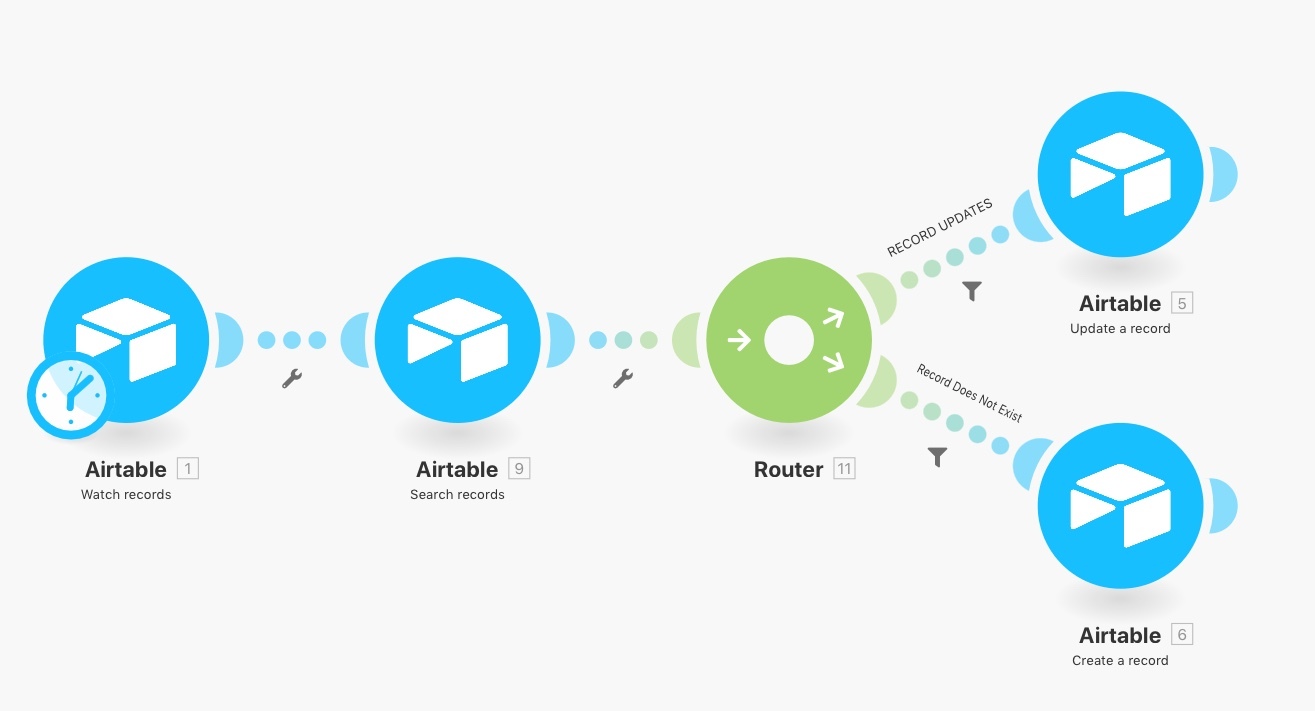
You would use thIs basic Integromat scenario and then you can expand on it to suit your own use case:
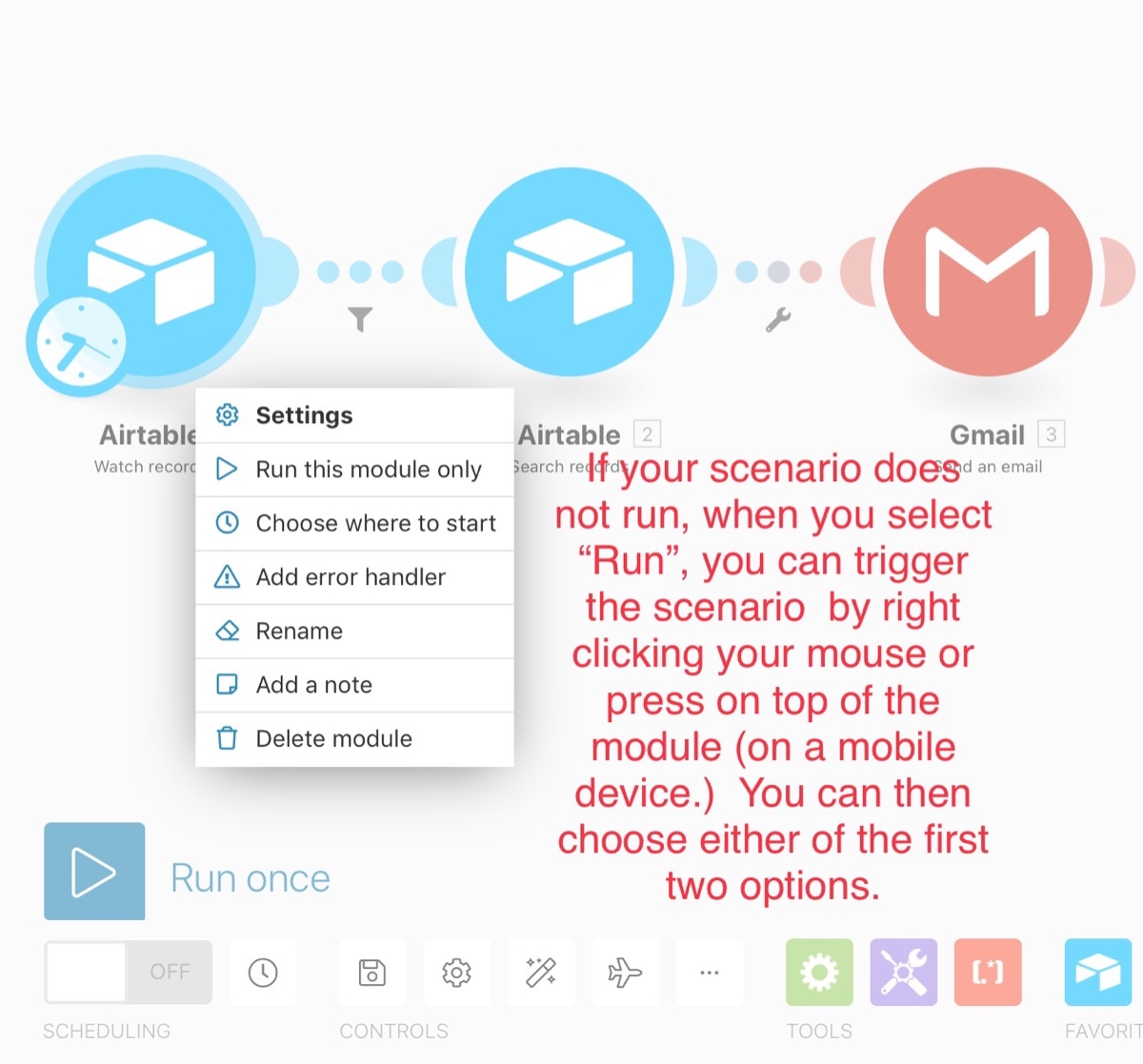
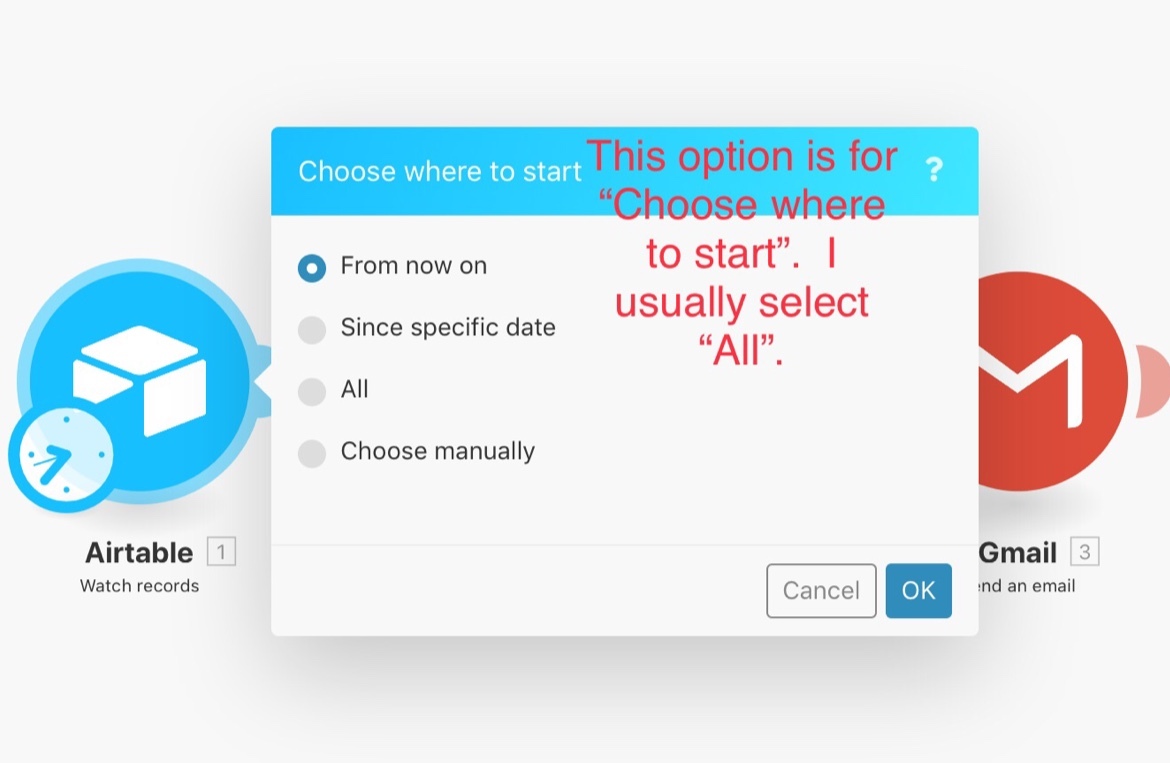
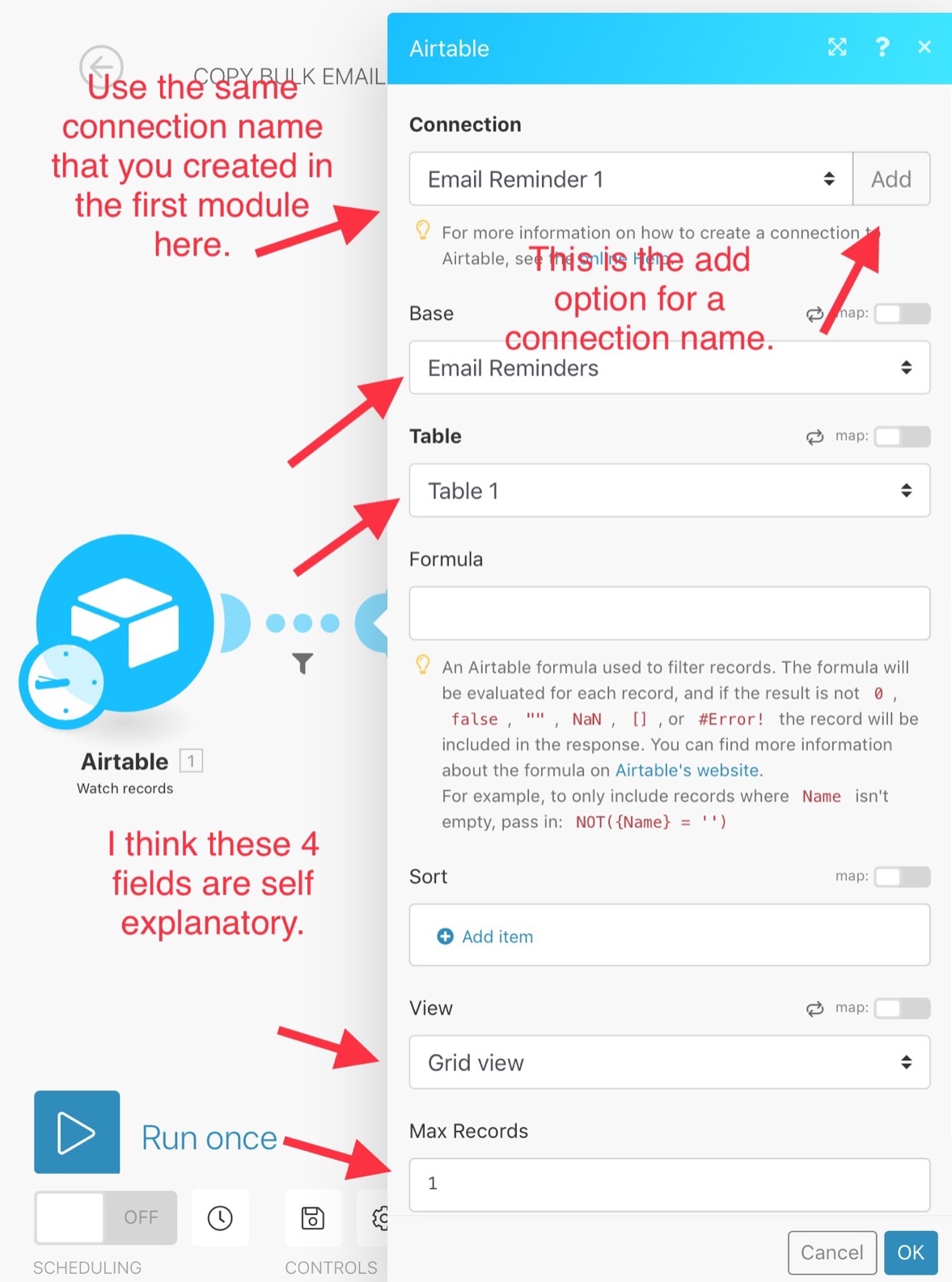
Airtable=> Watch Records only use this if you are not using an app before this one
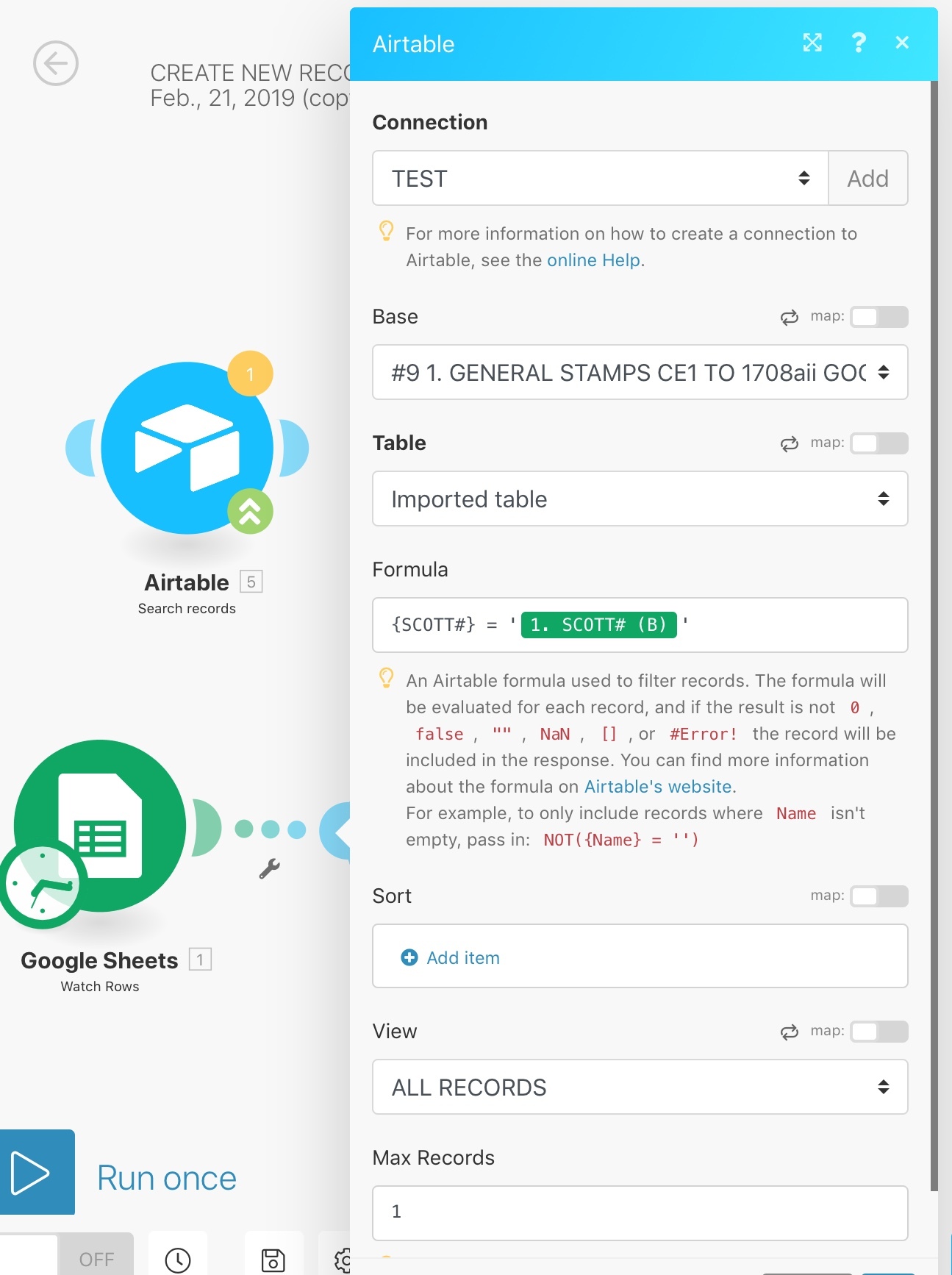
Airtable=>Search Records
The formula:
{type keyword/unique ID} = “use the value/blue tag of the field name”. **use straight quotes
Use Router
Airtable=>Update Record. **secod branch, filter before the app: chose blue tag (ID) and Record Updates
Airtable=>Create Record **first branch, filter before app: chose blue tag (ID) and Exists
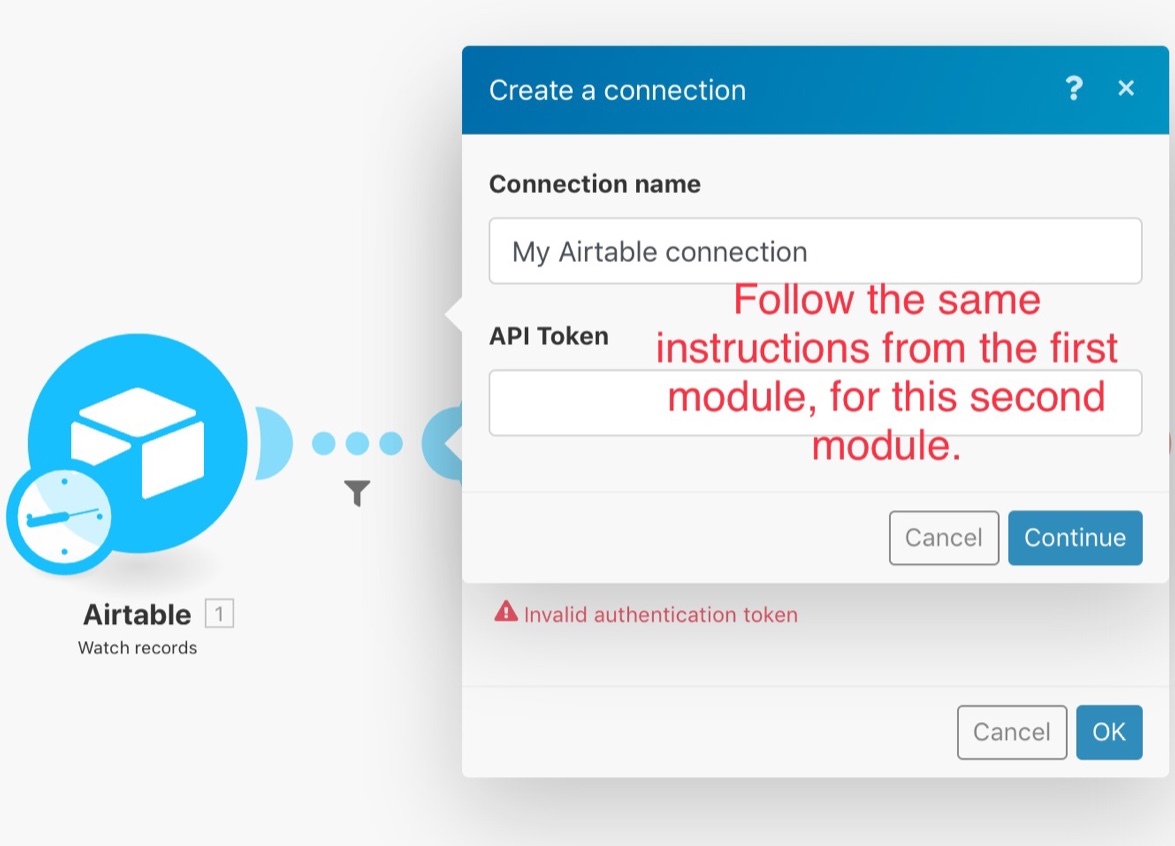
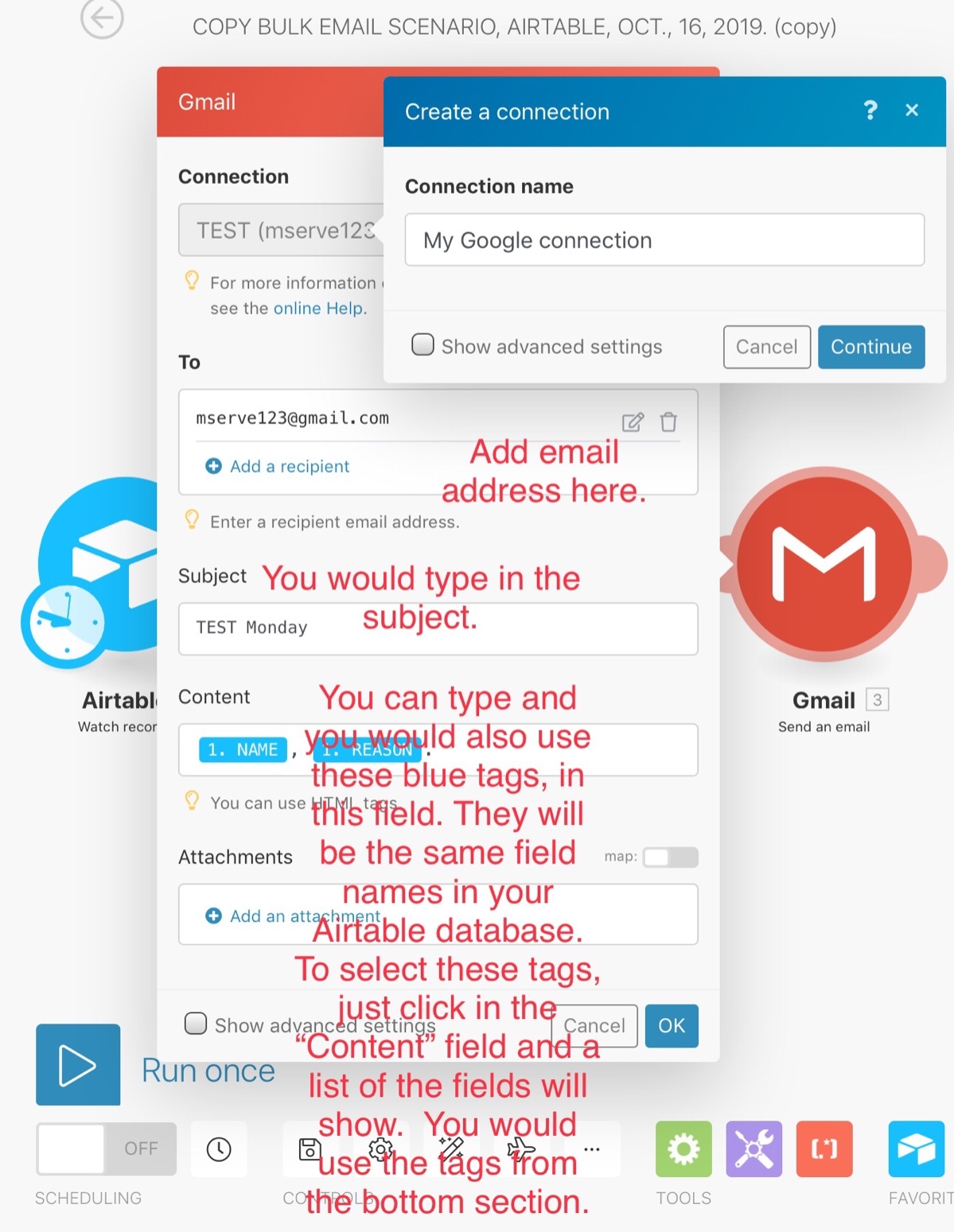
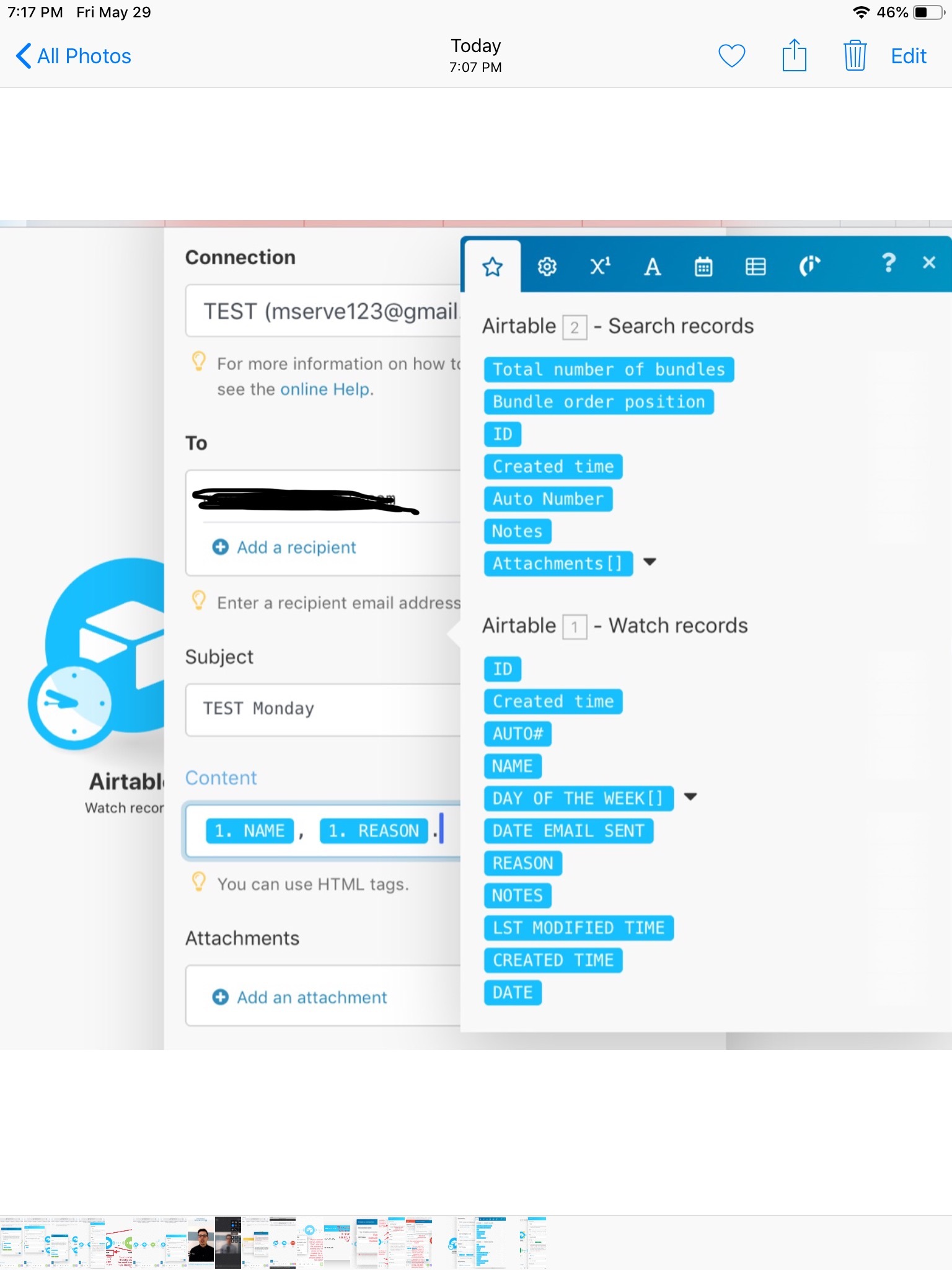
Here are screenshots to illustrate how to setup a basic scenario to a update and create records and how to setup Gmail module. You can add on and expand the scenario for your use case.
Images 5 and 6 shows how to setup the formula, you would just use your own unique key.
Hope this can help.
Mary Kay
This topic has been closed for replies.

Enter your E-mail address. We'll send you an e-mail with instructions to reset your password.