Show full cell contents on gallery and kanban cards?

  • March 11, 2020
  • 2 replies
  • 60 views

Forum|alt.badge.img

Hi there! I’m using Airtable to plan out the scenes of a story, and I love having the gallery/kanban view to be able to rearrange scenes within chapters. Right now I’m using a short description of the scene as the “title” for my kanban/gallery cards. However, many are getting cut off and making it hard for me to get a truly “at a glance” view of the scenes I’m working with. (I would post an image, but the interface won’t let me submit my question with one!)

Is there any way to force the cards to display all cell contents on cards?

Thanks!

This topic has been closed for replies.

2 replies

Forum|alt.badge.img+18

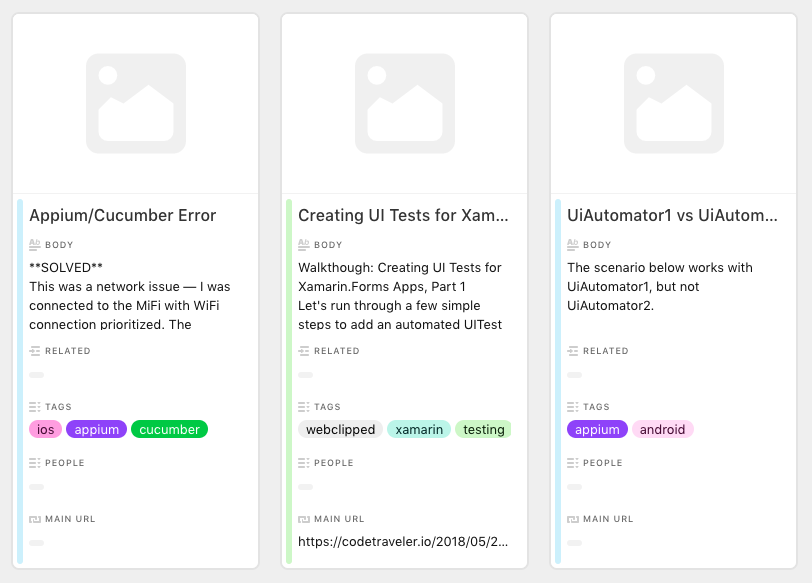
It may be a bit inelegant for your workflow, but you could try moving your “short description of the scene” into a text field that is not the primary field, and use some other, shorter identifier as the “Title” in the primary field.

While text will still eventually be truncated in a non-primary text field, it will at least be long enough to see the full text of a “short scene description” - note my “Body” field below:


Forum|alt.badge.img
  • Author
  • New Participant
  • March 11, 2020

It may be a bit inelegant for your workflow, but you could try moving your “short description of the scene” into a text field that is not the primary field, and use some other, shorter identifier as the “Title” in the primary field.

While text will still eventually be truncated in a non-primary text field, it will at least be long enough to see the full text of a “short scene description” - note my “Body” field below:


Thank you for the quick reply! I had this thought as well. I will give it a try.