
I’d like to be able to copy & paste columns from an excel spreadsheet report into my Airtable Base, but I’m finding it hard to get the sorting to match. I need to sort by ISBN10, which can contain both numbers and text. Excel and Airtable apparently have different ideas about how such things should be sorted.
I’ve had to create a workaround where I sort my Excel list, number each ISBN according to the excel sort order, copy those cells into an Airtable sheet, re-sort, and add another column numbering the the list according to the Airtable sort. I then have a proxy for each sorting order and can copy and paste the data needed. (example below)
Not a big deal to do once, but untenable with frequent updates to the list.
Is there any workaround people have found to get Airtable to sort like Excel (or vice versa) ?
Thanks.
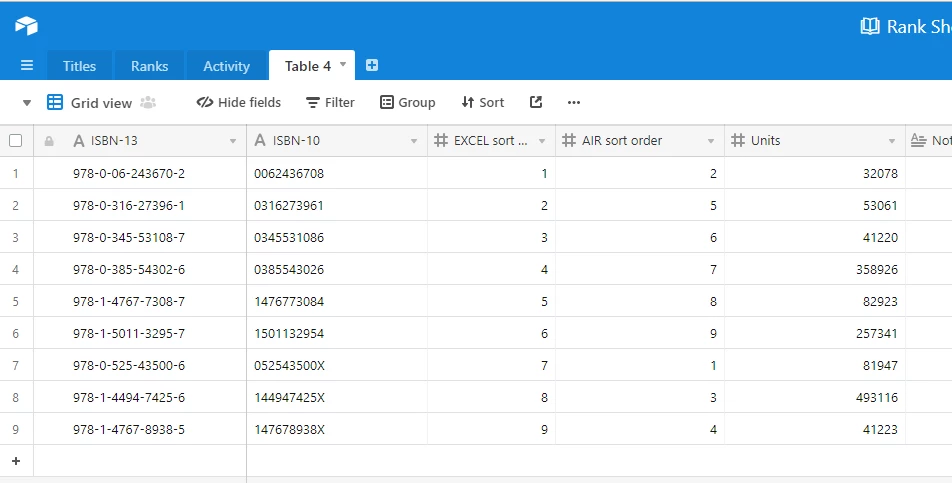
(PS: I know there are 2 options for sorting mixed cells in excel, but since neither of them match Airtable sorting, I’ve omitted that part of my experiment for simplicity’s sake)