
Solved

Stop "Suggested Views" from showing

  • November 5, 2020
  • 2 replies
  • 27 views

Is it possible to get the “Suggested Views” to stop showing in the sidebar? This takes up a lot of prime real estate. On my screen I can only see 5 of my many views :stuck_out_tongue:
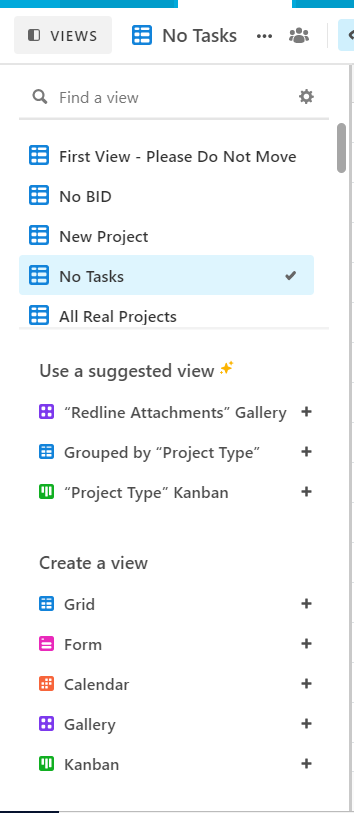
Also, I would prefer to have a single “Create a view button”, but that’s more of a feature request.

Best answer by kuovonne

You can turn off the suggested views by clicking the settings gear in the top right corner of the views sidebar.

2 replies

kuovonne
Forum|alt.badge.img+29
  • Brainy
  • Answer
  • November 6, 2020

You can turn off the suggested views by clicking the settings gear in the top right corner of the views sidebar.


  • Author
  • Known Participant
  • November 6, 2020

You can turn off the suggested views by clicking the settings gear in the top right corner of the views sidebar.


Goregeous! Thank you :slightly_smiling_face: