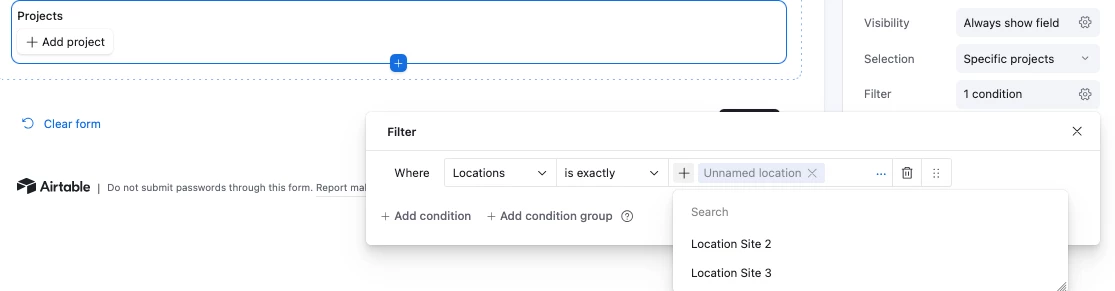

I have been testing out the recent Display names for linked records feature and realized that there is a flaw in the design although Support confirmed that it was working as intended.
What I’m seeing:
The linked record picker correctly shows the configured display name.
The linked table’s Primary Field is populated for all records.
Visibility conditions evaluate correctly at runtime.
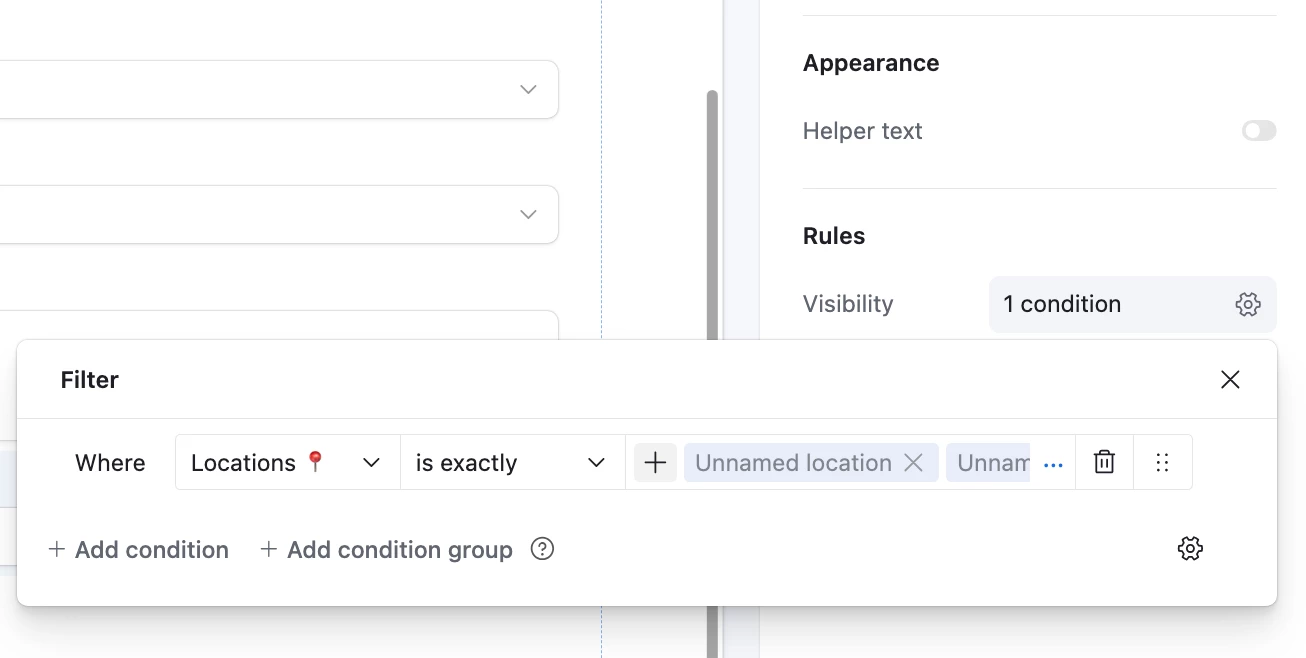
However, when configuring Visibility Conditions on forms or record detail layouts, the selected linked record values appear as “Unnamed” in the configuration UI. You can search for the ‘Display Name’ that you configured in the field during configuration but after you select those values, you get ‘Unnamed’.
From my experience Unnamed is when a record has no data in the primary field but in my scenario it does. It only displays the Unnamed when you enable the ‘Show display name instead of primary field’.
Impact:
It’s not possible to review, audit, or troubleshoot visibility logic, because the conditions are unreadable.
The only workaround is to temporarily disable “Show display name instead of primary field,” review or edit the conditions, then re‑enable it. This adds friction and risk for creators managing complex forms or interface record layouts.
Expectation:
If a linked record field is configured to show a display name instead of the Primary Field, the same display value should be used consistently in the Visibility Conditions builder, or at least resolve to a readable value instead of “Unnamed.”
Posting here to see if others are experiencing the same behavior and to flag this as a potential product gap.
I think Airtable should address this.